Mobius
-
Posts
1691 -
Joined
-
Last visited
-
Days Won
110
Content Type
Profiles
Forums
Articles
Store
Everything posted by Mobius
-
It really is always evolving. I'm sure it's only a matter of time till i decide i need hardware strong enough to run video generation ai or something else silly that i don't truly need. Any plans for your next upgrades?
-
one of my many hobbies includes massively overthinking my homelab so i have thought about if i am going to go rj45 or sfp 😅 I think up until i can save up enough money to purchase my own home i will be going rj45 because of slightly higher ease with less permanent setups such as running it outside uncovered. part of my homelab upgrades includes switching over every part of my network to ubiquiti devices. its not cheap but i was looking at the unifi flex 10gbe or unifi flex 2.5g
-
you are not wrong😅 my poor bank account has been beat up by this server you are correct i am planning on doing a 3 way mirror. i don't think i will need the extra storage space on it and i don't think special/metadata vdev can be set to z1. I just don't want to risk 100tb+ of data getting lost because my ssd failed from my screwing around hence the high level of redundancy. At this time i don't even have a back up for most of the data because a 2nd one of these monsters is just too damn expensive but one day ill probably make a "low" cost backup server itll probably be made with the absolute cheapest hardware i can find and filled with refurb hdds i also forgot to mention i put off purchasing a intel x550 nic at this time. it will be added eventually but im in no rush. at this time nothing else at home has anything higher than 1gb ethernet and my main computer is a laptop of wifi so no point getting 10gb ethernet for that either.
-
I forgot to post in this thread but the idle power was somehwere around 60-80w i forget but that aside im super excited, i finally found some deals on the parts i was looking for and will finally be (almost) completing my nas I ordered my jonsbo n5 yesterday and the a few more hdds i will also be trying to push the jonsbo n5 to the limit by modifying it to hold more hdds. Im not confident but im hoping itll work. new parts list below Cpu - Core Ultra 265k Cpu Cooler- Thermalright Frost Spirit 140 Mobo - Asus Z890M-Plus Prime WiFi Realtek RTL8125 2.5gb Ram - 4 x Gskill Ripjaws m5 48gb 5200mhz cl 40 Storage 3 x 16 tb Seagate skyhawk ai hdd 7 x 14 tb Seagate exos hdd 5 x 14tb Western Digital ultra star hdd 2 x 2 tb Samsung 980 pro ssd (looking for one more so i can do a 3 way mirror special drive for my main storage pool for fun) 2 x Intel Pro 5400s 240 GB (boot drive) 2 x Intel Pro 5400s 240 GB (apps pool) PSU - Super Flower LEADEX VII Platinum PRO 850 W case fans - 5x Arctic P12 Pro The plan is to drill some holes into the case so that these phanteks drive caddies will fit. I've been using my Hexos server as a test server but i think its finally time i set it up as my main machine. im going to be doing 1 pool of 2 z2 vdevs that are 6 wide and made of 14tb drives for main storage pool (later i will add triple mirror ssd for special drive) 1 z1 pool of 3x16tb drives for 2nd storage pool 1 mirror pool of 2x 240gb for my apps pool
-
i havent used it myself but but karakeep is on the truenas app store and looks like it fits your needs. Keep in mind that if you want to access your notes that are self hosted outside of your home network, you will need to setup something like a reverse proxy.
-
@Insanittyx you should be good to go now without any more troubleshooting just log back into deck and you can claim your new server
-
@Insanittyx lets try something else. If you had a vpn active try again after turning it off. if you didn't have a vpn active try connecting to hexos deck using a device on a different network like your phone (on cellular internet and not wifi)
-
i'll reach out to someone and see if they know anything else we can try
-
im assuming refresh button does nothing either right?
-
are there any options when you click the arrow next to the home button up top?
-
other users have reported deck being a little weird right now because of caching can you try checking it out with a different browser?
-
turn off your new server and check again
-
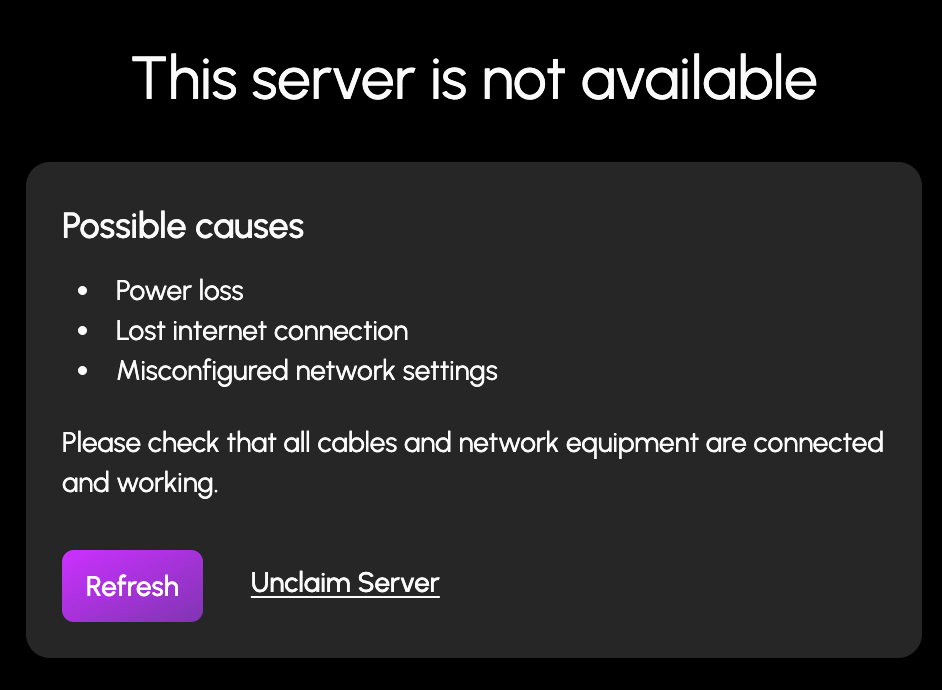
when you login to deck before you try to claim your server you see this screen just hit unclaim server

-
to clarify you still need 2 drives at the minimum to do things 1: os/boot drive 2: storage drive
-
It's an exciting update that we've all been waiting for
-
actually it should be soon in the q2 update next week-ish if i'm not mistaken about the q2 feature set
-
bigger number better 😂
-
Thanks for sharing your experience yeah ive heard bios updates can be a very scary thing for these Chinese boards with risk of bricking. 2.5gb nics are really hit or miss so many users report they work fine but a lot of users also report problems with it at this point its just safer to go straight for a 10gb nic like the intel x550
-
Yes make mkv can run on hexos but at this time it will have to be installed via the underlying truenas interface. However i suggest just running it on whichever machine is stronger for convenience purposes. Here is a guide to install it on truenas https://www.reddit.com/r/truenas/s/FyNpLmWfYi
- 1 reply
-
- 1
-

-
Seems like the hexos team has been looking into this issue and there should be a post on it very soon. For now can you try to update the underlying truenas os to 24.10.22 and then try the following Login via TrueNAS UI and navigate to the Network page. Observe the value for the interface IP address as well as the Global Configuration Nameserver and Gateway. The interface should show the IP address that DHCP assigned. Nameserver should show an IP address with “(DHCP)” next to it; most likely matching the gateway. Click “Settings” on Global Configuration and observe the values specified for DNS 1. Even though the value was dynamically assigned, it appears as a fixed value within the Global Configuration Settings pane. Editing the pane and clicking “Save” will change the DNS 1 entry from “DHCP” to static. Editing the pane and deleting the DNS 1 entry and clicking save will return the DNS 1 entry to “DHCP”, but only if the interface IP is also set to DHCP. If the Interface IP’s DHCP checkbox is unchecked and you edit global configuration deleting the DNS 1 entry and clicking save, it will leave DNS 1 blank and no name server will be specified. Click “Edit” on the Interface and observe that no values are specified for the DHCP IP address in the form. Uncheck “DHCP” checkbox. Click “Add” under the “Aliases” section to add a manually specified IP address. Click “Save” Observe the Nameserver still showing “(DHCP)”. Click “Test Changes”. Renavigate your browser to the new manually specified IP to load the TrueNAS UI. Go to the Network page. Observe the Global Configuration section showing no value under Nameservers. Click “Settings” on Global Configuration and observe no value under DNS 1. If it doesnt work please let me know
-
I wasn't updated on the outcome of this issue after i previously escalated it. I do however know that a member of the team setup a meeting with a few of the individuals with this issue.
-
it isnt exactly what you want but the truenas app catalogue does list it when there are a lot of users for an app https://apps.truenas.com/catalog/
-
I don't think this issue has to do with deck up time since https://status.hexos.com/ shows 100% up time for deck and api. I have reached out to the hexos team again to follow up with them on this issue.
-
1.0 is still planned for this year but it could mean 12/31/2025 nothing more specific has been announced at this time