All Activity
- Past hour
-
Hi, I've never worked with anything other than classic Windows(XP, 7, 10, 11) for my "server" and I'm planning to switch to HexOS during the christmas vacations. If you spot something bad or have suggestions let me know please! Also I have a few questions: 1- Do I have something to do to let Plex use the iGPU to transcode (other than selecting hardware transcoding in Plex's settings). 2- I want to mirror my boot drive for reliability (I know there's an option for it in the setup). Do they have to be the same size or I can pick two SSDs I already have laying around and I'll simply be limited by the smallest? 3- For the boot drive, the minimum is 16GB, but do I gain anything if I use a 250GB or 500GB disk? Currently I have two old SSDs 64GB and 120GB available, I have some bigger but I dont want to "waste" them if only 16GB will get used. 4- To prevent fragmentation in the pools, I've seen discussion about using a "scratch disk" or a "download disk". I have a 500gb NVME disk I'd like to use for this. Do I set it as it's own pool (I don't need redundancy for this)? Is there a setting in the OS to set it has a temporary file drive? 5- Where are the apps (plex, home assistant, etc) installed? The storage pools, the boot drive, a drive dedicated to them? 6- I've heard LSI cards can run hot (a lot less with the one I selected), can I monitor the temperatures of the components (cpu, mobo, LSI, etc) in the OS? Specs: CPU: Intel i3-8350k (old) Mobo: Gigabyte Z370 HD3 (old) RAM: 16Gb (old) HBA: LSI 9400-16i + SAS to SATA cables (new) Case: Jonsbo N5 (new) 2x 2.5" SSDs boot (old) 1x NVME 500GB for downloads and temporary files (old) 4x 18TB (new drives) 3x 12TB (old drives after I've transferred everything on the 18TBs) 4x 4TB (I have them laying around, might as well use them) Thank you!
- Today
-
 wqed joined the community
 -
 jdubya421 joined the community
 -
 Air0n joined the community
 -
 Pyroboy5000 joined the community
 -
 Stegosaur5005 joined the community
 -
 WaleedE joined the community
 -
 evilfix joined the community
 - Yesterday
-
I have transplanted pools between several test builds, with new OS installs each time. I've always been able to import the pools in the TrueNAS interface without issue. I usually run a scrub afterwards but has always 'just worked' for me... ...Just remember the usual caveats of having backups etc.
-
 Shaggy.exe joined the community
 -
 Archiek900 joined the community
 -
 PieHousehold joined the community
 -
From what I understood it was a price issue, I wonder if the licenses could be upgraded for extra at some point.
- Last week
-
yes you would need to either go back to the 192.168 subnet or Vlan for the hex os port to run as 192.168 and make the ACL's to connect back to the 10.10
-
I would take the new router and mirror the current /24 ip structure.
-
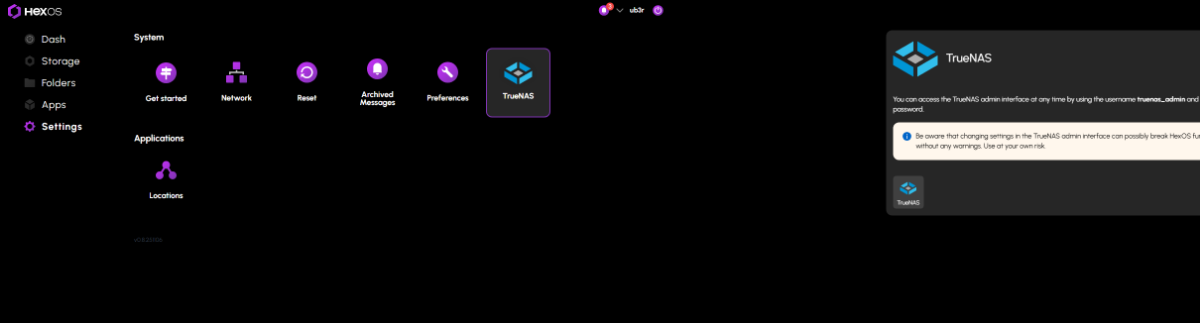
If you are in Windows use a network scanner like Angry IP scanner or NMAP/Zenmap to do a network scan . You should see the hostname that you setup the NAS to have ,use that IP and HTTPS://i.p. here and you should see the truenas screen. Also you can use this option from the HEXOS DECK view ::::: SEttings - truenas- popout window truenas button

-
So I cant speak on the uGreen HW but I can tell you that if you decide to find normal computer hardware plopping in the boot SSD and hard drives it will take off and run " NOTE depending on the network chipset you have" without any hitch. I am running the same SSD that I started HEXOS "since launch" and have tested about 12 different motherboard cpu combos and the only issue has been a network chipset that the underlying Linux os didnt like.,
-
So I have played with a lot of different hardware on my HexOs journey. For the time I have landed with using a i3 8350k 32gb of ram and running 16 drives. For your use case the storage is going to be your money pit. Without knowing where exactly where your needs are I could say make sure you bulk up there where as in RAM starting with 16gb will get you going but having more will help ZFS Cache.
-
You could do some Slow but useful AI stuff
-

Urgently need my email change, no response from HexOS support email.
ubergeek replied to HoldenTG's topic in Forum Issues
Talk to @mill3000 -
Hello! I have a relative in Russia that worries about censorship and all the other obvious freedom of speech violations in that country. So I wanted to try and set up an amnezia wire guard setup. To be honest, I am a complete server noob. I am a software dev by trade, but when it comes to setting up Docker images or other linux server magic, I am honestly completely lost. I am pretty sure it can somehow work. It's just I am lacking the know-how of how to do it and I was just wondering if anyone could help me or run me through it, or at least point me in the right direction on how to do it. I am not allergic to reading, so I'd also appreciate it if anyone has a good guide that I can look at. Thank you for reading! And for any help in advance!!
-
Not possible. License transfers are not permitted. All licenses are tied to the purchasing account.
-
I currently have one license and have really enjoyed using Hexos for my personal NAS. I’d like to add an offsite backup, and a friend of mine is considering building a NAS, which would work well for a buddy backup setup (in 2026 when it's released). I noticed he can get a license on sale for $199, while I can purchase a second license for $99. Ideally, he’d have his own account, so I’m wondering if Hexos would allow me to transfer a second license to him. Thank you for your time and consideration.
-
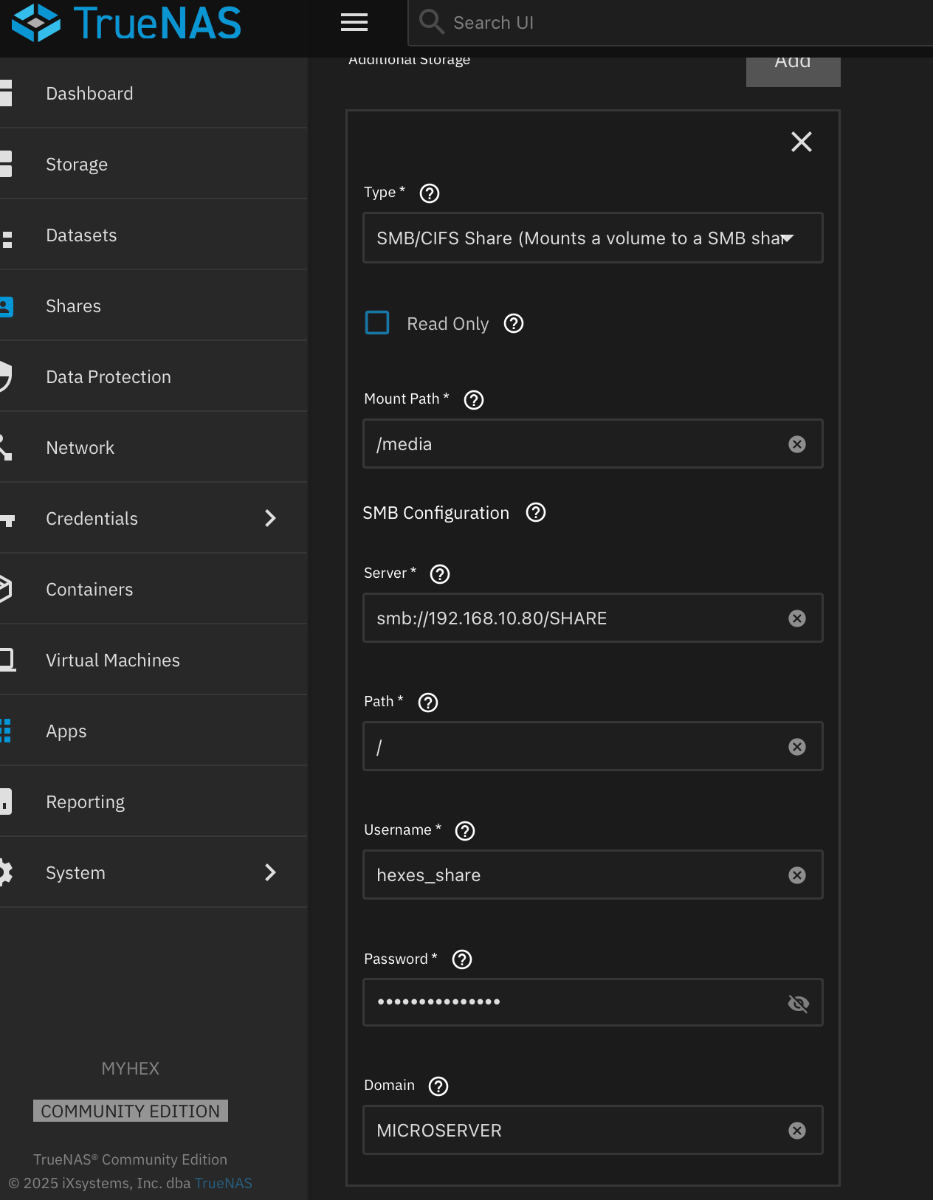
Have an interesting use case here, that I have yet to find information on. I am adjusting an Application to use an SMB share as one of the mount points. So far, I have been unable to get this to save/mount. Has anyone tested this? If so, how did you get it configured?
-
Not really the 9700 is already quite good at transcoding video. quite likely since just adding a gpu will be increasing idle power draw by 10-20w You can always test a worst case scenario and if you think your intel cpu can't handle it then try the nvidia gpu.
-
That is what I am using and for the same reason, it was just laying around. I only really notice it working when I dump a bunch of movies or family videos into Plex. I think Jellyfin would have value also but I use it very sparingly so I don't see the same bump. I didn't get a power reading before I stuck it in so can't help there on electrical impact or cost. As an aside, I am slowly buying four 8tb drives to replace the four 4tb drives I have connected now. When I complete the set I am going to rebuild from scratch so I hope to have some solid number from that experience. Might not be as helpful at that time but I have to do it anyway so why not track it all.
-
Hmm. I'm not sure where I fall on this anymore. I have two license so going forward I will probably just shut up because I think there are much larger fish to fry here. Personally I was so wrapped up in a "remote" buddy backup that I didn't really put together that I would be buying a license at the old cost for someone else. That wouldn't have been my intention (or so I say) and like most folks I do respect a companies intellectual property. I'm not telling anyone with a strong opinion not to air it but I think we have really beat this into the ground. Like I said, I got an second license when the sail started and I would be very surprised if the $99 dollar option ever happened again after how this went through. But speaking only for myself I don't care if on the day we go live or the day the monthly option is announce, that they had a one day $99 sale again. And if you missed that one you can't blame Eshtek even though you can't really now.
-
 Hi, I’m running a completely default HexOS setup (fresh install last month), I only logged into truenas once after the initial install to check things up but did not modify anything. The only apps I have installed are Immich and Jellyfin. I checked Truenas today and see the following alert: Critical SMB shares have path-related configuration issues that may impact service stability: Applications: ACL type mismatch with child mountpoint at /mnt/SSDs/Applications/immich/postgres_data: SSDs/Applications - NFSV4, SSDs/Applications/immich/postgres_data - POSIX 2025-11-16 21:04:11 (Europe/Warsaw) Should I do anything? I verified those claims, and ACL types are indeed different.
 -
Thank you. That’s very appreciated. I’m in the process of planing out a small server for the home. I was thinking immich (we live in a 3rd world country and take lots of pictures) and an emby server. This clears up a lot.
-
I don't know how possible it is (zero experience with NAS stuff before HexOS) but it would be cool to have VirtualHere server as an app. Right now I've just got a raspberry pi sitting next to my NAS that's running it, so it'd be nice to have that on the NAS itself and get rid of a few wires.
-
There is no announced timeframe at this time. The benefit is being able to make bigger pools.
-
did you check this thread? It is regarding that issue.
-
my issue is that hex lost its connection with a local IP address change, i was able to get the server working as a truenass, but hex will not reconnect, or even find it
-
Damn, well thanks for the info! I did now also Google that HexOS "may" support the mixed capacity drives sometime in early 2026? Being that my drives also arent all of the same size is there a benefit to holding off the switch over until that support? I can look to purchase another 2 drives that match my 2 new ones to parity with 2 backups (goal is 2/8 being used as parity) and 2 storage drives, until this feature is added for me to slowly add in the other drives to expand the pool 1 drive at a time?