freid
-
Posts
59 -
Joined
-
Last visited
-
Days Won
3
Content Type
Profiles
Forums
Articles
Blogs
Store
Everything posted by freid
-
Yes, for me the basic update of TrueNAS went through without any issue. Holding off on updating any of the app scripts until I get confirmation that there is a safe way to move from TrueNAS installed apps to HexOS curated ones.
-
To be clear, these apps weren't installed via your curated versions. They were installed in TrueNAS. Is it still safe to click Update now?
-
So, following the update is it now safe to click the update button below? I'd really like to get a better idea of what is going to happen if I do.

-
Oh wow! I could understand the mounts (if different than the default locations). The rest like API keys are a bit confusing unless you weren't able to reconnect to your previous database. It would be nice if the interface perhaps showed a comparison between what the existing configuration is and what the updated one looks like so that changes could be minimised before updating. That way, if I have to move a mount manually before the upgrade I would do that so that once the update is done everything works exactly as before I switch to the curated version.
-
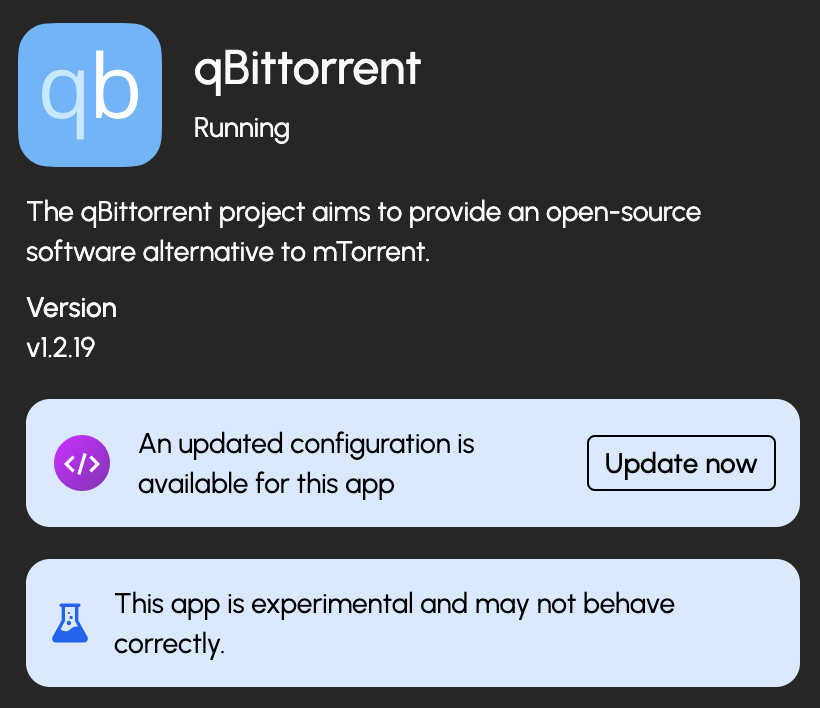
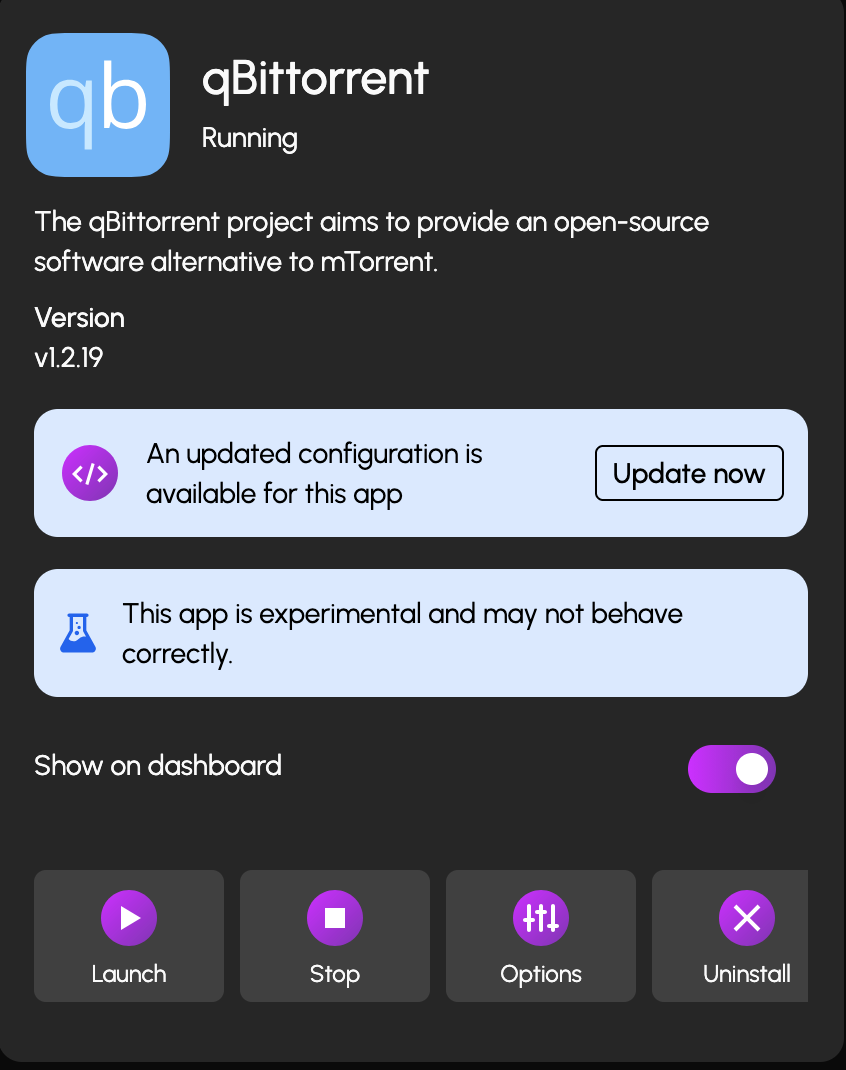
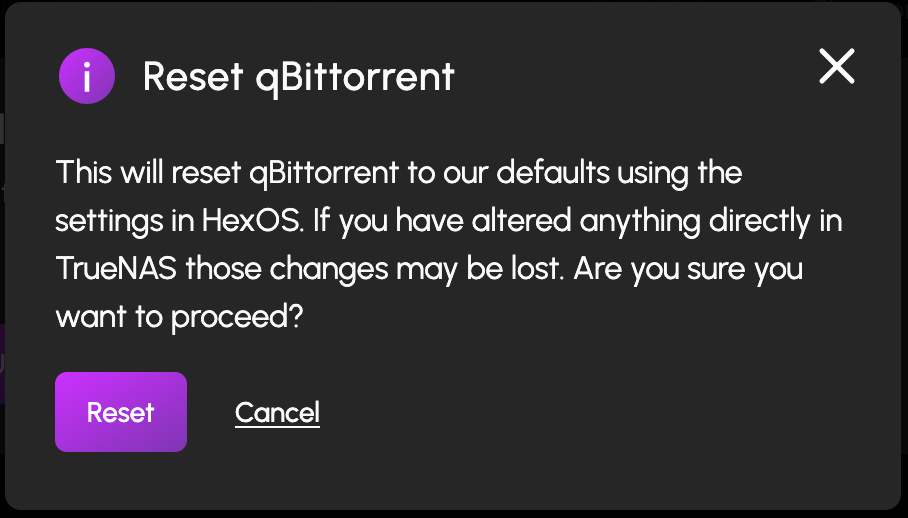
So my update to 25.10.1 - Goldeye was uneventful with no errors reported and all apps and VMs seeming to function perfectly. Great job guys! Now in the interface I see this alert for a few apps: If I click the update now button I then have this warning: I was wondering if this was the way to migrate from TrueNAS installed apps to curated ones? Is the process safe?
-
It's here!!! https://forums.truenas.com/t/truenas-25-10-1-is-now-available/60830. Can't wait until this is integrated into HexOS!
-
Love the new curated apps! As I have many of these apps already from the TrueNAS side, would there be plans to allow migration to the curated ones?
-
Just sharing some good news — my update went smoothly, and all apps, VMs, and backups are running normally under Fangtooth.
-
Q3 update question - Moving to Fangtooth from Electric Eel
freid replied to Patto647's topic in Roadmap & Feature Requests
Looks like we have 25.10 in the wild (https://forums.truenas.com/t/truenas-25-10-0-is-now-available/57343), hope we can see a HexOS update based on this soon... -
As others have stated the hardware offering from Synology has fallen behind its competitors. That and the Hard Drive and SSD Lock In issue is one of the main reasons I started looking for alternatives at the start of this year when I was looking to upgrade my old DS916+. Thankfully this very forum turned me onto the AOOSTAR WTR MAX. Comparing the CPU performance against the current offering from Synology is not even close but here it is: AMD Ryzen Embedded V1500B vs Ryzen 7 PRO 8845HS. This translates to amazing performance gains to the point where I can even comfortably run an emulated DS925+ with XPEnology as a VM in TrueNAS without skipping a beat. I do agree that the Synology software does have a slight edge but I expect projects like HexOS to quickly close that gap. For those interested this was my journey.
-
Thanks for the update. I have a bugfix regarding AMD GPUs that only recently got merged into 25.10. When we move from the current 25.10-RC.1 to release status, how long after this date would we expect to be able to upgrade to it within HexOS?
-
I’ve changed the default port numbers on my TrueNAS web server to free up ports 80 and 443 for other services. However, from the HexOS portal, it still tries to connect using the standard ports when interacting with TrueNAS. For example, if I try to edit an app’s configuration or launch the TrueNAS configuration from the portal, I don’t get the correct interface. It would be great if the portal could detect the configured port numbers via the API, or allow these to be set manually in the HexOS settings.
- 1 reply
-
- 3
-

-
It would be useful in the dashboard if I could see a snapshot of users connected to services like SMB, NFS.
-
- 1
-
-
Are Locations doing anything under the hood?
freid replied to ChitoWarlock's question in OS & Features
Is there a listing of default folder names that the items in locations will match with? I'd like to create folders in my TrueNAS to match. -
Thanks for the heads-up. From what I understand, unlike a typical Synology setup, TrueNAS doesn’t use SSDs for caching by default — instead, it relies entirely on RAM. So, if I want better performance, especially for read/write speeds, I should focus on adding more RAM. Is that correct? One of my intended use cases is running Docker containers with databases. If I install M.2 SSDs, would it be possible to combine them with my existing CMR HDDs in a way that prioritizes SSDs for high-performance data, like database workloads? Ideally, I'm hoping this can be handled automatically — does HexOS support that kind of tiered storage behavior?
-
Exciting update! My AOOSTAR WTR MAX, which I ordered on April 2, 2025, has finally shipped as of May 29, 2025. I'm planning to re-use some existing hard drives, but for RAM and cache, I'm considering the following: RAM: Kingston Fury Impact 64GB (2x32GB) DDR5-5600 (Spec Sheet) Cache SSD: Crucial P3 Plus 1TB PCIe Gen4 NVMe SSD (Product Page) What do you all think? Are these solid picks, or would you recommend something better?
-
For file sync have you guys considered Seafile instead?
-
Thanks much for reaching out. I'm guessing that HexOS runs just fine with the WTR Pro. Do you have any issues running docker containers or VMs which I should be aware of? I guess I really won't have more questions until I get the Aoostar WTR Max for myself but so far it looks exciting. The next thing would be to consider the software side which I guess isn't really the point to this thread. To give a little background I'm moving away from my Synology NAS after running various models over the past 10+ years. From a software perspective I really only use these things: Built-in: Cloud Sync (replicate Google Drive content for local backup) DSM Reverse Proxy (secure external access to published services) LDAP Server (authenticate users across multiple apps) SMB Service (encrypted file transfer and Time Machine target) Storage Manager/Snapshot Replication (monthly data scrubbing and daily snapshots) Surveillance Station (camera video storage/manager) Synology Drive Server (agent-based client backup/data sync) Virtual Machine Manager (run lightweight VMs) VPN Server (OpenVPN remote access to the LAN) Third-party: Jellyfin (media server) SABnzbd/Transmission (media download services) Sonarr/Radarr/Lidarr (media management) I would imagine that most of these are either built into HexOS or can be provided via Docker image. I have not researched replacements for Surveillance Station or Synology Drive Server and I would be interested in equivalents that are used within the DIY NAS community.
-
I also took a look at the upcoming Minisforum N5 Pro and while it compares favourably to to the Aoostar WTR Max, the chipset used does not seem to support ECC. As such, the Aoostar WTR Max seems to be the way I'm leaning. Will look at the other resources soon.
-
Thanks @Sonic, that is an amazing find. If it can run HexOS then I'm really looking forward to the offerings from AOOSTAR.
-
Thanks for looking into this. I wanted to build a NAS that supports the following: Docker Containers → Media streaming (Jellyfin), security cameras, other NAS services (Sonarr, etc...) Virtual Machines (VMs) → Some lightweight VM usage (software testing) AV1 Decoding → For efficient transcoding to older formats H.264 & H.265 (HEVC) Encoding → For transcoding via Jellyfin 24/7 Stability & Reliability → ECC Memory Support for data integrity 6+ SATA Ports → To connect at least 5 HDDs + 1 SSD Compact Form Factor → Must fit within 28cm (W) x 26cm (H) x 34cm (D) Ideally, I'd also like for a build that is not too noisy and that I can build with in stock items. I agree that the pricing is quite high but am open to other solutions to my requirements. The TDP of the CPU is a valid concern you point out so perhaps we can go with a lower model or move transcoding to a dedicated GPU?
-
Looking more into it, I do believe I need a larger case but I don't like the fact that in the Jonsbo N4, not all the drives are hot swappable. Also, the case height is a little taller than the space I have for it. So I've reworked my shopping list for the N2. As noted before I'm reusing existing 4TB data drives so they are not in the build list. See my current list below. Let me know what you think. I've included all the links to make things easier to reference. Component Item Source Price (USD) Case JONSBO N2 Black https://www.amazon.com/dp/B0BQJ6BCB7 $149.98 CPU Intel Xeon E-2386G https://www.ebay.com/itm/186977137815 $595.00 Motherboard Supermicro X12STL-IF https://www.amazon.com/dp/B0BQTQNGC8 $292.99 RAM (ECC) OWC 32GB (2x16GB) https://www.amazon.com/dp/B0CBT1GH4Y $78.99 OS Drive Crucial MX500 https://www.amazon.com/dp/B0786QNS9B $59.99 Cache Drive Samsung 970 EVO Plus https://www.amazon.com/dp/B07M7Q21N7 $87.60 PSU CORSAIR SF850 https://www.amazon.com/dp/B0D45PQ8C4 $199.99 CPU Cooler Noctua NH-L9x65 https://www.amazon.com/dp/B00VB3Y89E $59.95 Case Fan Noctua NF-A12x15 PWM https://www.amazon.com/dp/B071W6HJP6 $21.95 MiniSAS HD Cable 10Gtek SFF-8643 to 4xSATA https://www.amazon.com/dp/B0912DLX31 $9.69
-
I actually prefer a smaller case closer to what a pre-built NAS offers. Hoping to get some feedback from those who built in an N1. Open to other recommendations on similarly small cases.
-
Hey @VDO, I’m getting closer to making my purchase but came across a video with several complaints about airflow. Have you experienced any issues with your build? How have the temps been, and how’s the overall performance of the box?
-
Thanks for catching this. I guess a AsRock Rack E3C256D2I Mini ITX Server Motherboard would be a better fit. Other than the need for OCuLink cables for the SATA, what other server motherboard quirks should I expect? Haven't done a lot of builds so I'd be interested in your insights.