Manders
-
Posts
56 -
Joined
-
Last visited
Content Type
Profiles
Forums
Articles
Store
Everything posted by Manders
-
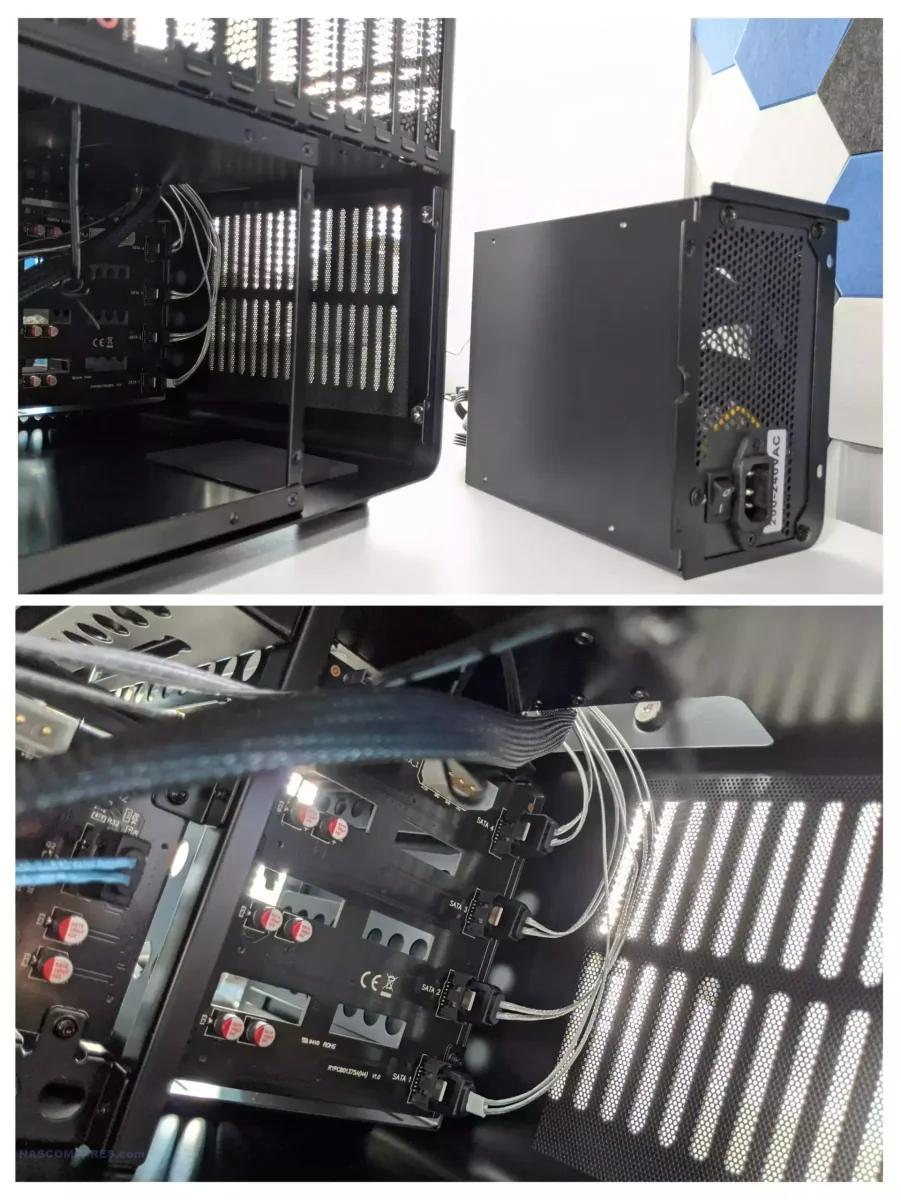
According to this picture found at https://nascompares.com/2024/10/04/jonsbo-n5-review/ , it seems like he has added the 4 SATA cables and 1 SATA Power cable to the board, no MOLEX. My best bet is that you can either use MOLEX or SATA Power, but don't need both.

-
You aren't able to add Gluetun to a HexOS app, or a regular TrueNAS app. You have to either install the Dockge app in TrueNAS and then install the Arr apps through Dockge. Or you have to install them as a custom app in TrueNAS. I do hope HexOS will get a good way of routing app networking through a VPN, but I expect it won't happen soon. @Isaac7ski
- 1 reply
-
- 1
-

-
Hey there! Can you clarify something, because that text was a lot 😄 Have you got HexOS and TrueNAS Scale up and running now, albeit without any HDD pool? Are you trying to use your existing 4x4tb HDD in HexOS You mention RAID a whole lot, but hardware and software RAID. But HexOS and TrueNAS only support OpenZFS as far as I am aware, so is your existing pool in the OpenZFS format, or actually RAID?
-
Well you haven't told us about any of the problems you are facing, so it's impossible for us to say. But if you don't have anything important on your system right now, then by all means reinstall the newest HexOS version and try to reinstall your apps from the beginning. If you are still facing issues then post them here on the forums and we will likely be able to help you out 😊
-
I don't think you can setup the curated app with VPN, unless you set up the VPN on your router. Instead you will need to install the app manually in TrueNAS and set it up with Gluetun. See this thread where people have discussed this: I do hope that the HexOS team will create a better solution for this, as the current setup can cause a whole lot of issues for HexOS users.
-
Hi @Lucky Ed You say that you plan to run HexOS on both NAS' in the future, but what would you like to begin with? You want to build a DIY-NAS with HexOS on it and put that off site as a backup for your UGREEN NAS? If that's the case then you can do that through TrueNAS which is the underlying OS in HexOS: https://forums.truenas.com/t/rsync-pull-from-ugreen-nas/59916. So far I only think HexOS will support Buddy Backup (HexOS to HexOS), that's why you will need to set this up in TrueNAS unless you get HexOS on both machines. https://docs.hexos.com/blog/2025-11-26.html#hexos-1-1-buddy-backups I hope this helps. Otherwise feel free to clarify your question 😊
-
That looks like a very capable NAS you are building! I am running an Intel Arc A380 myself and it is working great for transcoding! It usually transcodes at around 500fps for me. And with this post you are now part of the community, so welcome 👋😄
-
I am not able to check it myself at the moment. But I would recommend you to attach a display and a keyboard to your server, also your USB with the OS. When you restart the server it should tell you a way to stop the boot sequence and enter your BIOS. From the BIOS you can set the USB as your boot device and then restart the server again. Now it should boot into the HexOS install sequence where it will reinstall everything from scratch, and you can decide whether or not you want to wipe your HDD/SSD pools. I recommend you to get the newest HexOS ISO file and put that on your USB before you go through this process 🙂
- 3 replies
-
- 1
-
-
- installation
- question
- (and 1 more)
-
I had problems with my system boot looping as well when trying to mount ZFS. I never managed to fix it and had to wipe my drives. But you are in a better situation than me, as I couldn't even mount them as readonly! You can have a look at my misery here: You might be able to fix your issue by mounting the file system in recovery mode. This means it will delete the last few transactions to the pool, and attempt to mount. If it froze while doing some transactions to your pool, this might fix it. But keep in mind the last transactions it deletes will be forever gone (probably not that scary compared to losing all data). The zpool command I tried: "zpool import <poolname> -N -F" "-N" = "Import the pool without mounting any file systems." You might not need this as you have already shown you can import the file system in readonly. "-F" = "Recovery mode for a non-importable pool. Attempt to return the pool to an importable state by discarding the last few transactions. Not all damaged pools can be recovered by using this option. If successful, the data from the discarded transactions is irretrievably lost. This option is ignored if the pool is importable or already imported." https://openzfs.github.io/openzfs-docs/man/master/8/zpool-import.8.html DISCLAIMER: I am a ZFS noob so the above might be bad advice. But it was what I could find when I was in a similar situation as you.
-
HexOS update failed - How do I manually try to update again?
Manders replied to Brennan's question in OS & Features
HexOS dashboard updates automatically as it is a website hosted by the HexOS team (untill the local UI is released). So if the underlying TrueNAS OS got updated, then you should be good. Or do have an issue with connecting to the HexOS dashboard? -
If you are lucky it's just a caching issue. What if you refresh the page and reset the cache? (Ctrl + R on most browsers). Does the folders show correct then?
-
To anyone in this thread who is interested in the Immich issue, and not the personal back and forth that is also happening in this thread: Jonp has responded that they will be looking into the Immich issue once again. I hope it will be fixed this time around 🙂
-
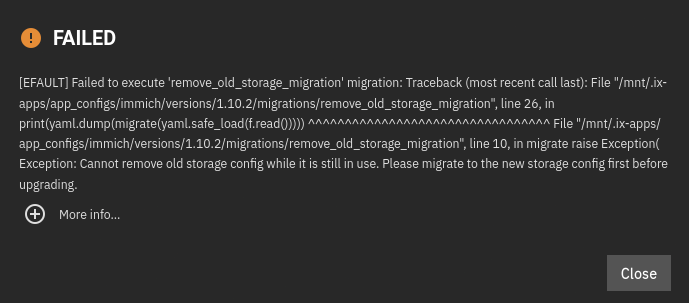
@jonp here you can see what it looks like when a user tries to update the Immich app through HexOS when they haven't manually migrated to new folders. I am having the exact same issue since the Immich app in TrueNAS stopped supporting the old folder structure. See the attached screenshot for the error you get in TrueNAS when attempting to upgrade the app. When upgrading through TrueNAS it fails instantly, but HexOS is "in progress" for a very long time before giving up.
-
@Matze KausB perhaps you are using the old ISO file from your first HexOS setup. If you download the newest one you should be able to skip the storage pool wipe.
-
Offsite backup Mirroring with multiple licenses?
Manders replied to kariwalakash's question in OS & Features
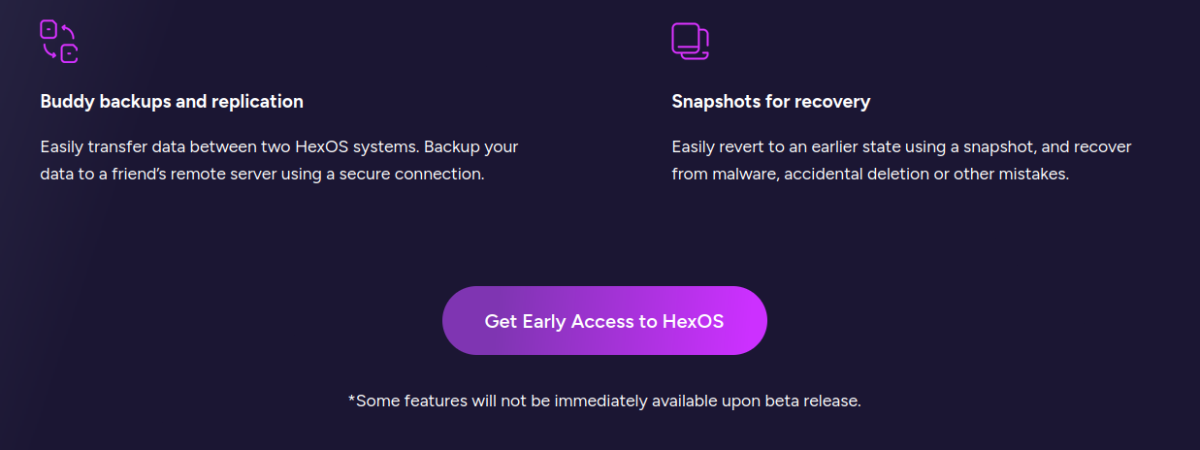
Regarding the backup solution you want, perhaps Buddy Backup would fit your need. There isn't too much info about it yet, but it will allow you to backup your data to other servers running HexOS. See attached screenshot from hexos.com. Regarding file parity between different devices, perhaps Syncthing is what you are looking for? You can install that app on your HexOS server. But right now you would have to install it through the TrueNAS UI.
-
The HexOS dashboard should probably not expose the TrueNAS update before it is officially supported. Perhaps that can be improved with a server side whitelist 🙂
-
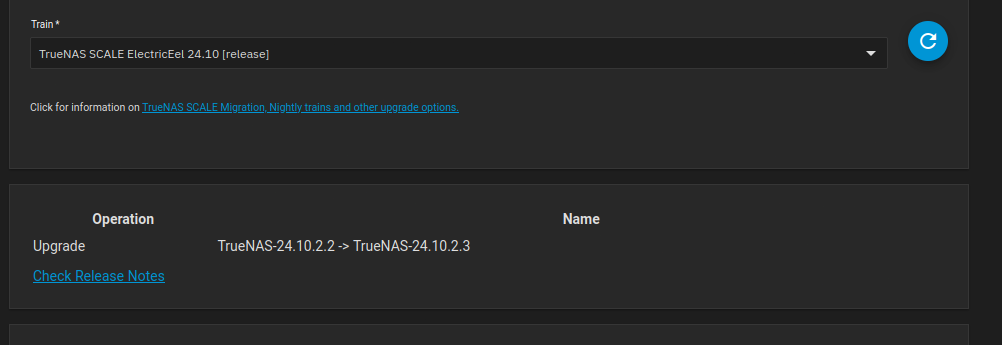
I have now checked through TrueNAS UI and it actually does seem to be an official TrueNAS update and not just a HexOS update. For some reason there is just no information about it in TrueNAS changelogs which caused my confusion 😅
-
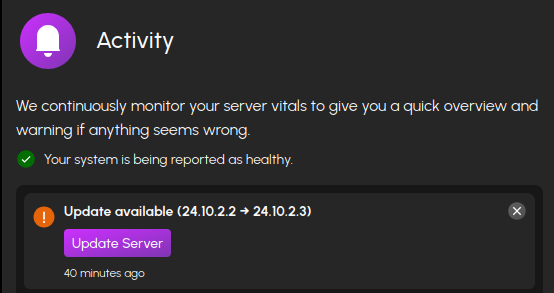
I have now received an update message in my HexOS dashboard prompting me to update to 24.10.2.3 This follows the TrueNAS versioning which leads me to think I can find some information regarding this version on TrueNAS webpages, but I can't. https://www.truenas.com/docs/scale/24.10/gettingstarted/scalereleasenotes/#241022 Is this an update containing only HexOS changes? If so, could the versioning be less TrueNAS-like to avoid version confusion? 🙂
-
It might just be placebo, but so far when clicking anything in the dashboard it feels like it's loading twice as fast 😅