Leaderboard




Popular Content
Showing content with the highest reputation on 05/01/26 in Posts
-
There is a chance this is happening because of how your router handles dns rebinding. Disabling dns rebind protection should allow you to access local. If you can share with me the brand of router you have I can share instructions for how to disable dns rebind protection2 points
-
Unless if @Mobius has another solution for your specific router (brand), you can also add 1.1.1.1 as the DNS server in your router, this way, you don't need to add a DNS server per device.1 point
-
I just tried that and it seemed to work thank you! The truenas button is also not greyed out now so thats great. I am logged into a different computer on my network using a different browser but I will try it on my other computer as well1 point
-
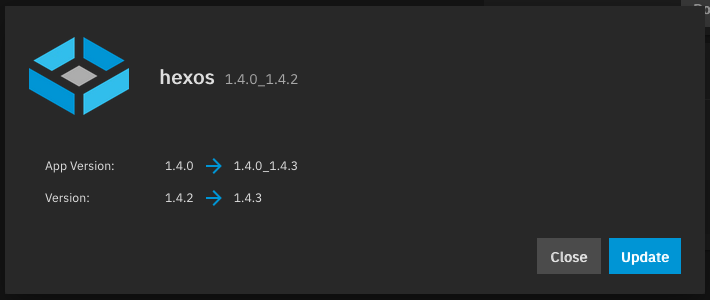
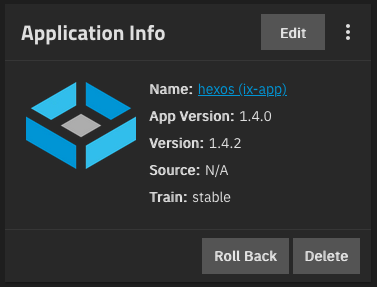
Since the rollout of HexOS local the "hexos (ix-app)" showed up in the TrueNAS app list. Makes sense for running HexOS local software on TrueNAS. The app is showing to have available updates in the TrueNAS app list. Of course, this app doesn't show up the HexOS Deck interface. So I cannot update it from there. My question is: - What should I do with this app? - Should I update it manually? - Will HexOS update it automatically? When? - Why does it show an update but didn't update automatically yet? I understand, that the intention for HexOS is to never have to touch TrueNAS. For my use cases I do very often and just wondered about this.
 1 point
 -
Another typical problem is if you use Pi-Hole together with Unbound or possibly Adguardhome.1 point
-
Hi everyone, this moring i though of a very good feature to add: gluetun + qbittorrent through a docker compose, just need to implement an interface where you select your vpn provider and fill the needed infos, you can add port forarding through the yaml install script ( for example for proton vpn) and i think i could be a very good option for the users who doesn't know how to setup a thing like this. i add below an example of a yaml docker compose file (mine): services: gluetun: cap_add: - NET_ADMIN container_name: gluetun devices: - /dev/net/tun:/dev/net/tun environment: - VPN_SERVICE_PROVIDER=custom - VPN_TYPE=wireguard - WIREGUARD_PRIVATE_KEY=XXXXXXXXXXXXXXXXXXXXX - WIREGUARD_PUBLIC_KEY=XXXXXXXXXXXXXXXXXXXX - WIREGUARD_ADDRESSES=10.2.0.2/32 - VPN_ENDPOINT_IP=185.246.211.193 - VPN_ENDPOINT_PORT=51820 - VPN_DNS_ADDRESS=10.2.0.1 - VPN_PORT_FORWARDING=on - VPN_PORT_FORWARDING_PROVIDER=protonvpn - WIREGUARD_MTU=1420 - FIREWALL_OUTBOUND_SUBNETS=192.168.1.0/24 image: qmcgaw/gluetun:latest ports: - '8080:8080' restart: unless-stopped volumes: - /mnt/HDDs/Applications/gluetun:/gluetun - /mnt/HDDs/Applications/gluetun:/tmp/gluetun gluetun-qbittorrent-port-manager: environment: HTTP_S: http PORT_FORWARDED: /tmp/gluetun/forwarded_port QBITTORRENT_PASS: password QBITTORRENT_PORT: 8080 QBITTORRENT_SERVER: localhost QBITTORRENT_USER: admin image: snoringdragon/gluetun-qbittorrent-port-manager:latest network_mode: service:gluetun restart: unless-stopped volumes: - /mnt/HDDs/Applications/gluetun:/tmp/gluetun qbittorrent: container_name: qbittorrent depends_on: - gluetun environment: - PUID=568 - PGID=568 - TZ=Europe/Paris - WEBUI_PORTS=8080/tcp image: ghcr.io/hotio/qbittorrent:latest network_mode: service:gluetun restart: unless-stopped volumes: - /mnt/HDDs/Applications/qbittorrent_vpn/config:/config - /mnt/HDDs/Applications/qbittorrent_vpn/data:/data - /mnt/HDDs/Downloads/qbittorrent:/downloads version: '3.9'1 point