Leaderboard




Popular Content
Showing content with the highest reputation on 12/05/24 in Posts
-
Not to be a party pooper, but I have only been doing this for people that came back to us up through December 4th and those that had legit purchasing problems. Beyond that, it feels like we're going back on our word to the customers that did buy on time.6 points
-
It would be nice if there were some indication as to which wave in the queue a user sits based on order number so that we can plan for when to receive the invite link email. Is such a feature possible to add to the hub.hexos.com website?5 points
-
Integrated default reverse proxy for docker apps so all apps available on 443 inside home network. integrated DNS to support app name.internaldomain.com with reverse proxy (this puts all apps on 443) Lets encrypt SSL by default for all apps all user has to do is buy domain name and enter it above and all just works support for split horizon DNS consider running the DNS service for folks to allow tight integration (this shouldn't preclude use of other dns services) this is not me advocating for how to expose anything externally, that's not an argument i want to get into 😉4 points
-
Sorry, if this has been asked before & posted elsewhere. Would be handy to have app support for steam caching, especially for big/medium family's/house hold share. I can understand this will not be on the radar as yet, while sorting other issues out/beta etc4 points
-
Hey everyone, first time poster and just purchased a license. Looking forward to being able to building a server on Hex OS once it is more fully fledged. I wanted to ask if there is any plans by the developers to implement an easy way for people (including developers of open source services) to share app configs in the same way that, for example, Plex and Immich are implemented at the moment. I am asking for this because it could significantly help boost the speed of development of these apps, and the growth of the ecosystem for Hex OS. People could maybe even share variations of configs (like Plex with/without hardware acceleration), or even bundle several apps together (something like bundling the whole -arr suite together along with folder directories in a way that is easy for users). It is just a suggestion, but I feel like with all of the attention Hex is getting, the developers would do well in capitalizing on the will of people to tinker with this OS by giving them the tools to make and share configs with one another (and these apps could even get some sort of "seal of approval" if they were considered of high quality by the devs). Thanks for reading my first post, I hope y'all have an amazing day!3 points
-
I realize HexOS has way more important things to do to get to the production version 1 but maybe add this to the 3rd tier list of feature requests: I really hate purple as the default color scheme in HexOS. A color pallet to change the purple icons and graphics to other colors would be nice.
 2 points
 -
I think it only right that multi factor authentication on accounts be something that gets implemented relatively quickly. The simple Username/Password for the account is very 90's With HEXOS being relatively new and gaining a lot of attention. Last thing you want is negative publicity due to weak security posture. some sort of MFA should be standard option.2 points
-
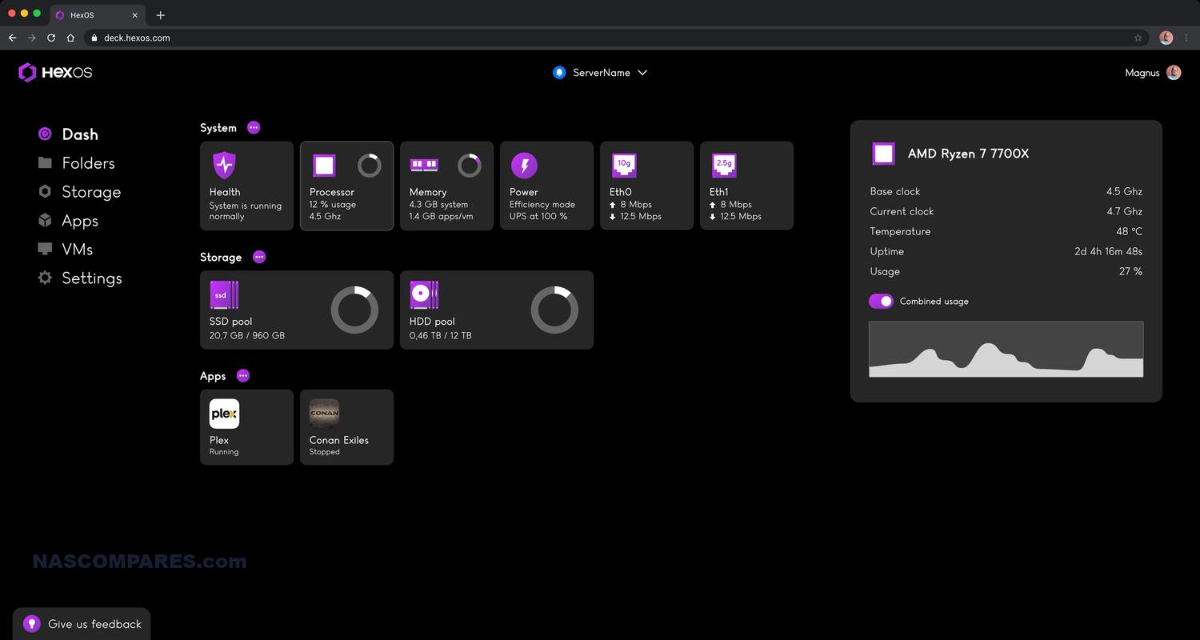
UPDATE: As of 4/17/26, we have updated the ISO installer to run on version 25.10.3 of TrueNAS SCALE. Existing users should NOT reinstall to get this version. You can update from within the Activity card on the Dashboard (or the Notification). Hello and thank you for joining the HexOS beta program! You are an elite and vital part of this project and your participation is greatly appreciated. This post contains all the information you will need to get started with HexOS and how to communicate with our team during your beta experience. Disclaimer Beta Products, Software, and any related Services are still in development, and therefore, you are advised to safeguard important data, to use caution, and not to rely in any way on the correct functioning or performance of the products, software, or any related services. Beta Products and Services are provided to you “AS IS”, without any warranty whatsoever. Expectations During your participation in the beta, we expect you to do the obvious: use and test the software. But we also expect you to communicate with us when things don’t go right or if you’re having trouble. Please post feedback and let us know about your experiences, good and bad. That being said, please remember that this is beta software and early access. HexOS has a long and healthy roadmap ahead. Quickstart Guide For those that just want to get started, here’s the TLDR: NEW: We have released our own imaging tool for creating the OS installation media on a USB stick. You can find it here in our docs; https://docs.hexos.com/getting-started/installation/InstallGuide Alternatively, you can download the ISO here: https://downloads.hexos.com/TrueNAS-SCALE-25.10.7-HexOS.iso or https://hexos-downloads.sfo3.cdn.digitaloceanspaces.com/TrueNAS-SCALE-25.10.7-HexOS.iso (SHA256 Checksum: e551911445c95c1943e6638091896f34d2d423900cccd688ac09d811e78ed450) Use a tool such as Balena Etcher to image a USB flash device with the ISO. Boot your server from the flash device and install the OS to preferably an SSD. When given the option, opt to create the admin password in the installer (do not select the option to "Configure using WebUI"). Remove the flash device and reboot your server when the install is complete. From another device (mobile, tablet, desktop) that is on the same LAN as your server, login to https://deck.hexos.com using your HexOS credentials. Follow the instructions to complete your server configuration. NOTE: As of the 24.10.2.2 build of this ISO, configuring the admin password via the webUI option has been removed from the installer. However, if you select to create an admin password, but then attempt to "cancel" that process, the ISO will proceed with an installation with no admin password set. This is a known bug and the TrueNAS team will be addressing this in a future update to the ISO. Just don't cancel out of creating the admin password in the installer ;-). Hardware Requirements Booting HexOS is designed to support a wide variety of x86 hardware (Intel or AMD). The minimum requirements are a 2-core 64-bit CPU, 8GB of memory, and a 16GB or larger SSD boot device. However, depending on your needs for performance and applications, more resources may be required. Storage Pools Pools are made up of storage devices based on size and type (HDDs vs. SSDs). Storage devices in each pool need to be roughly the same size*. The OS boot device cannot be a part of a pool. Expandable pools require a minimum of 3 devices and can be grown one device at a time. Non-expandable pools can be created with 2 devices. Initial pool width should not exceed 8 devices. Maximum expanded pool width should not exceed 12 devices. At least one storage pool must be created to use HexOS. *In the event of slight variations (e.g. 240GB and 256GB), devices can be grouped, but total capacity for the pool will sacrifice the larger device’s excess storage. Build Recommendations HexOS has been designed so that a relatively modern PC can be easily transformed into a very viable home server. This means using standard HDDs/SSDs and using onboard controllers for storage/networking. However, since we’re based on TrueNAS, our hardware support is actually rather vast. For more detailed hardware recommendations for advanced builds, please refer to the TrueNAS SCALE Hardware Guide. Installing in a VM As HexOS is based on TrueNAS SCALE, it can be installed as a virtual machine as well. While the process should be fairly self-explanatory, please see the TrueNAS SCALE documentation for additional instructions on VM installation. Setup and Configuration Once the OS has been installed and rebooted, you will use a web browser on the same network as your server to register your system and complete the setup process. This can be a PC, tablet, or mobile device. Using a capable browser, login to https://deck.hexos.com. Beta 1 Features Our first release is focused on providing a streamlined user experience for setup and configuration and laying the framework for what’s to come. The main features of Beta 1 include: Setup and configuration wizard Configure your home server in minutes with ease. Analyze system health, with warnings for SMR HDDs. Auto-configure storage pools to safeguard against device failures. Securely manage your server remotely via Command Deck. Storage device management Detect error states and conditions and report through the dashboard Highlight individual storage devices and their respective faults Replace devices from storage pools due to failure or preventative maintenance Expand pools as little as one device at a time Folders and users Create and share folders over your local network. Easily manage permissions for secure access. Apps One-click deploy Immich as a personal photo library app. One-click deploy Plex as a home media server. Automatic folder creation for app storage. Dashboard / UI Access key statistics like CPU, memory, network, and storage usage at a glance. Monitor storage health and see alerts for errors or degraded pools. Manage multiple servers from a single, unified interface. Enjoy mobile-responsive design for effortless navigation on any device.2 points
-
Hi, i can't edit my answers to posts in OS & Features but can do so fine in other subforums EDIT: here it works, not in OS & Features and maybe some other subforums2 points
-
2 points
-
2 points
-
It starts when you get your invite. From our terms: Refunds Any and all purchases are subject to a 30-day refund policy. To request a refund, email us at [email protected] using the email account associated with your purchase. For Early Access orders, the 30-days starts from the date you receive your invite to participate in the beta.2 points
-
Yes, this is confirmed. Its why we went through such pains to make a responsive design for the UI/UX 😉2 points
-
I don't have a lot of friends and family who care to have a nas. But several of them are fine with a backup of my data sitting in their basement. Currently, I purchased a second hexos license. This is a little overkill, and having a sort of "vault" app or something would be really nice to have.1 point
-
Feature Suggestion: UPS Integration for Automatic Shutdown Enable Hexos to natively support UPS devices for automatic safe shutdown during power outages. • Benefits: Prevent data loss, monitor power status, and improve reliability. • Implementation: Integrate protocols like apcupsd or NUT for broad UPS compatibility and allow configurable shutdown actions. Would you like help submitting this suggestion? support UPS devices for automatic safe shutdown during power outages. • Benefits: Prevent data loss, monitor power status, and improve reliability. • Implementation: Integrate protocols like apcupsd or NUT for broad UPS compatibility and allow configurable shutdown actions. Would you like help submitting this suggestion?1 point
-
It would be nice to be able to have SSO support. For example, LLDAP and OAuth2/OIDC would probably cover most of the people that would use SSO. I personally use Authentik which allows LDAP, OAuth2/OIDC, proxy provider, Radius, SAML, and SCIM.1 point
-
Im looking to install a Jellyfin server on my HEX os server, will this be an app?1 point
-
I believe integrating Home Assistant with HexOS could be a game-changer for the operating system, offering functionality that is sorely lacking in almost all other OS platforms today. A Home Assistant integration would allow users to monitor and manage their NAS more effectively. Imagine being able to track critical metrics such as system uptime, array health, disk health checks, and the overall status of your storage systems — all from within Home Assistant. Furthermore, adding control features would significantly enhance the user experience. It would be fantastic if users could automate tasks like rebooting or stopping/starting applications, VMs, or containers directly through Home Assistant. Additionally, automating disk spin-downs during off-peak hours for power savings would be a powerful and eco-friendly feature. The potential of Home Assistant integration is vast, and it's difficult to fully capture all the possibilities in a single topic. However, the core idea is simple: having such an integration, with continuous updates and new features, would be a major advantage for HexOS. While most other operating systems either lack similar functionality or offer only basic, limited capabilities, HexOS could stand out by providing a more comprehensive, user-friendly, and flexible solution.1 point
-
Hi Folks, This post will go over the basic requirements for running HexOS, then cover a few frequently asked questions. If you come across frequently asked questions that are not included in the main post please comment below! NOTE: Please keep comments here directly related to the post/FAQ itself. and create separate topics to discuss specific use cases and issues. Thanks! Updated 12/4/24 ---------------------------------------------------- Minimum Hardware Requirements: x86 compatible hardware (Intel or AMD) (HexOS is NOT ARM or RISC-V compatible) 64 bit Processor with 2+ cores 8GB or more of system memory 16GB boot SSD Larger is OK, but not necessary. 3+ storage drives recommended 2 storage drives is the current minimum. (Pools created with 2 drives are not expandable. See details below.) Single drive configurations are not supported at this time. Please visit https://hexos.com/early-access-faq for more info Also, please check out the roadmap web page for info on upcoming features; https://hexos.com/blog/the-road-to-10 ------------------------------------------------------- FAQ: Q: Can I install HexOS on a virtual machine? A: Yes. While HexOS is meant to be installed on physical hardware, it can be ran as a VM. Please see TrueNAS SCALE documentation for details on running TrueNAS as a VM. Q: can I install HexOS on a UGREEN or ASUSTOR NAS? A: Yes. To the best of my knowledge, UGREEN and ASUSTOR NAS devices all support installing 3rd party operating systems. Google "Installing TrueNAS on [insert brand name here] NAS" to find guides and forum posts with other users experiences. Q: Can I install HexOS on my old Synology NAS or Netgear Ready NAS? A: No. Unfortunately many consumer NAS solutions do not support installation of 3rd party operating systems. NOTE: It appears that some Ready NAS devices are capable of using 3rd party operating systems through advanced techniques, but the jury is out currently on exactly which models, and whether or not the hardware is performant enough for a good user experience. Q: Can I run HexOS on a Raspberry Pi or equivalent? A: No. Raspberry Pi devices are built using ARM processors. HexOS requires x86 hardware. Q: Can I start with only a few (3+) drives and expand later? A: Yes.You can add more drives of the same capacity to a pool to increase its available space. Q: Can I expand my storage pool if I started with only 2 drives? A: No. While OpenZFS has support for expanding a 2-device RAIDz1, that capability has not been enabled in TrueNAS SCALE. Q: Can I set up a storage pool using a single hard drive? A: No. Single drive configurations are not supported at this time This may change in the future, but either way it is discouraged due to single drive configurations being susceptible to data loss from hardware failure. Q: Can storage pools use drives with different capacities without loosing space? A: No. While mismatched drives can be used, in any one pool the maximum usable capacity per drive is limited by the size of the smallest drive in that pool. Example: A storage pool with 5x 256GB SSDs and 1x 250GB SSD will have the same usable capacity as a pool with 6x 250GB drives. Q: Can I change small drives our for larger ones to increase my storage pool's capacity? A: Yes. Drives can be exchanged one at a time to gradually copy all the data onto larger drives, Once all drives have been exchanged the pool's capacity will grow all at once. Example: Lets say we have a pool with 6x10TB drives in RAIDz1, and we swap those out one by one for six 20TB units. When the last 20 TB drive has been installed, and the pool has finished re-silvering (copying data to a drive to re-construct the pool) then the pool's total capacity will jump from ~50TB usable to ~100TB usable!1 point
-
I would like to see first party support for placing any app behind some of the most popular VPNs (PIA, Nord, Express, Proton, Tailscale, etc), as well as custom VPNs (WireGuard, OpenVPN, etc). For example, you may install “The Lounge” IRC client and have all internet communication pass through a PIA VPN so that your home IP is not exposed while chatting. Traditional methods of doing this involve painful configuration of iptables or other firewall rules. I believe this is an area where HexOS could really simplify things: Install a VPN plugin, authenticate with it, and then simply assign an app to a VPN plugin via the app’s settings if desired. It would be fully accessible from the home network without going through the VPN, but all internet traffic would go through the VPN with a kill switch in case the VPN goes down. Thoughts?1 point
-
The whole purpose of a NAS to keep data secure and resilient to data loss. Currently there is no way to backup and restore applications. Application Backups/Restore should be plug-and-play. Thoughts: First party implementation Simple Application independent Backup and restore applications Granular restore/backup individual applications Restore applications even on a new Hexos system from backup End-user should be able to browse application data through a file explore Breakaway from ZFS mindset like snapshots (abstracted away behind an advanced menu) and give users a simple traditional backup and restore option.1 point
-
1 point
-
Would be cool to see some kind of integrated service for setting up game servers. I could that being a big marketing thing to bring people in! anyone know of a relatively simple system to set up a Minecraft server inside og HexOS/TrueNAS?1 point
-
Please enable 2FA support for accounts.1 point
-
Hi there! Its not currently in our plans, we will need to control both servers for easy connection and setup. But you are of course free to use other apps and set up something else yourself.1 point
-
It's a must if I am to use this as my new NAS software. AI training and streaming need them.1 point
-
@SignedAdam can I suggest that have a look at OpenMediaVault, its might be more of what your looking for. I understand the frustration on the RAM and reuse side of things and have previously found this to be spot on. Funny tangent, if your not already aware, OMV and TrueNAS (Prev FreeNAS) have a connection https://en.wikipedia.org/wiki/OpenMediaVault#Background1 point
-
Higher on the list for me would be usenet clients, since it's so much easier and secure compared to torrents.1 point
-
Thanks for clearing that up @ysuissa. Your help is much appreciated.1 point
-
In TrueNas there is an option to set a sleep/standby mode for HDDs. In my experience, however, this does not work in such a way that the hard drives actually shut down reliably after a certain time. TrueNas accesses the disks too often for various reasons, even if no user data is being written. I would like to see a reliable standby option for HDDs (perhaps for an entire pool) that actually spins down the hard drives completely. My use case (perhaps a bit special) is that I have all my active data in an SSD pool and only use my hard drives as bulk storage for old data and as a first backup of my SSD pool. Therefore, my hard drive pool would only need to be active for direct user access or once a day for an automatic backup of the SSD pool and otherwise not run. But maybe there is another solution that I haven't found yet?1 point
-
Problem with hardware RAID is, when your motherboard dies, the RAID array is tied to the RAID controller so it can’t be restored, and your data is lost. Use software RAID. HexOS is made for simplicity. Just do as little as possible, let the OS choose for you. It will be the best for most users in its target audience.1 point
-
@Dylan, I made some minor edits to clear this up!1 point
-
i believe you should setup your drives RAID in the NAS software (HexOS, TrueNAS, unRAID, etc) Let the software manages it.1 point
-
Why Not OwnCloud as well ? https://owncloud.com/compare-filesharing/owncloud-vs-nextcloud/1 point
-
Would like to have pi hole with unbound to set up the recursive DNS as well1 point
-
Wazuh supports docker and also provides prebuilt containers. Lots of options for easy deployment. I'm sure HexOS have lots of apps they plan to add, but for now, it would not take much to deploy this manually through the TrueNAS GUI. Since Wazuh is not a "home" user type of app, it will probably not be high on the one-click deploy list, which is understandable. https://documentation.wazuh.com/current/deployment-options/docker/docker-installation.html https://documentation.wazuh.com/current/deployment-options/virtual-machine/virtual-machine.html1 point
-
generally HBA is just "an interface" to connect your HDDs to your CPU. assuming you're using a consumer-grade PC (rather than a server), the sata ports connect to your chipset (a chip that is built in to your motherboard), which does the job a HBA would've done. hypothetically, lets say you use all 6 sata ports and wanna add more drives? only THEN would you need to get a HBA/RAID card, and allocate it in a PCIE slot1 point
-
The main thing I have noticed with Steam networking sharing via LAN, seems to be limited on speeds. I have 2, with 1-Gb, and 3 with 2.5Gb NICS cards in them.. The transfer rate seems to be capped at 200Mbps give or take no matter from where/or network load. Main switch is 10Gb, 2nd switch is 2.5Gb one.1 point
-
And Vaultwarden if that's possible1 point
-
Ah, that makes sense. Thanks for the explanation1 point
-
Having played a Nezumi in Rokugan, I respectfully request that you please not have litters outside of ratrimony.1 point
-
this probably isnt on top of the to do list though 😛1 point
-
Hi there! An offline local UI is coming with the 1.0 release. You will need to be online for initial setup, but after that you can leave your server offline. Any features that require internet like app installs will of course not be available until you go online again.1 point
-
It looks like someone tested it out with 2GB RAM and it worked. However, keep in mind that HexOS is a wrapper functionality with TrueNAS still being the core thing running. By default, most users would want additional features enabled such as data deduplication, advanced caching mechanisms, and data integrity checks. You can get away with a minimum of 2GB of RAM if you turn off those features yourself using TrueNAS backend if you cannot wait for the developers to implement something easier. (it's just a bit more work on your end). Last but not least, since TrueNAS uses ZFS, it definitely relies heavily on ARC (Adaptive Replacement Cache) to improve read performance. Larger ARC will benefit ZFS performance by reducing disk I/O which is probably the main cause of the high minimum RAM requirements. It will still operate but the performance will suffer a bit. When you compare this to consumer-based NAS like Synology (good for moderate use/not so serious users), they use BTRFS which is less memory intensive and again it hasn't been proven enough at the large enterprise levels where ZFS has, thus again, high memory requirements for ZFS.1 point
-
https://docs.paperless-ngx.com/1 point
-
Once it's proven stable I will be migrating my unraid setup. Here is what I have runnning right now: CPU: AMD Ryzen 5 4600G 3.7 GHz 6-Core Processor Cooler: Noctua NH-L9a-AM4 33.84 CFM CPU Cooler Motherboard: ASRock B550M-ITX/ac Mini ITX AM4 Motherboard Memory: Crucial Pro 32 GB (2 x 16 GB) DDR4-3200 CL22 Memory Storage: Sabrent Rocket 256 GB M.2-2280 PCIe 3.0 X4 NVME Solid State Drive 4x Western Digital Red Plus 8 TB 3.5" 5640 RPM Internal Hard Drive Case: U-NAS NSC-410 w/ Power Supply I love this little case!1 point
-
Contact them at [email protected] As stated in https://hexos.com/terms
1 point
-
Hi Enrique, Licenses are easily transferable between servers by "disconnecting" the server via the command deck, and then claiming the new server.1 point
-
Dear Hex OS developers I think Hex OS should use a site like GitHub for support feedback, and maintenance because this would: take the work of its team and allow it to be community-maintained while also being moderated speed up development help reach a broader audience lower price for the customer and the company. this would help produce a better picture of problems and solutions for hex os software allow more people to have access to help propose software changes. p.s. several companies use GitHub(ex. Ubuntu, and Chocolatey) providing useful ideas, hex_user1 point
-
Hi there! The beta will not support migration, but as Jon has stated elsewere, we will look into "adoption" at a later stage.1 point