All Activity
- Today
-
 ndhsieh changed their profile photo
 -

Interacting with TrueNAS on Non-Standard Port Numbers
Omari replied to freid's topic in Roadmap & Feature Requests
Same issue, completely breaks HexOS for me -
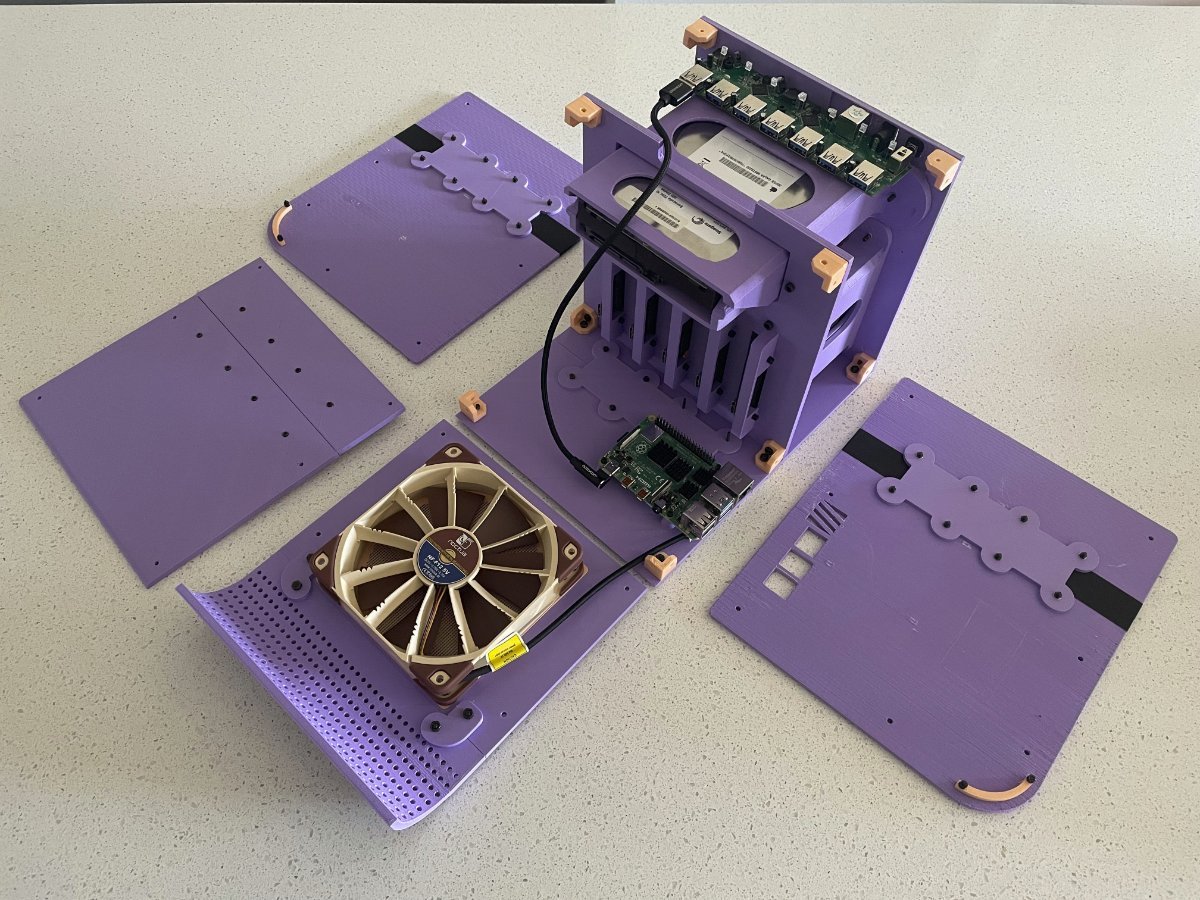
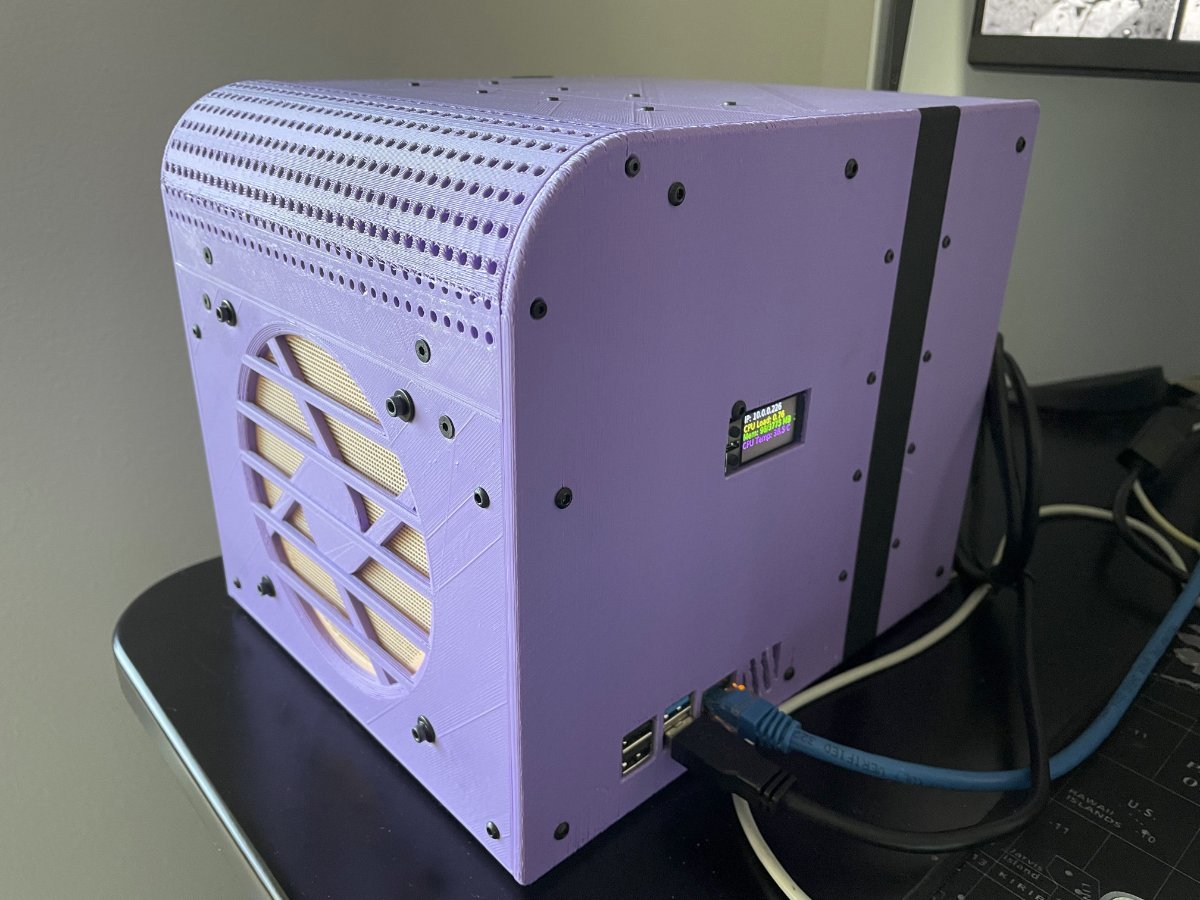
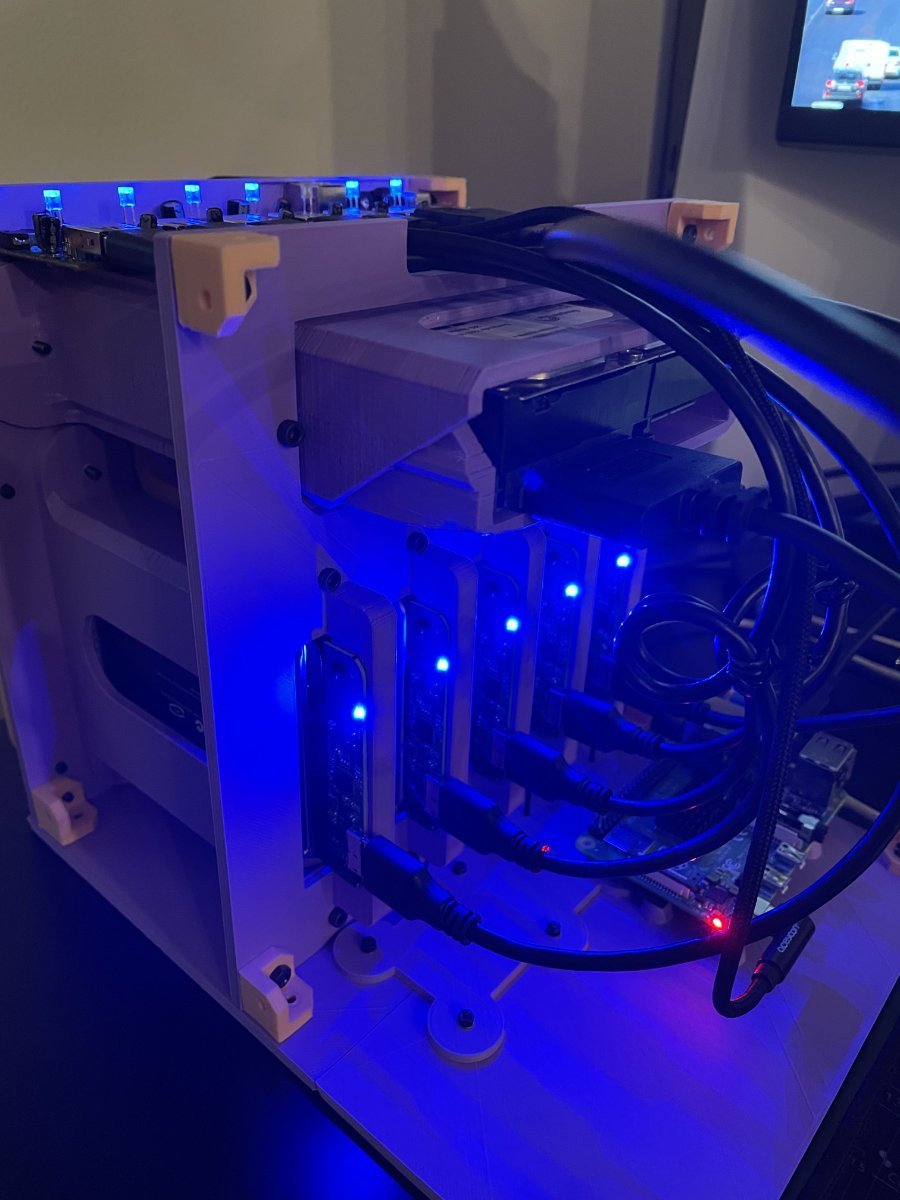
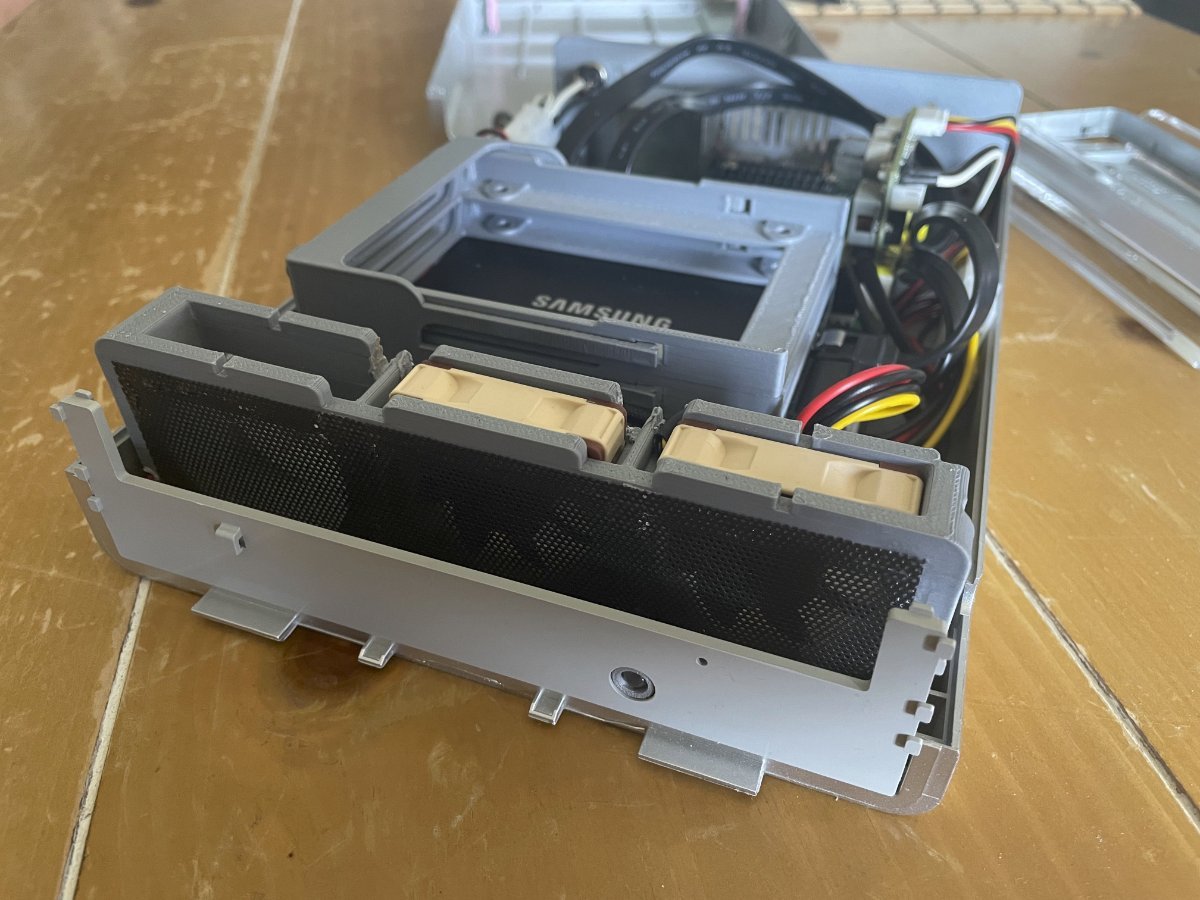
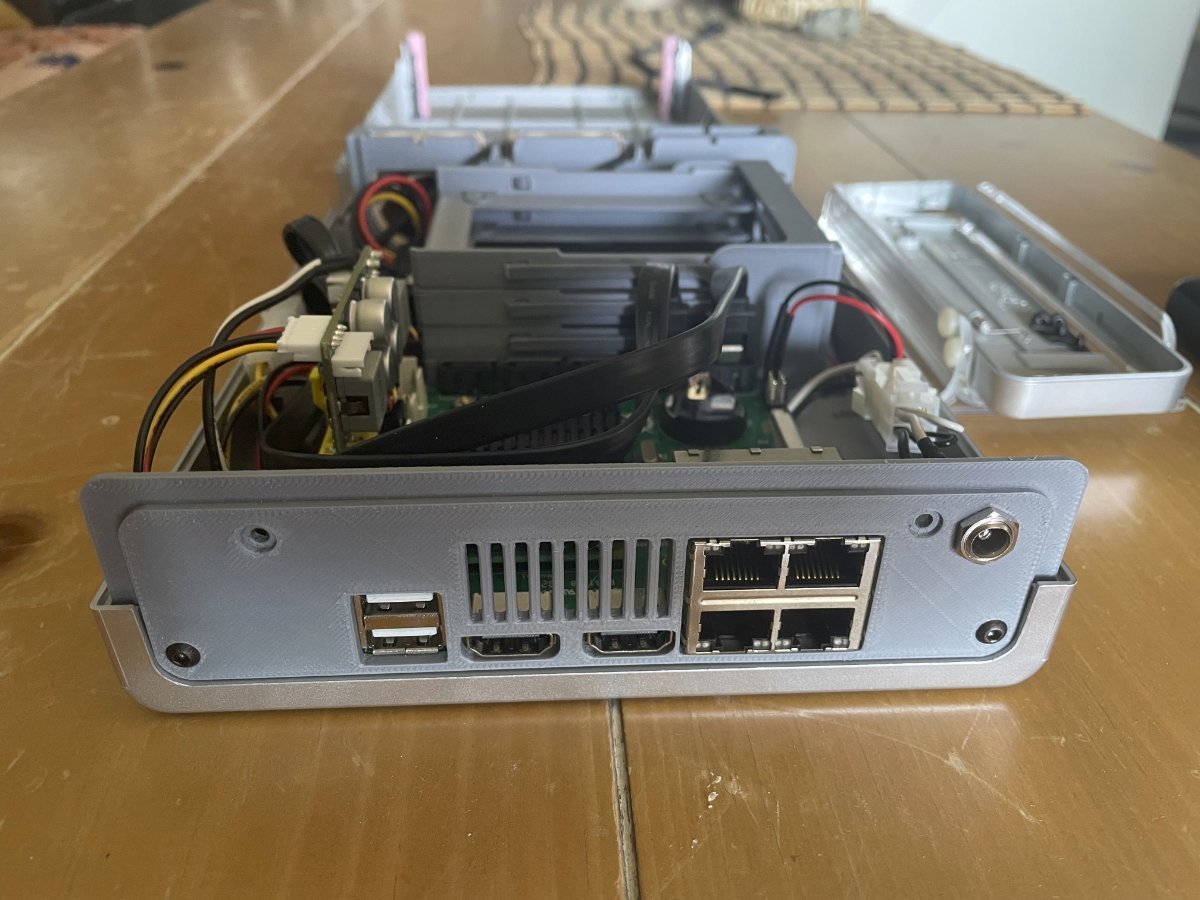
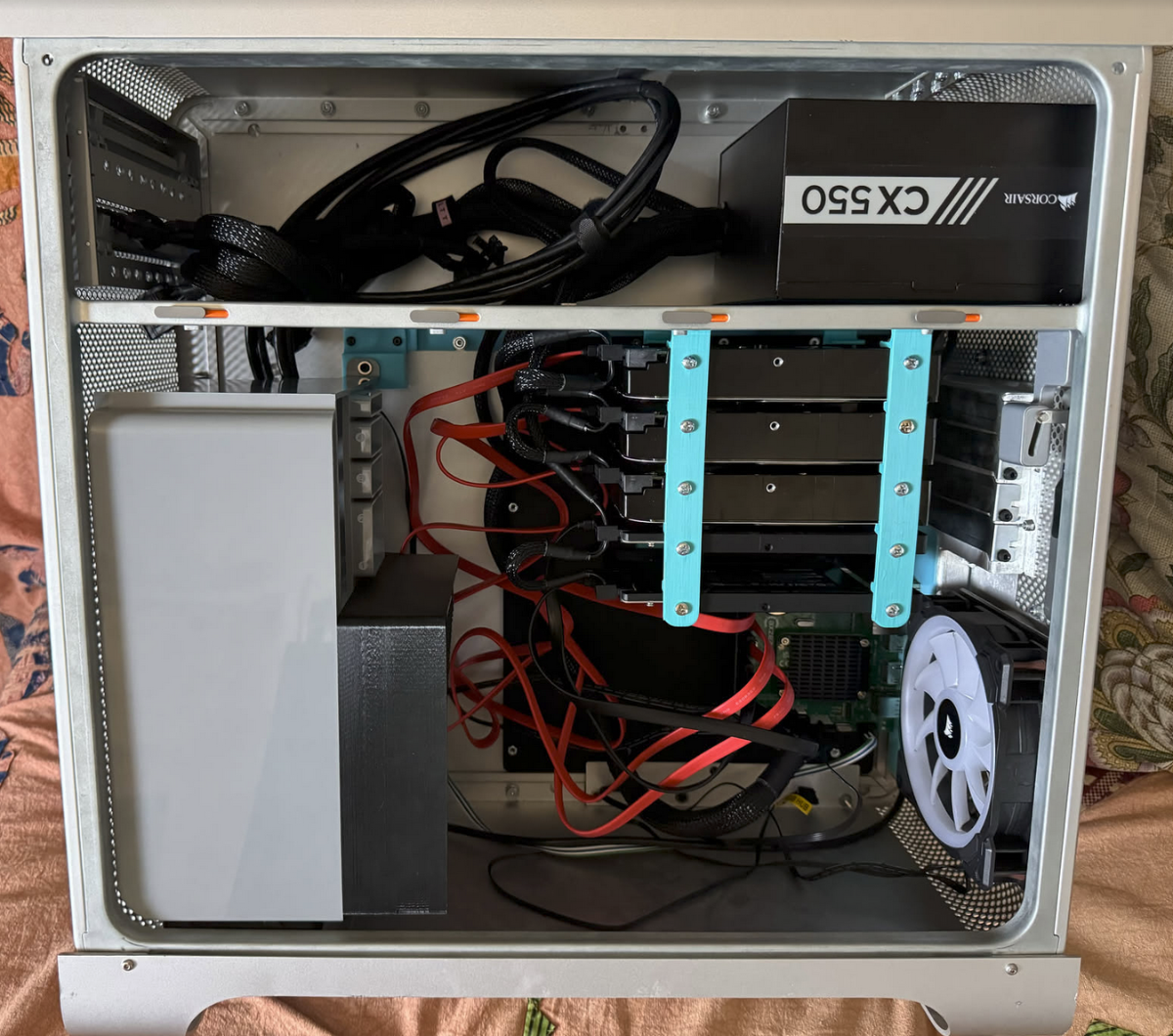
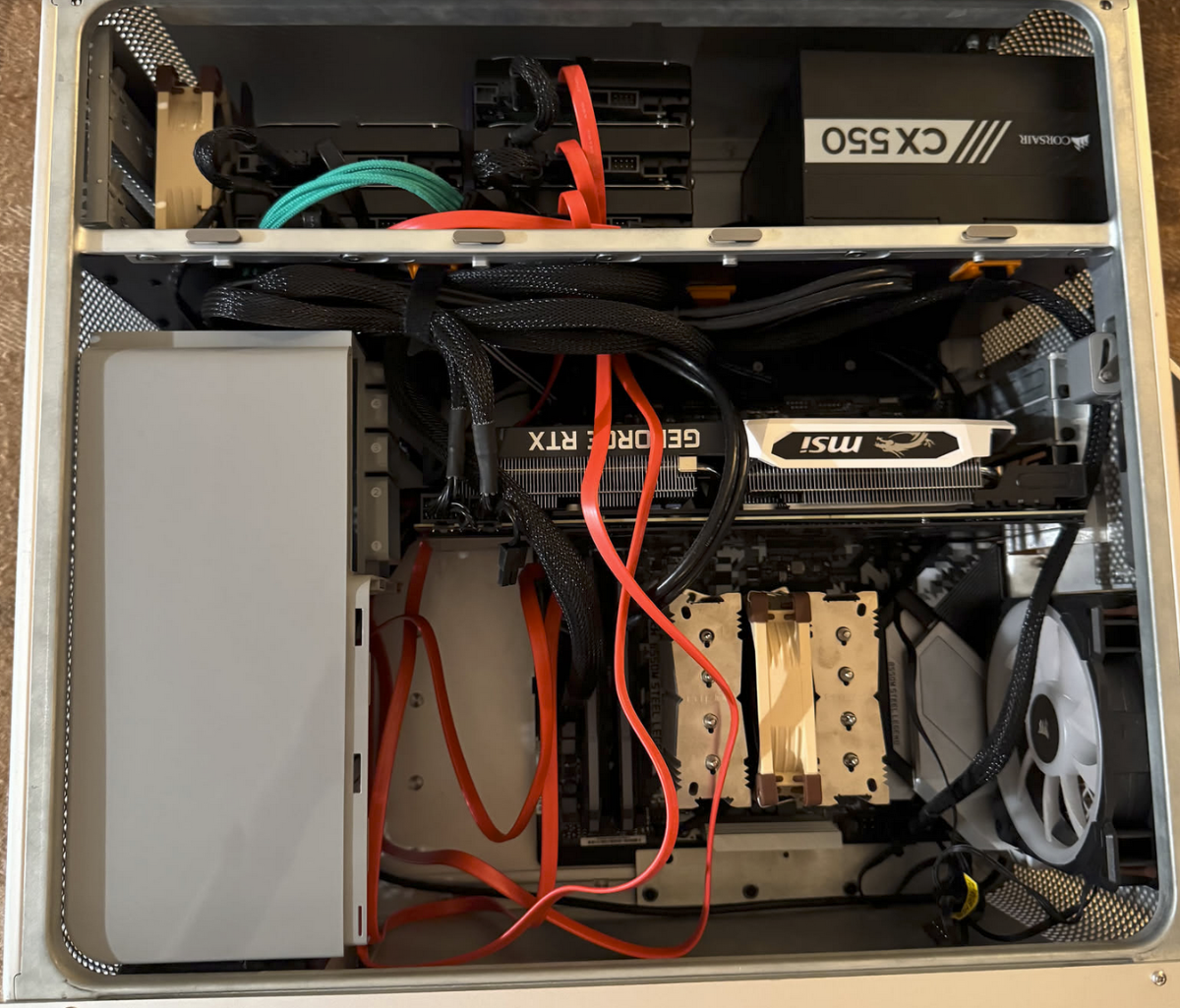
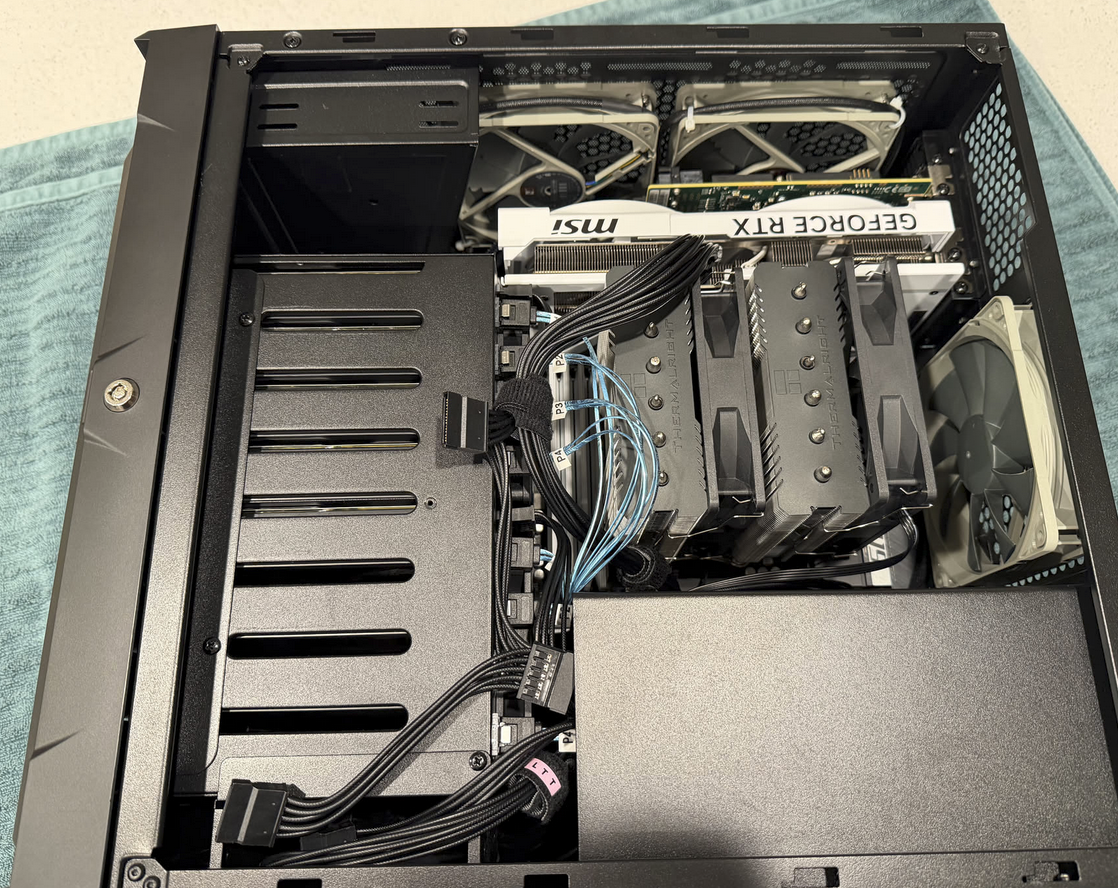
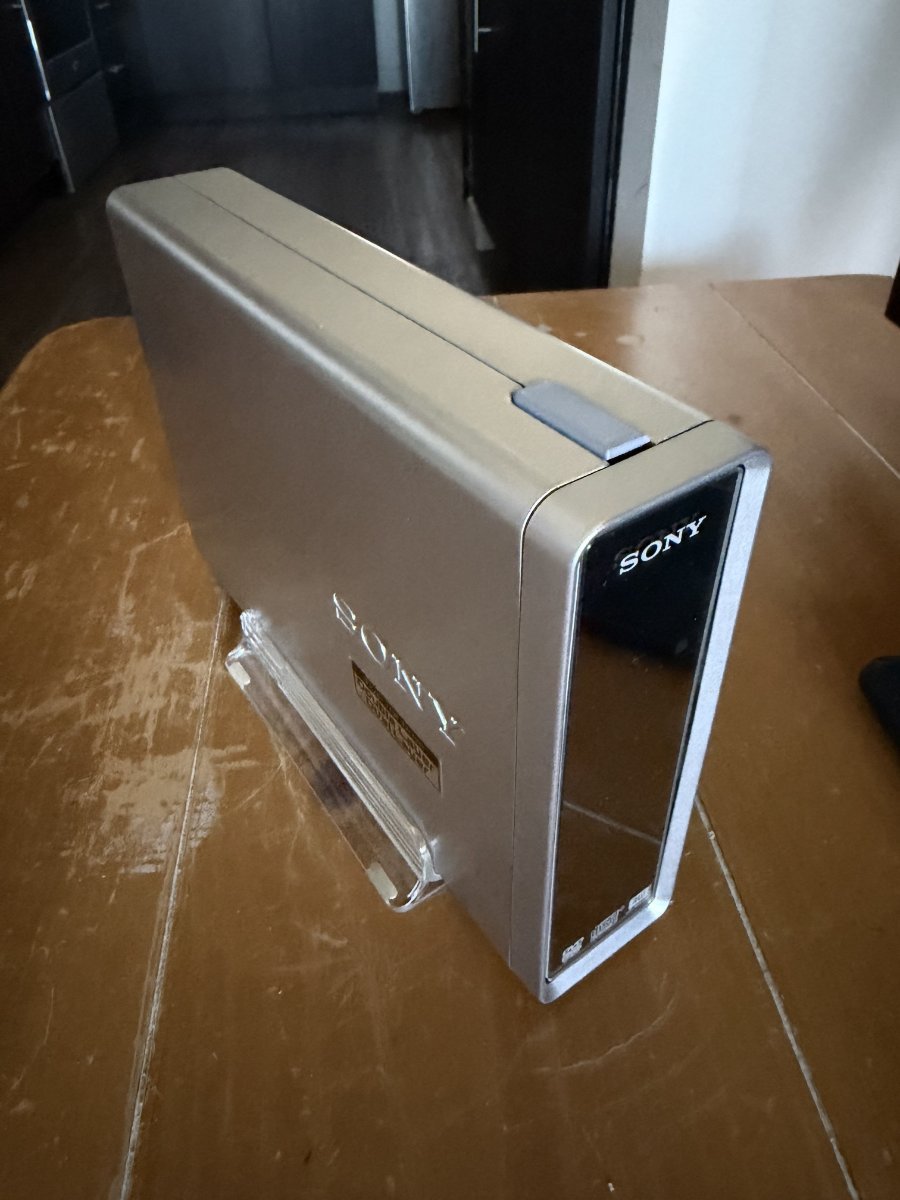
Hi all! I wanted to share my NAS journey starting with something completely nonsensical to something I actually daily drive now. The first one was a DIY fully 3d printed case before I understood what all of this home lab stuff even was. I tried to connect several SSDs and an HDD to a raspberry pi via a USB hub. Surprisingly, it worked, but very badly. Open Media Vault didn't quite like this setup. The next attempt was a mini NAS based on axzez's Interceptor board crammed into a Sony DVD RW drive enclosure. It was actually decent! But too little space for upgrades. I initially ran OMV on it, but after a while HexOS came out, and that was my first HexOS NAS. That's when I began getting a grip on how a NAS actually works, what HexOS is for, and how to get the most out of it. So the next interim solution was a spare converted Mac Pro case with some custom 3d printed HDD holder bars, but still based on the aforementioned Interceptor board. This worked ok for files but lacked versatility for any other home lab use cases. I later upgraded this setup to a normal PC motherboard and relocated the HDDs to the top shelf. That was way better and that's when I got into all of the side apps that HexOS/TrueNAS could run like local AI, Immich, Plex, Jellyfin, etc. Finally, I shelled out for a case designed for a NAS. And what a difference that made! Building a NAS in a case designed for one is night and day compared to building in a hacked together Mac case.

-
- 1
-

-
 Robert Slater joined the community
 -
 Luke Balestrin joined the community
 -
Sorry in advance if this isn't the right place to post this. I setup a homeserver a few years ago that is currently held together by good vibes and duct-tape. I want to make something more streamlined and better organized than whatever it is I have going on now. I am currently running windows 11 with an ubuntu VM that handles all my docker containers. I was curious if I could just run HexOS and use it's on app store to more or less recreate my environment. I have listed the services I use below along with the specs of the PC (the drives are setup super weirdly I know) Thanks! 🙂 PC Specs: CPU: i7-9700k GPU: nvidia 3080 RAM: 64gb DDR4 Storage: 2x 500GB SSD drives (one for the operating system and one for a backup) 1x 6TB SATA (first drive I got for setting up media still holds some movies and TV shows) 1x 20TB SATA (Media, tv, movies etc) 2x 8TB SATA that are currently configured in a RAID0 I know this is weird I was learning and never raided a drive before (More media) Services: Windows: .Arr stack (Radarr, Sonarr, Prowlarr), OMBI, NZBget, qbitorrent, RustDesk, Scaletail and Tantualli Link/Docker Containers: Portainer, Adguard Home, Karakeep, Homepage I've already backedup all my configs and wiping all the media off my drives isn't a big issue since there is nothing important on them. Any help of advice would be appreciated.
-
 Tyler Holdener joined the community
 - Yesterday
-
 Craig Wilt joined the community
 -
 aron csodogai joined the community
 -
 Eric Rodriguez joined the community
 -
 OPMASH joined the community
 -
 Man Heen Chow joined the community
 -
 Matthew Nelson joined the community
 -
 Boriss Tiscenko joined the community
 -
I wish mine drew 23 watts... 🫠
- Last week
-
 I just ran the command from immich go with this --on-errors=continue and pushed through it, then repeated. It seems to be some specific files that fail, as 5 images come back as "pending" in the cli
 -
Hey, im encountering this exact same issue right now, using immich-go on some takout-files
-
I wanted to provide an update to my post. After an update this fix broke, I did these steps again and it is working. Does anyone have any ideas on how to fix this?
-

buy HEXOS no and install in a month
Todd Miller replied to Kai-nalu Shadley's topic in Other Questions
Yeah, things are pretty low key about doing anything before you are ready. It is a good idea to have your hardware ichoices settled. If you list your system thoughts you can get some tips also. A lot of folks bought in a special announcement and couldn't install for a couple months. No need to rush. -
How hard was it to install on the Ugreen? Did you just follow the TrueNAS guide?
-
Users licenses are saved under the email address you select when purchasing. Think of a Google or Apple account. We keep track of the amount of servers you link which takes a license. You can remove the link to a server which then adds the license back. You can buy now and use anything time..
-
im building a nas and i dont have all of the components yet. i want to buy hexos before the price goes up and was wondering if i could buy it now and install it in like a month when i have the machine build?
-
 I think I my have found my problem. I assume the my LSI 9300 16i HBA was getting to hot which might have caused the server to crash.... have a fan on the card now. Does anybody know how to check the temperatur of the card via terminal on HexOS?
 -
 I may look at doing the same unless I can get it to work. I have a proxmox environment set up. I'm also hitting some networking limitations with Truenas that I know work well in proxmox.
 -
 I ended up setting up immich myself outside hexos. Then it worked immediately. My homeserver runs proxmox. Hexos is then a VM on there. There's another VM running ubuntu server that I use for all my micro-services / self-hosting stuffs. I just have an NFS share that I have mounted in that, from hexos.
 - Earlier
-
 Hi. I was wondering if there's a way to access my files (documents, and etc) on my phone remotely (I'm using a Pixel 9)? In that same topic, is there a way I can access my files on my laptop remotely as well? I have tailscale installed, but don't know what to do next to access my files on my laptop. Please and thank you in advance
 -
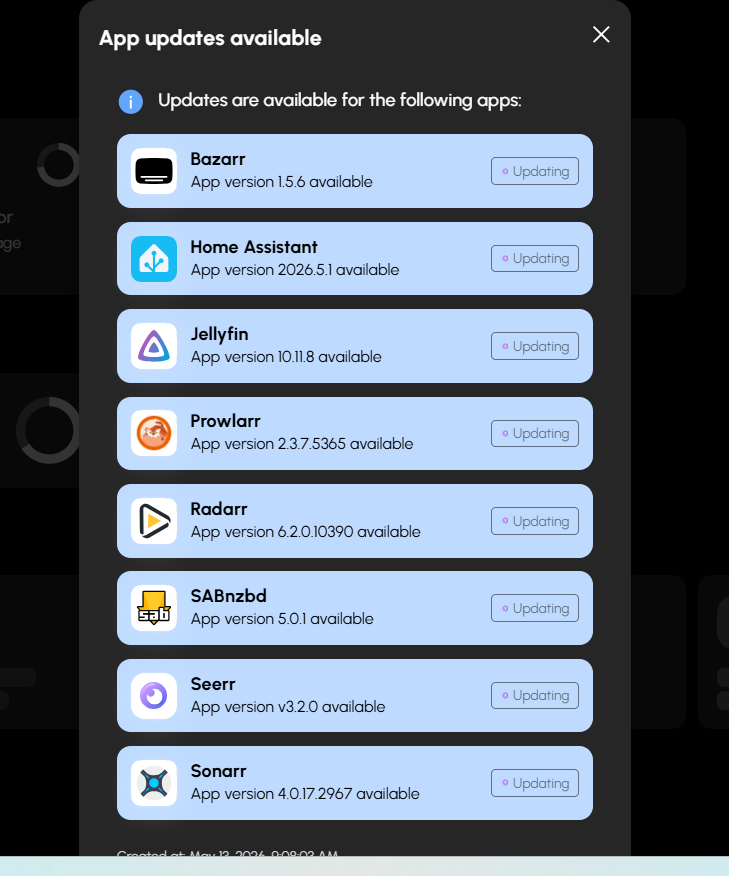
+1 - Even just a one-click button update-all would be helpful
-
+1
-
We don't have hardware to test more of the advanced setups. It would be a lot of effort and time and costs to do this. We rely on trying to find things online for support for TrueNAS Scale since we are focused on making the interface and not the hardware. In the long run I think most of our users will max out at 2.5 to 10 GB nics. Probably between 4 and 7 drives. This is where we focus because the when you start going to more advanced setups those users will just use TrueNAS. Now I do see down the road we may have some features that are so easy to use along with a killer apps system that they may just buy for that.
-
Is this documented anywhere with pictures? I wonder if this may help solve my issue. Or at least prevent me from having other issues because I have two ethernet ports.
-
I am using a card very close to that one to try to solve the 100 GB/s transfer limit issue and while it works as a card it does not fix the issue. Now, I didn't do any of the stuff listed here so you may have better luck.. I believe my card has the same chip.
-
Intel cards are well-supported by TrueNAS Scale. With that said I can't guarantee it but it should. Once you install it you'll have to update a few things if this isn't going to be a new install. On the server once fully booted you'll have to go through options 1 and 2 to make sure it knows to use the new network card. Once that is set you can log into the new ip address for the TrueNAS UI. Once in there you'll want to update the network settings to make sure the settings are correct for the new network card. Last step is edit the HexOS app in the app section of TrueNAS. You need to update the ip of what your TrueNAS was with the old network card to the ip of the new network card (Ip with TrueNAS WebUi). Just go down till you see a setting with the old ip and update to the new then scroll to the bottom to save it. Hope this helps. Thanks for supporting HexOS.
-

Error too many open files even after updates
SiDroid replied to Dirtscootdesigns5956's question in OS & Features
Thank you so much for this fix, it fixed it for me as well. I have been having the issue since the first Goldeye update, and this finally fixed it. I'm on 25.10.3 and still have the problem. -
Does anyone know if this NIC will work with HexOS? I find it incredibly difficult to find any sort of documentation on what NIC's are supported.
-

"This server is not available" after update(attempt) - evenutaly aborded
Ksanto replied to Ksanto's question in OS & Features
The solution was probably to do the following in the TrueNAS shell: sudo python /usr/lib/python3/dist-packages/middlewared/scripts/vendor_service.py i will never know 100%, as I gave up long before mill3000 posted it here: but as the behavior was basically identical after reinstalling the new HexOS 1.0 release from ground up, I'm pretty sure that this was the problem all along. -
Did you fix this? I'm getting the 500 error as well.