All Activity
- Past hour
-
 Lukas Thoma joined the community
 - Today
-
I guess, there is a tool for every problem! Some may just be better than others depending on what your use case is. I know there are a ton of "Raspberry Pi (or one board) NAS" videos on Youtube, but I feel like they definitely lack versatility for heavier tasks. It is, however, all relative. If I were getting into this today and didn't have the used components on hand, I'd definitely just go with something small and cheap. Also, those minis look like they could pack a punch too!
-
 Paul Vermillion joined the community
 -
Geez. I thought I was cutting edge with a GMKtek mini PC and a Rasberry Pie 5 as my non standard desktop PC entries.
-
Hmm. I believe the simple answer is yes. Now let's dig deeper. The ninth gen chip, GPU and memory amount are will within specs. I hesitate to get into your storage with so many drives and sizes. Are you intending to create multiple pools to allow the single large drives to run at full capacity? You may have some additional planning to do there as it looks like @mill3000has already given you a starting point to work from. As far as "more or less recreate my environment" there doesn't look like there are any major hurdles beyond the VM and as you see, that is in the works. Now for the question I am morally obligated to ask. why HexOS? Or more specifically, what do you looking for from HexoS and beyond the marketing materials, what do you know about HexOS? For me, I have a production Unraid setup on equipment a generation newer. It performs exactly as I need but I don't touch it. If it breaks I phone a friend. Offering beer and pizza get me nearly 24/7 support from the person who set it all up and does yearly upgrades or from their equally network smart spouse. Really, I don't touch it. I don't like this situation but as I watched them set it up I knew it was out of my league. When I want to add media or docs I have a landing directory mapped to windows and I run specific BAT jobs to handle all the processing. So it all works. I just don't know how. That is why I got HexOS. I got way newer hardware thinking if something fails I want it to be something I did. I picked Unraid over TrueNAS and Docker or (I think) Portainer under Linux and wasn't really interested in learning and of that. HexOS sounded simple to run and it has been simple for me to run and manage. I personally don't care about VM's today but that is an example of the handful of things you need to understand about HexOS. As of today and in my opinion, it has a simple and straightforward setup. That setup makes some assumptions that make sense if you want to install some of their 23 "curated" apps. I had trouble with the first apps I installed 15 months ago but with a little research and talking to a few others in the same boat it was easy to work around. With the exception of the last batch of apps added to the curated list I have installed them all to see if I would find any issues. I have also added about 5 apps not curated following guides on youtube. The only real downside to me of HexOS is it's dependent on TrueNAS. I saw this up front when I purchased the app so I went in eyes wide open considering the fact that I really didn't want to learn TrueNAS. To be specific, I underestimated how much time I would need to spend in TrueNAS verses HexOS. I welcome rebuttal to my next statement but in my case I believe it to be true. If I stand by my original reasoning for buying HexOS, then I expect to be almost completely satisfied. And where I might not be, it's not HexOS that caused the issue. I can't believe Realtek and TrueNAS haven't found a solution to my transfer speed being reduced by 90% on a straight copy. I expect I will install Jellyfin, Immich and Tailscale but even in those cases, this issues I have had are in the hands of Jellyfin and Immich. It sounds like you are looking for a little more that the core HexOS application so your mileage may vary. And when you are told what is being worked on for the future (and that does not happen nearly often enough), it's a pretty aggressive list of potential life improvements. On a side note, I have no idea what the "ARR stack" is or does but it was requested and seems to make folks happier? Don't buy anything until you are ready but I don't regret my purchase.
-
 Kaden Howe joined the community
 -
Hello. If you want to run a Windows VM then hold off on buying till we release that feature. Also try to setup your drives the following. Boot drives. 2 256 GB or 128 GB drives. 3 Hard drives for data. 3 minimum so it can grow. If possible 2 NVMe drives for apps. This makes everything run much faster. 512 GB or 1 TB should be good. Also a good branded UPS. Hope this helps.
-
Will it be possible to switch to encryption key instead of passphrases eventually through the command deck ? While encryption keys need to be saved elsewhere, they make more sense in case of more complicated setups (such as multipled encrypted datasets)
-
 ndhsieh changed their profile photo
 -

Interacting with TrueNAS on Non-Standard Port Numbers
Omari replied to freid's topic in Roadmap & Feature Requests
Same issue, completely breaks HexOS for me -
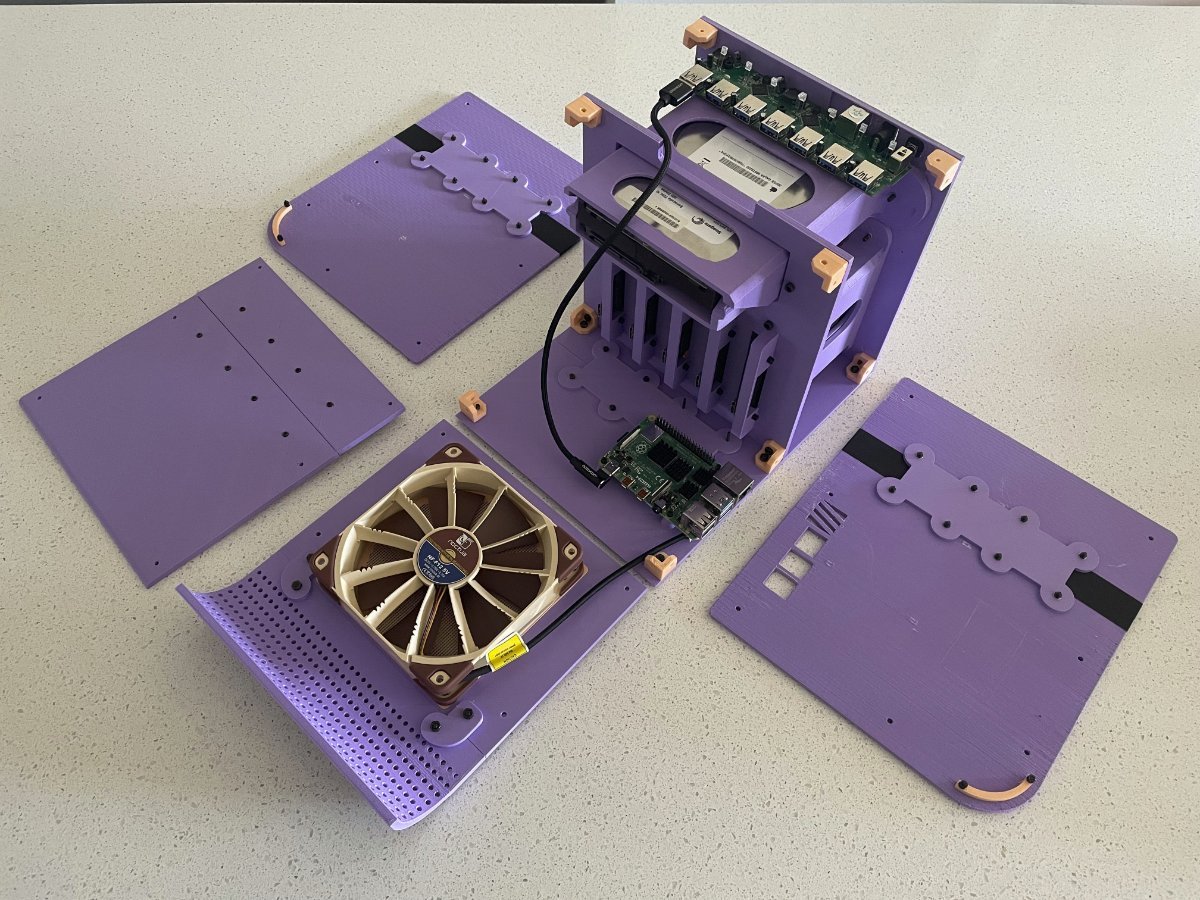
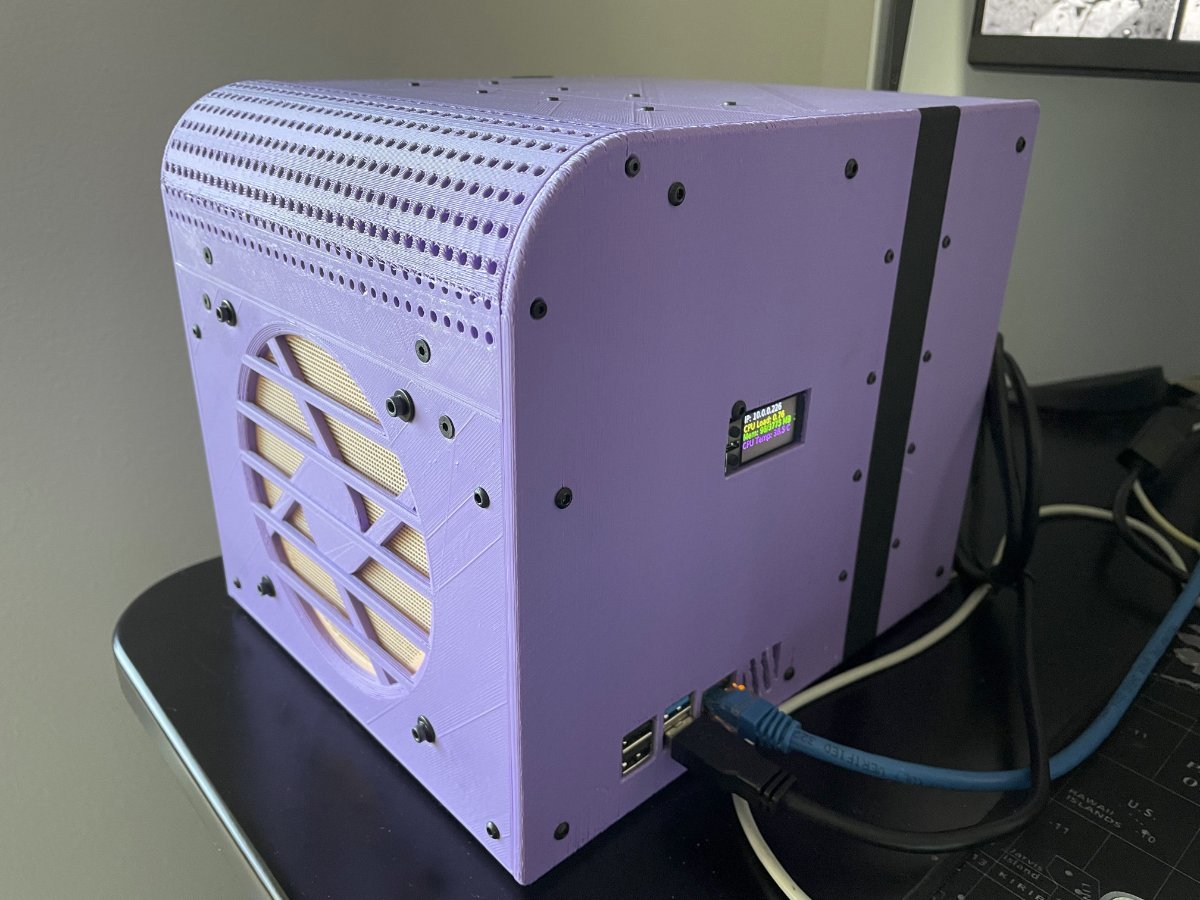
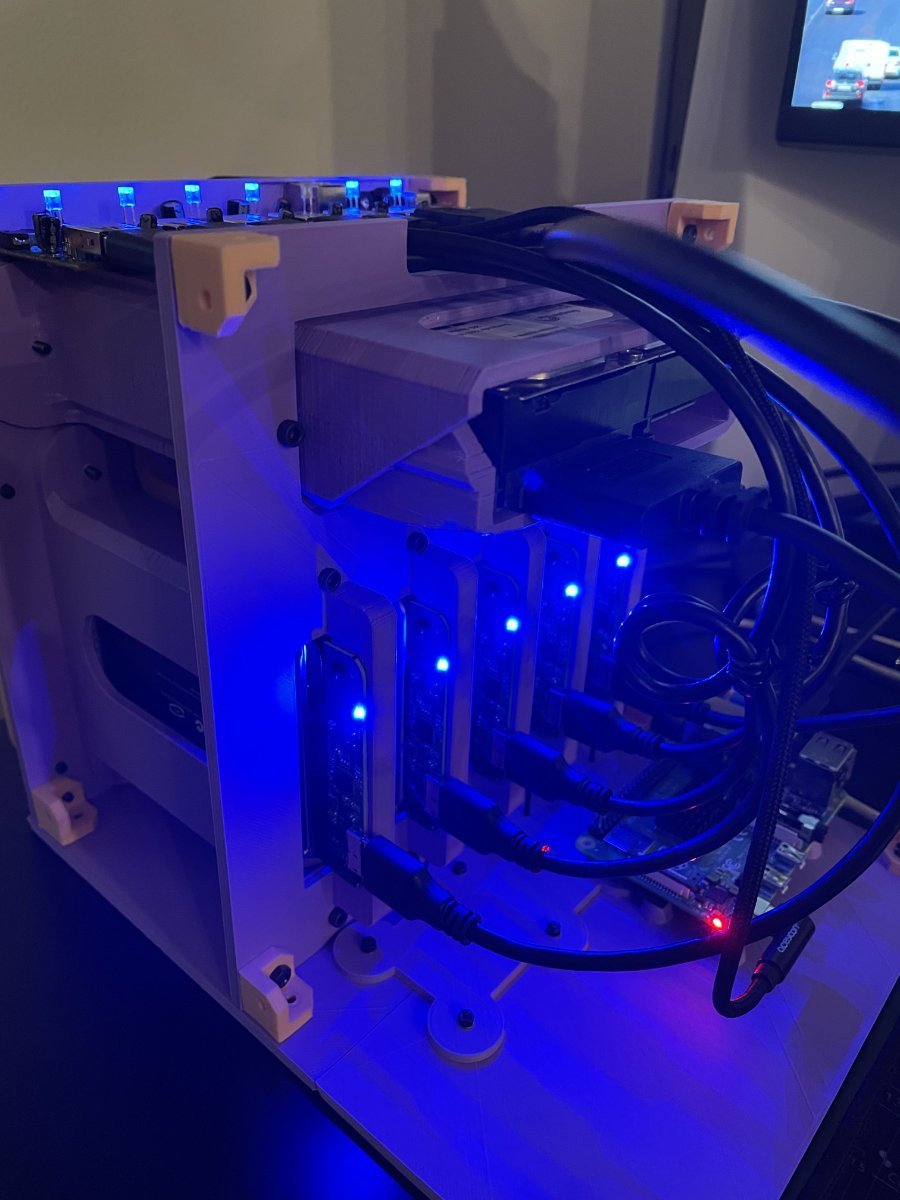
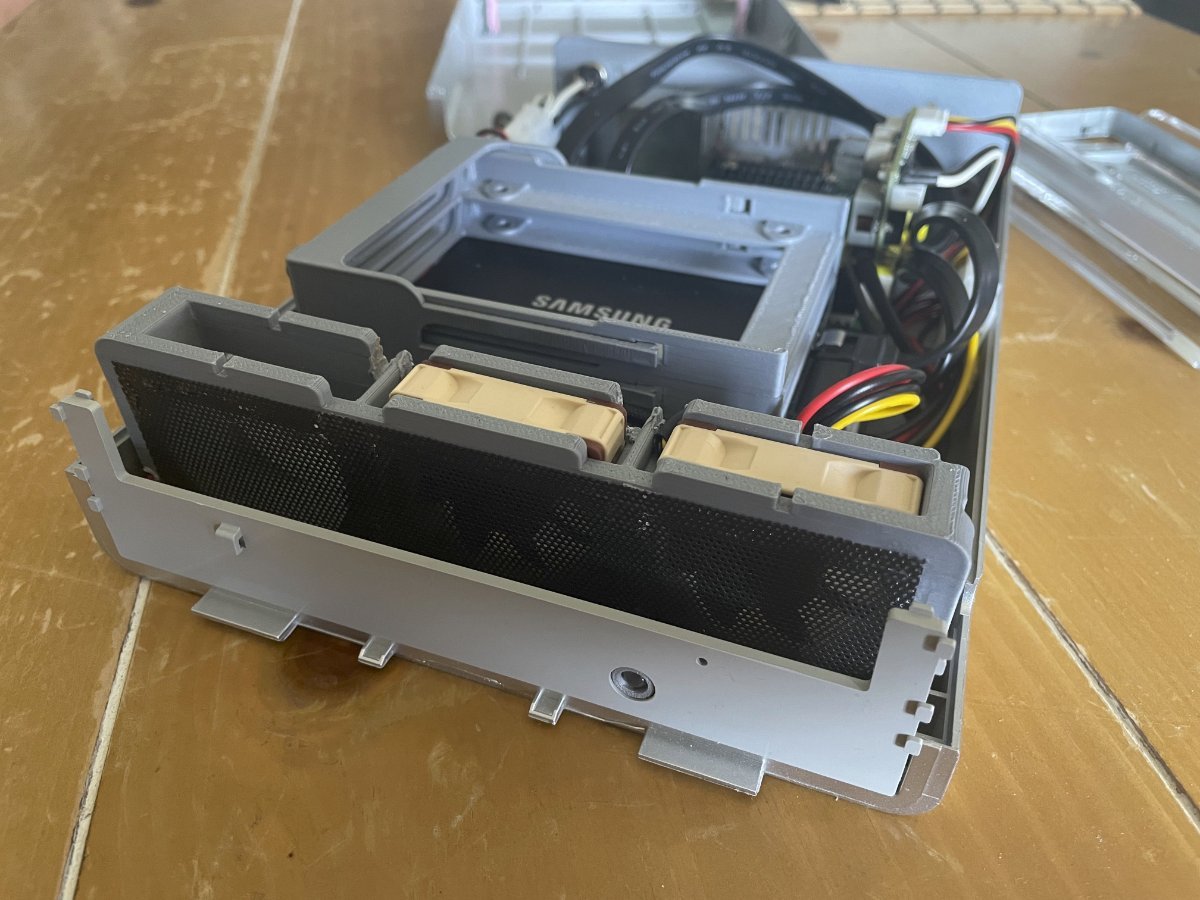
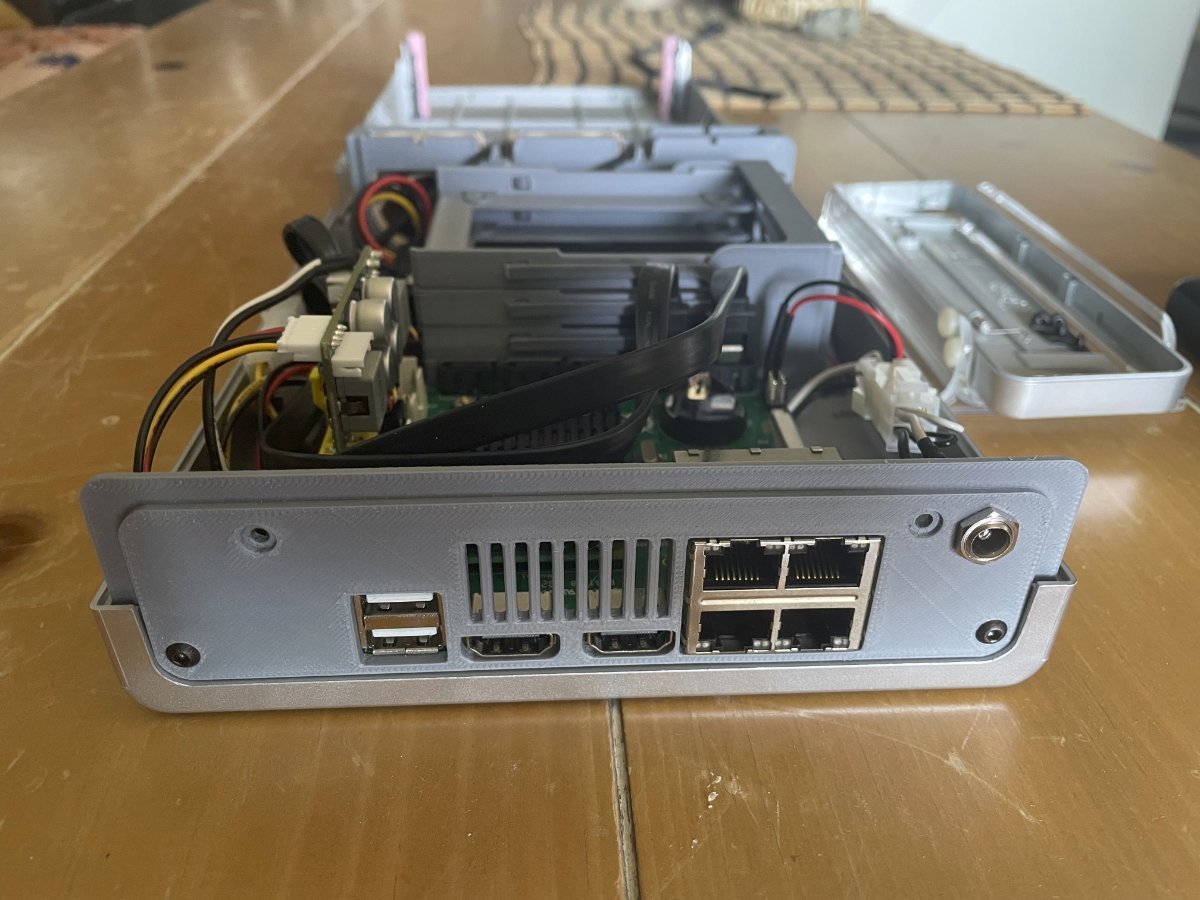
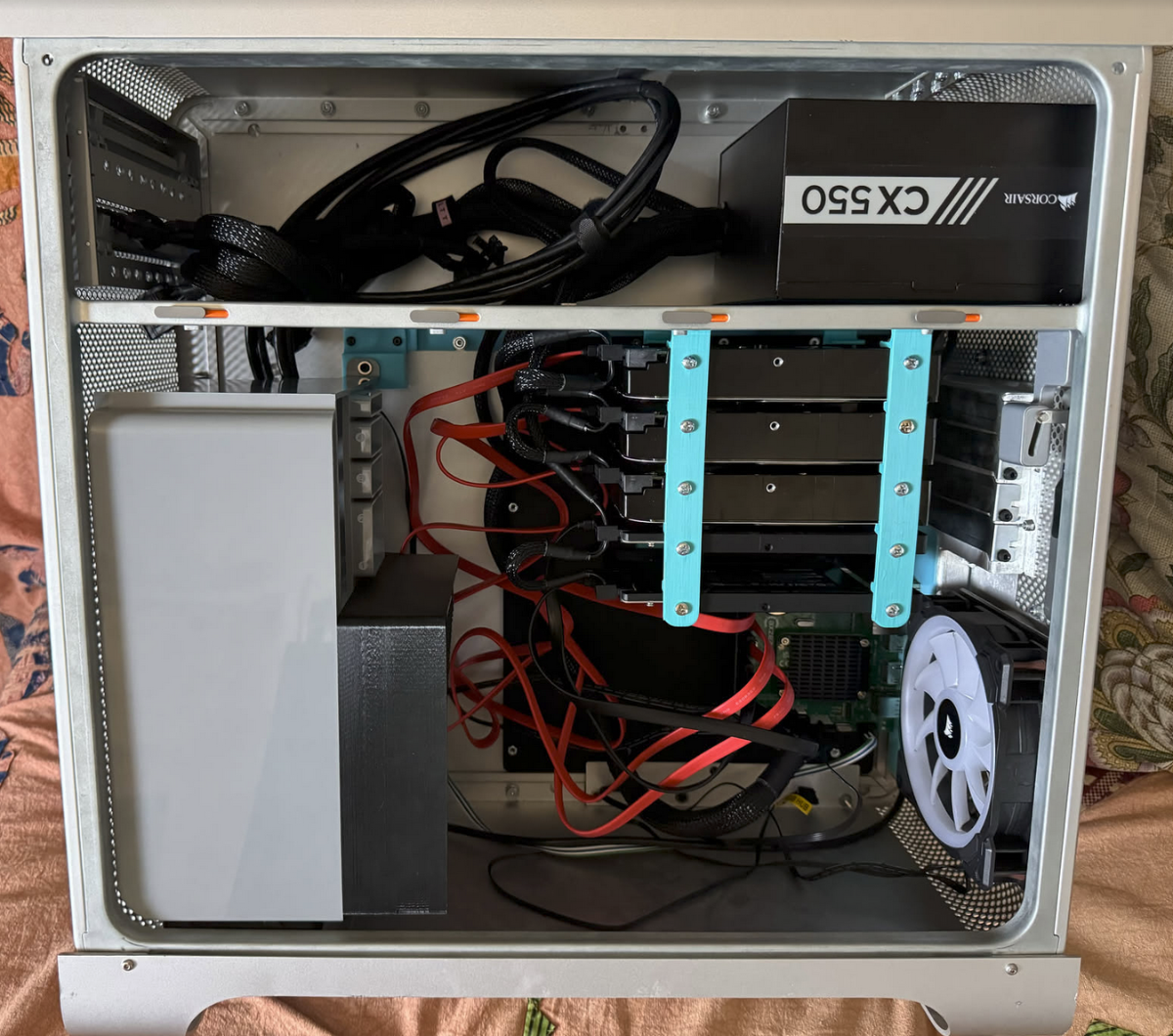
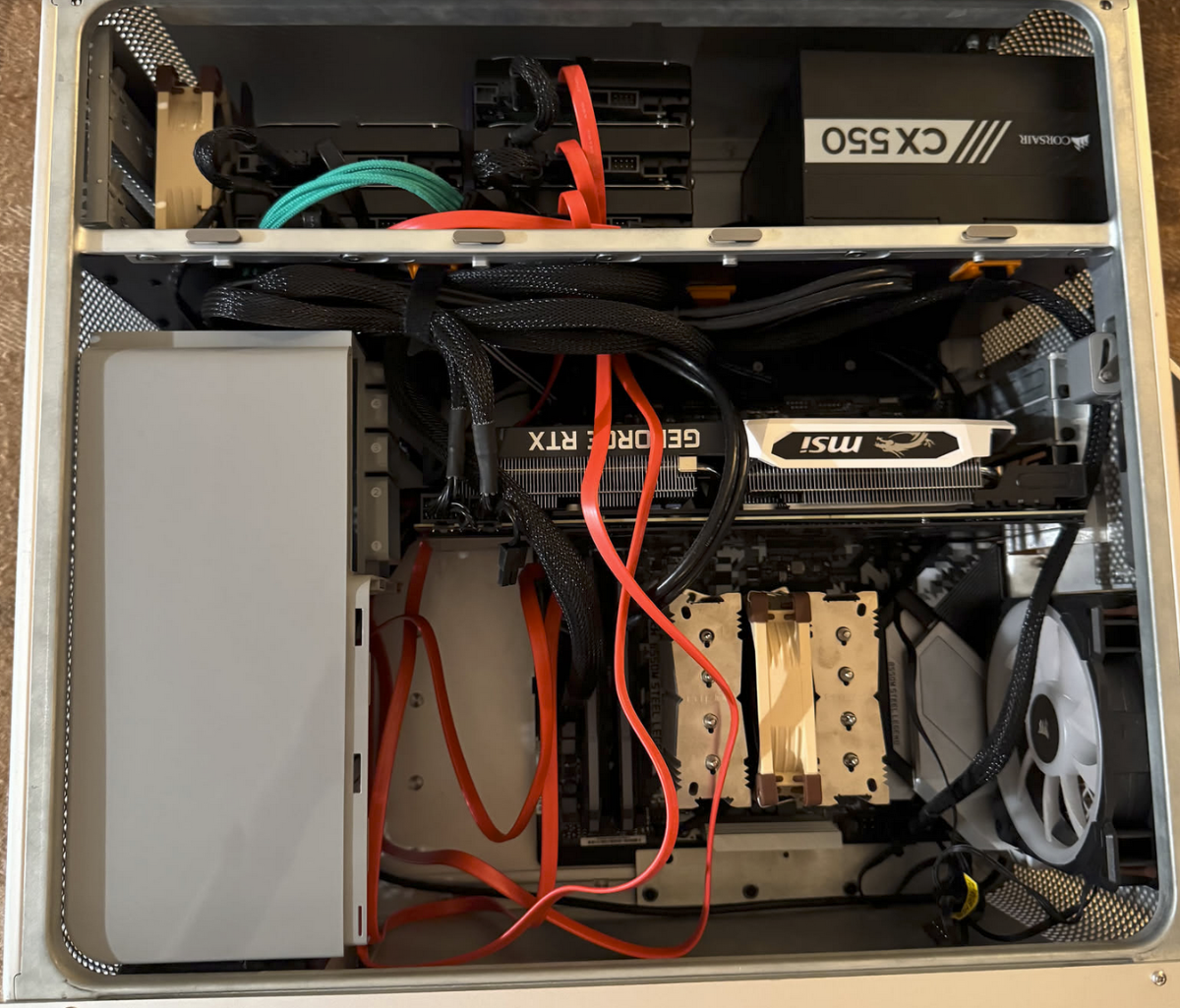
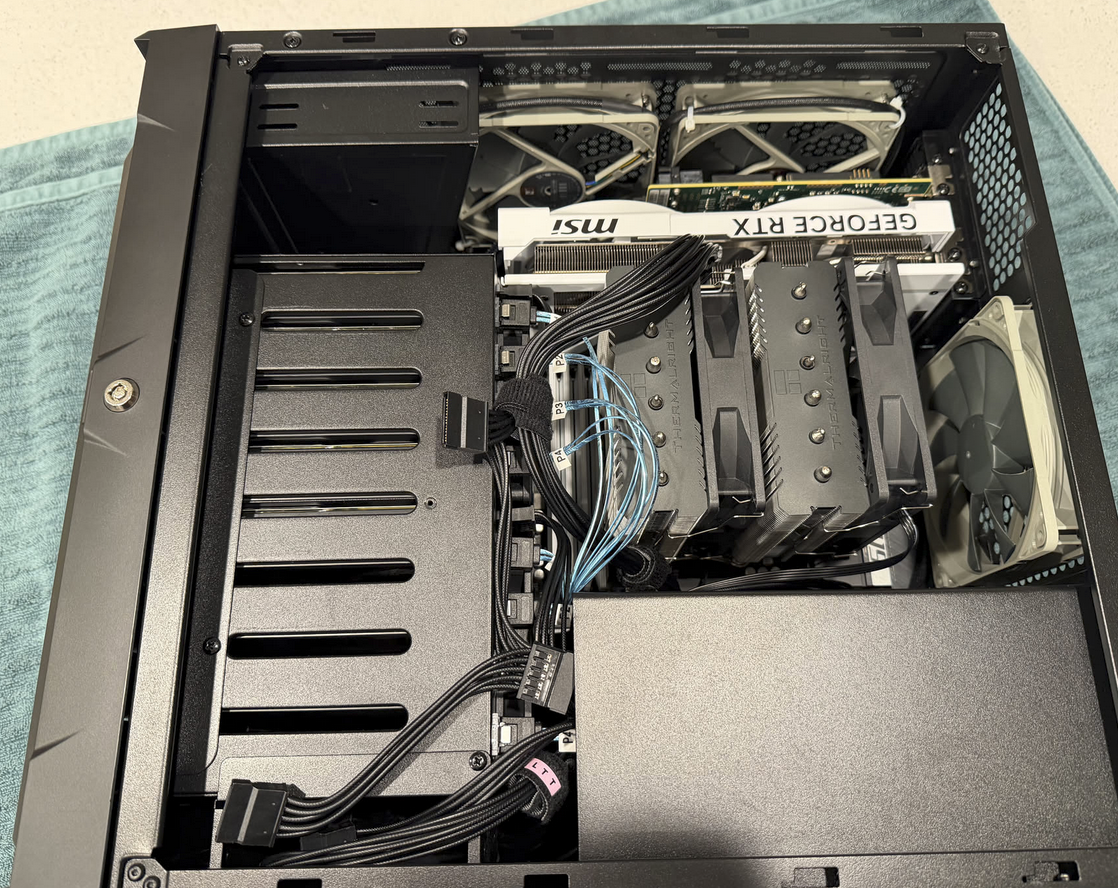
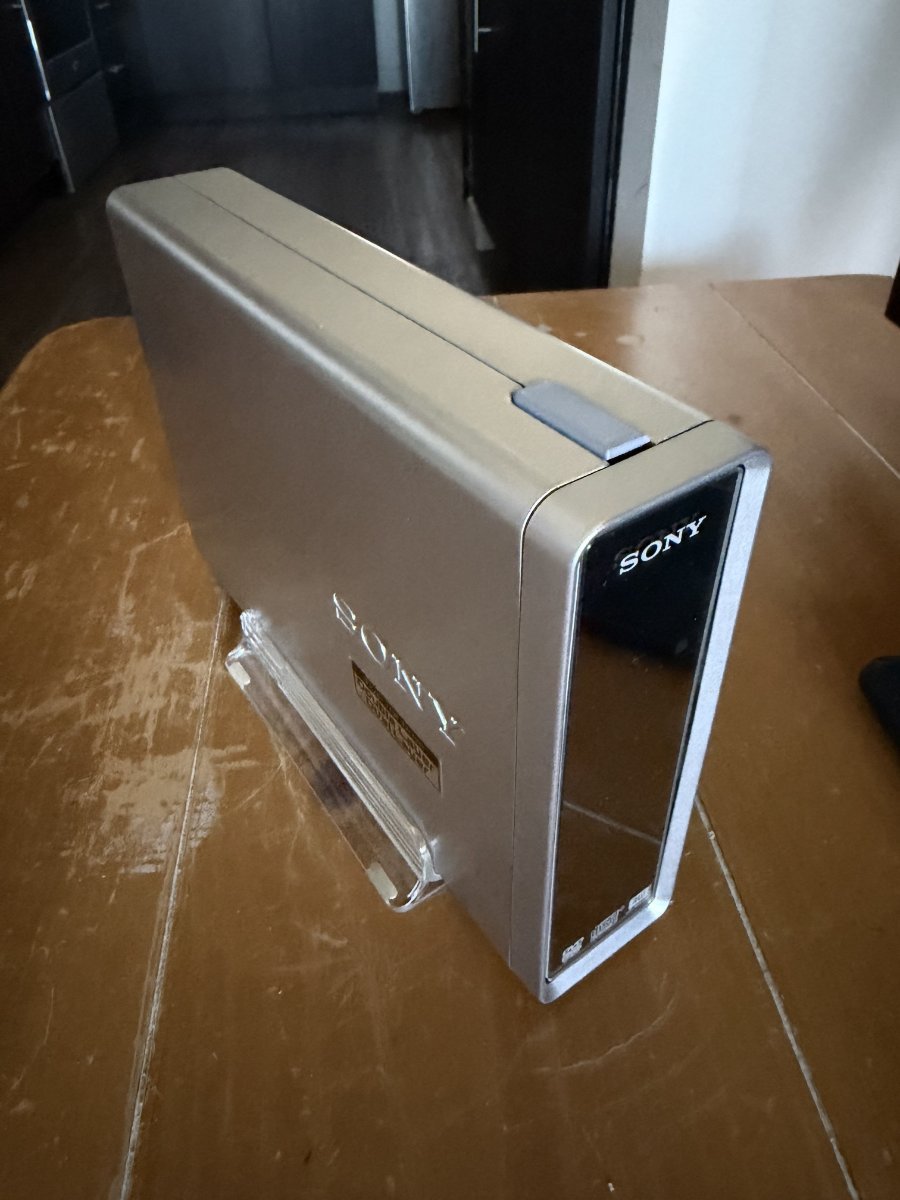
Hi all! I wanted to share my NAS journey starting with something completely nonsensical to something I actually daily drive now. The first one was a DIY fully 3d printed case before I understood what all of this home lab stuff even was. I tried to connect several SSDs and an HDD to a raspberry pi via a USB hub. Surprisingly, it worked, but very badly. Open Media Vault didn't quite like this setup. The next attempt was a mini NAS based on axzez's Interceptor board crammed into a Sony DVD RW drive enclosure. It was actually decent! But too little space for upgrades. I initially ran OMV on it, but after a while HexOS came out, and that was my first HexOS NAS. That's when I began getting a grip on how a NAS actually works, what HexOS is for, and how to get the most out of it. So the next interim solution was a spare converted Mac Pro case with some custom 3d printed HDD holder bars, but still based on the aforementioned Interceptor board. This worked ok for files but lacked versatility for any other home lab use cases. I later upgraded this setup to a normal PC motherboard and relocated the HDDs to the top shelf. That was way better and that's when I got into all of the side apps that HexOS/TrueNAS could run like local AI, Immich, Plex, Jellyfin, etc. Finally, I shelled out for a case designed for a NAS. And what a difference that made! Building a NAS in a case designed for one is night and day compared to building in a hacked together Mac case.

-
 Robert Slater joined the community
 -
 Luke Balestrin joined the community
 -
Sorry in advance if this isn't the right place to post this. I setup a homeserver a few years ago that is currently held together by good vibes and duct-tape. I want to make something more streamlined and better organized than whatever it is I have going on now. I am currently running windows 11 with an ubuntu VM that handles all my docker containers. I was curious if I could just run HexOS and use it's on app store to more or less recreate my environment. I have listed the services I use below along with the specs of the PC (the drives are setup super weirdly I know) Thanks! 🙂 PC Specs: CPU: i7-9700k GPU: nvidia 3080 RAM: 64gb DDR4 Storage: 2x 500GB SSD drives (one for the operating system and one for a backup) 1x 6TB SATA (first drive I got for setting up media still holds some movies and TV shows) 1x 20TB SATA (Media, tv, movies etc) 2x 8TB SATA that are currently configured in a RAID0 I know this is weird I was learning and never raided a drive before (More media) Services: Windows: .Arr stack (Radarr, Sonarr, Prowlarr), OMBI, NZBget, qbitorrent, RustDesk, Scaletail and Tantualli Link/Docker Containers: Portainer, Adguard Home, Karakeep, Homepage I've already backedup all my configs and wiping all the media off my drives isn't a big issue since there is nothing important on them. Any help of advice would be appreciated.
-
 Tyler Holdener joined the community
 - Yesterday
-
 Craig Wilt joined the community
 -
 aron csodogai joined the community
 -
 Eric Rodriguez joined the community
 -
 OPMASH joined the community
 -
I wish mine drew 23 watts... 🫠
- Last week
-
 I just ran the command from immich go with this --on-errors=continue and pushed through it, then repeated. It seems to be some specific files that fail, as 5 images come back as "pending" in the cli
 -
Hey, im encountering this exact same issue right now, using immich-go on some takout-files
-
I wanted to provide an update to my post. After an update this fix broke, I did these steps again and it is working. Does anyone have any ideas on how to fix this?
-

buy HEXOS no and install in a month
Todd Miller replied to Kai-nalu Shadley's topic in Other Questions
Yeah, things are pretty low key about doing anything before you are ready. It is a good idea to have your hardware ichoices settled. If you list your system thoughts you can get some tips also. A lot of folks bought in a special announcement and couldn't install for a couple months. No need to rush. -
How hard was it to install on the Ugreen? Did you just follow the TrueNAS guide?
-
Users licenses are saved under the email address you select when purchasing. Think of a Google or Apple account. We keep track of the amount of servers you link which takes a license. You can remove the link to a server which then adds the license back. You can buy now and use anything time..
-
im building a nas and i dont have all of the components yet. i want to buy hexos before the price goes up and was wondering if i could buy it now and install it in like a month when i have the machine build?
-
 I think I my have found my problem. I assume the my LSI 9300 16i HBA was getting to hot which might have caused the server to crash.... have a fan on the card now. Does anybody know how to check the temperatur of the card via terminal on HexOS?
 - Earlier
-
 I may look at doing the same unless I can get it to work. I have a proxmox environment set up. I'm also hitting some networking limitations with Truenas that I know work well in proxmox.
 -
 I ended up setting up immich myself outside hexos. Then it worked immediately. My homeserver runs proxmox. Hexos is then a VM on there. There's another VM running ubuntu server that I use for all my micro-services / self-hosting stuffs. I just have an NFS share that I have mounted in that, from hexos.
 -
 Hi. I was wondering if there's a way to access my files (documents, and etc) on my phone remotely (I'm using a Pixel 9)? In that same topic, is there a way I can access my files on my laptop remotely as well? I have tailscale installed, but don't know what to do next to access my files on my laptop. Please and thank you in advance
 -
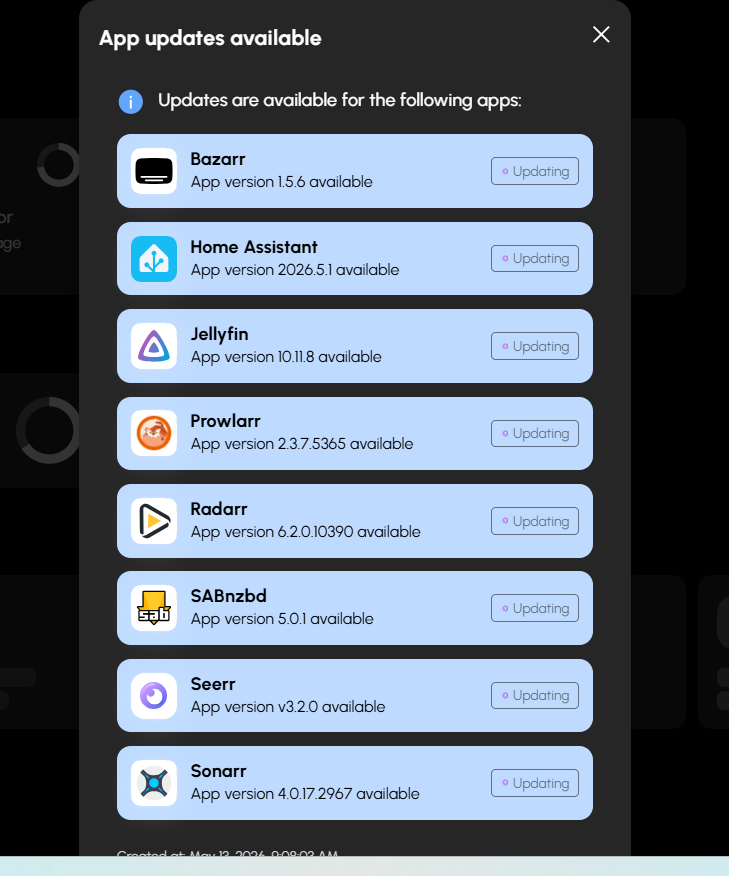
+1 - Even just a one-click button update-all would be helpful
-
+1
-
We don't have hardware to test more of the advanced setups. It would be a lot of effort and time and costs to do this. We rely on trying to find things online for support for TrueNAS Scale since we are focused on making the interface and not the hardware. In the long run I think most of our users will max out at 2.5 to 10 GB nics. Probably between 4 and 7 drives. This is where we focus because the when you start going to more advanced setups those users will just use TrueNAS. Now I do see down the road we may have some features that are so easy to use along with a killer apps system that they may just buy for that.
-
Is this documented anywhere with pictures? I wonder if this may help solve my issue. Or at least prevent me from having other issues because I have two ethernet ports.
-
I am using a card very close to that one to try to solve the 100 GB/s transfer limit issue and while it works as a card it does not fix the issue. Now, I didn't do any of the stuff listed here so you may have better luck.. I believe my card has the same chip.