All Activity
- Today
-
 Yannick Stevens joined the community
 -
 Skar joined the community
 -
Oh that makes more sense. lol I think the only way to solve this is too not bother encrypting things... lets just keep everything OPEN.
-
Just to clear things up, I was only talking about encrypting local datasets and not buddy backup. 🙂 No, you only need to have the keys once, when mounting the dataset to a new server or fresh install, afterwards you can save them in the OS and don't need them anymore. This will not be a problem with local UI dashboard. It might be that it's just stored in a Vault on the Hexos Server and you can retrieve them from there, or that during the setup, which requires an Internet connection anyway, they are automagically fetched from there or sth similar. Or the Eshtek team is not going to store the keys at all for us, I mean we are only talking possibilities and dreams at the moment 🙂 But, as @TheGlitch already mentioned, if you have them in a vault and that vault is an app in Hexos as part of the encrypted dataset, you are out of luck. Also, in case where the Hexos Server gets compromised, and the keys leaked, for local datasets this should be less of a concern, because typically, they shouldn't even be accessible from the outside in the first place and 2nd you can easily change them. And you can even make the storage of the keys optional.
-
I agree with @PsychoWards and @Todd Miller - we are having a conversation that plagues IT Security engineers all the time.... finding the middle ground of high security and protection but ease of use. Make things to easy and its not good protection. Make the protection as solid as possible and the user won't use it. The general standard dictates the data MUST be encrypted before it leaves the machine. The standard practice is you encrypt the data, and you store the keys in a Vault (like Bitwarden, 1Password, or a physical safe). HexOS is marketed to "prosumers" who want things to "just work." If HexOS forces encryption and the user deletes their OS without backing up the keys, the data is mathematically unrecoverable. Should we be storing keys on the HexOS servers? From a security standpoint, this COULD be a huge issue. The risk comes down to the possibility of HexOS getting hacked, the hackers then have the keys to everyone's backup. Buddy Backup aims to be a "zero-knowledge" system, and that should mean only the users have the keys. HexOS server can assist in the facilitation of passing the keys to each user because seeing part of the key isn't the actual key. They could use an identity-based key derivation like Steve Gibson's SQRL. If HexOS generated a Master Identity Key for each user, the system could automatically derive unique encryption keys for each Buddy Backup target. This would allow for 'Zero-Knowledge' offsite backups without forcing users to manually manage individual encryption keys for every dataset. We get the security of ZFS encryption with the ease of a single Master Password. In a SQRL-style system, if you reinstall the OS, you must have your Master Key backed up. If HexOS doesn't force you to save that master key (or the 24-digit Rescue Code) during setup, then a reinstall would mean the end of your data.
-
Man this topic was super confusing to read through. It definitely did not give me confidence to purchase additional licenses. The over policing of these licenses is very off-putting. Definitely does not scream user-friendly company. Think I'm just gonna sit tight for another year before I spend any more dollars here.
-
Would that key store on the HexOS server mean I would need to connect to the mothership and would not be able to perform any of these actions only using the local UI dashboard? That would seem to be another bump in the road. A philosophical bump, but a bump nonetheless.
-
Hey, You don't need to take care of this for the Hexos curated apps, as this is part of the Hexos install skript. Storage paths are also taken care of, so that it's a real 1 click install and you are done and the app is running. Of course, if needed, you can still tweak everything before or after installation.
-
Thanks. It is indeed working very well. Only thing now is trying tot figure out Truenas. Cause up until now it has been a lot of trial and error and I still don't understand any of it. Do you have any good resources to help?
-
 coreyparks2006 joined the community
 -
 fleckal joined the community
 -
HexOS is TrueNAS under the hood. But I am not sure I understand your issue. Are you saying you want desktop level RAM/CPU allocations on a NAS?
-
 Juupeli joined the community
 -
 wimov joined the community
 -
Hi! I use TrueNAS scale as the OS on my server, but im getting a little tired by the allocating of memory, CPU cores, and storage every time i download an app. I would love to see something like how it is in most desktop-OS:es, where i just download an application and it itself just uses what it needs. Otherwise i get caught up in wondering what a good amount of allocated ram or cores or whatever is for each app, of which i honestly am just winging it... Would this be something that HexOS would have [or has] as a feature?
-
 typhenry joined the community
 -
 pineapples099 joined the community
 -
 rentaspace joined the community
 -
solid build im also running a 265k myself and im pretty content with it
-
 Harry227 joined the community
 - Yesterday
-
As much as I like the idea of encrypted datasets (i'm using them myself), I fear that it will cause a not insignificant amount of headaches and data loss. Seeing how many users currently are just reinstalling Hexos if something is not working as they expect, currently, they just nees to mount the pools again and no harm no foul. But with encrypted datasets, where they didn't save the keys or have the keys saved on the encrypted dataset themselves it's bye bye data. So if we go done the path of encrypted datasets, we need to have a way to easily manage the decryption keys. Maybe there will be an option to store them on the Hexos Server and use them from there if anything ever goes wrong with a server. If not, a lot of people are not going to remember where they put those keys X years ago, which are now standing between them and their data. Don't get me wrong, I think those are definitely valid points, but such a crucial part requires a basically fool proof setup to not cause any harm. 🙂
-
I like how plain it looks. Honestly. a NAS doesn't need to RGB. Nice job! -- Orion
-
So I noticed that HexOS requires encryption at the folder-creation stage for future offsite backups. Since Buddy Backup isn't out yet, how will the migration path look for users who have already populated large unencrypted datasets? Specifically: Will there be a built-in 'Migrate to Encrypted' tool to move data into a new encrypted dataset for Buddy Backup? Will Buddy Backup support 'Replication-level encryption' (encrypting the stream during transit/at rest on the destination) without requiring the source folder on my local NAS to be encrypted? What about application data folders that are already not encrypted, how would those be handled?
-
As you mentioned I ditched the 14th gen and went newer. I got a Ultra 7 265k combined with MSI Pro Z890-P Wifi.(most 14th gen motherboards were unavailable and this new setup was almost the same price) Same RAM as mentioned before. Since there is a lack of sata on the MB, I also got a LSI SAS 9300-16i in IT mode. It al seems to be working as it should. I did have to start all over again with Hexos. After importing my pool it recognized all apps however they didn't respond good. Apps won't stop or start on command. A Intel X550-T2 is also on the way to make full use of my internet connection. As for the use it will mostly be a media server with immich, plex, all the arr's. When I move to my new place I will also try to setup home assistant.
- Last week
-
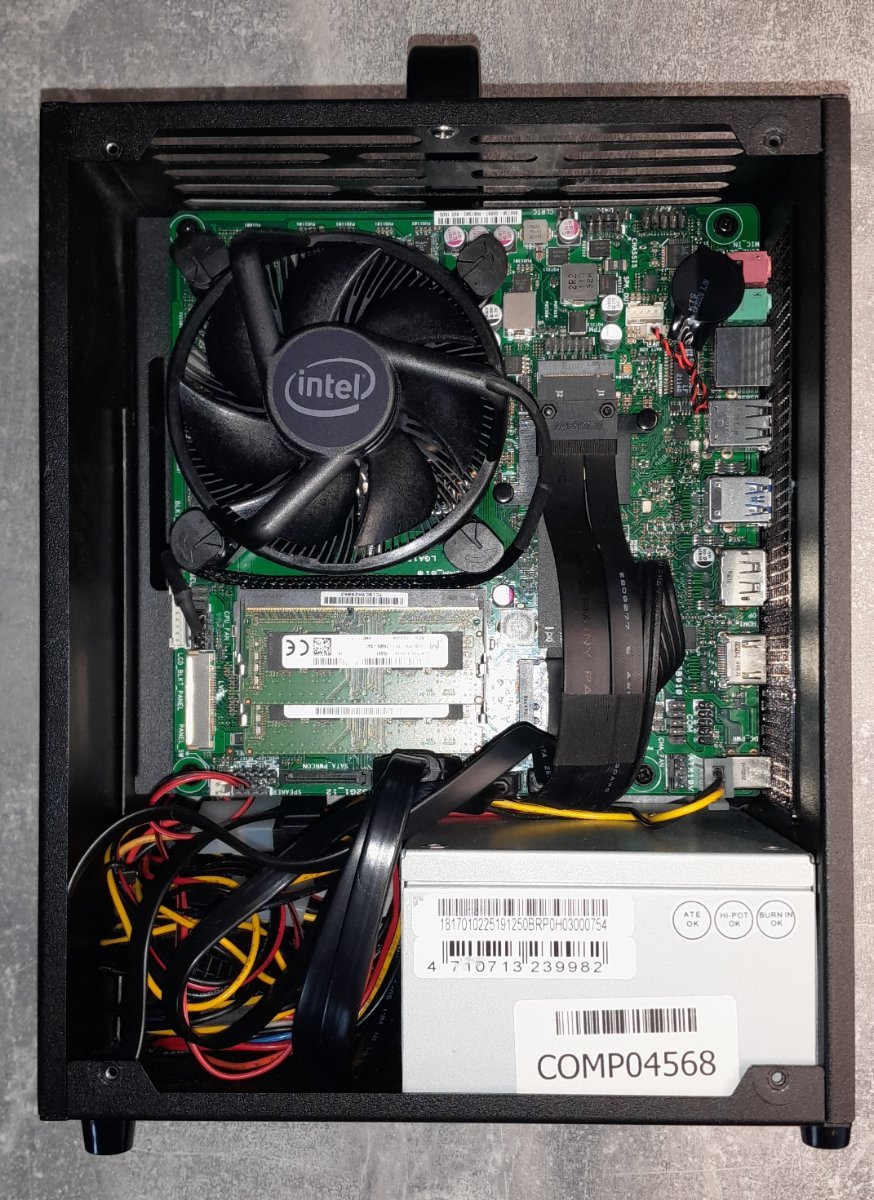
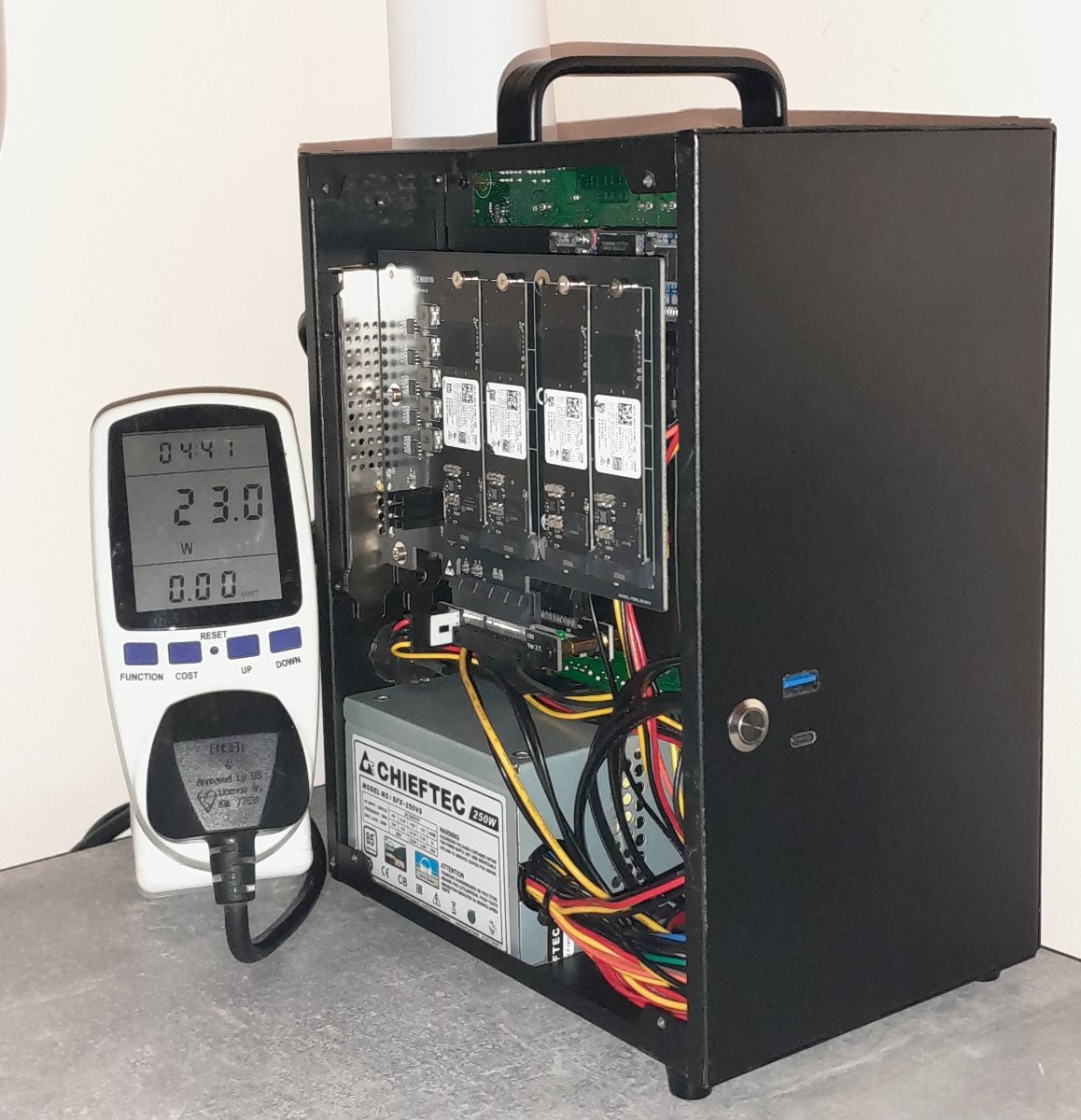
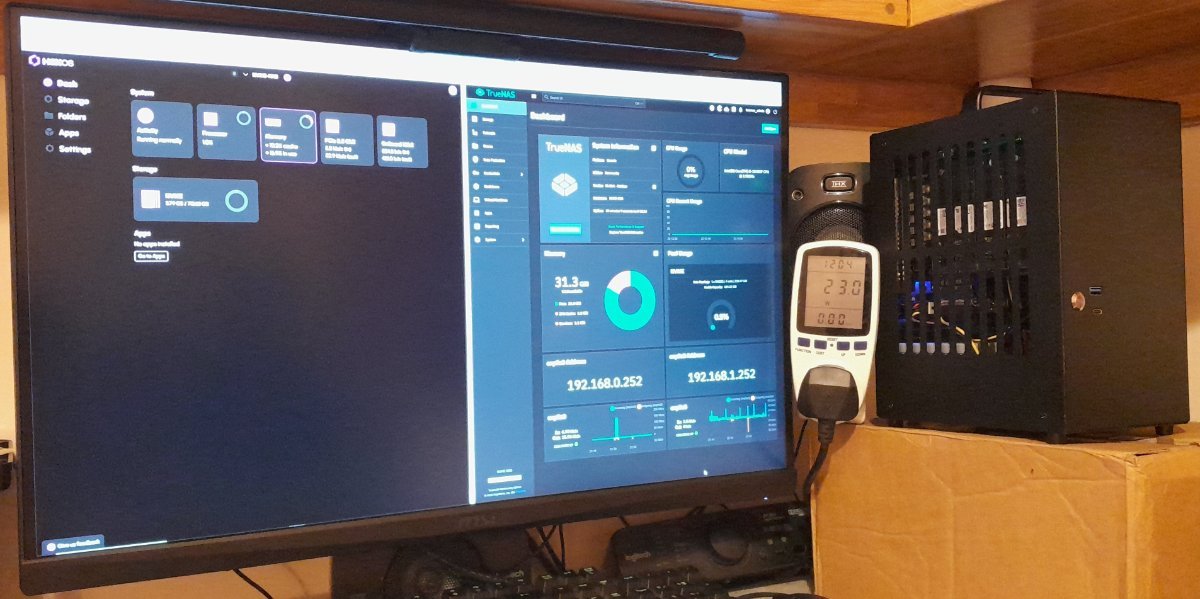
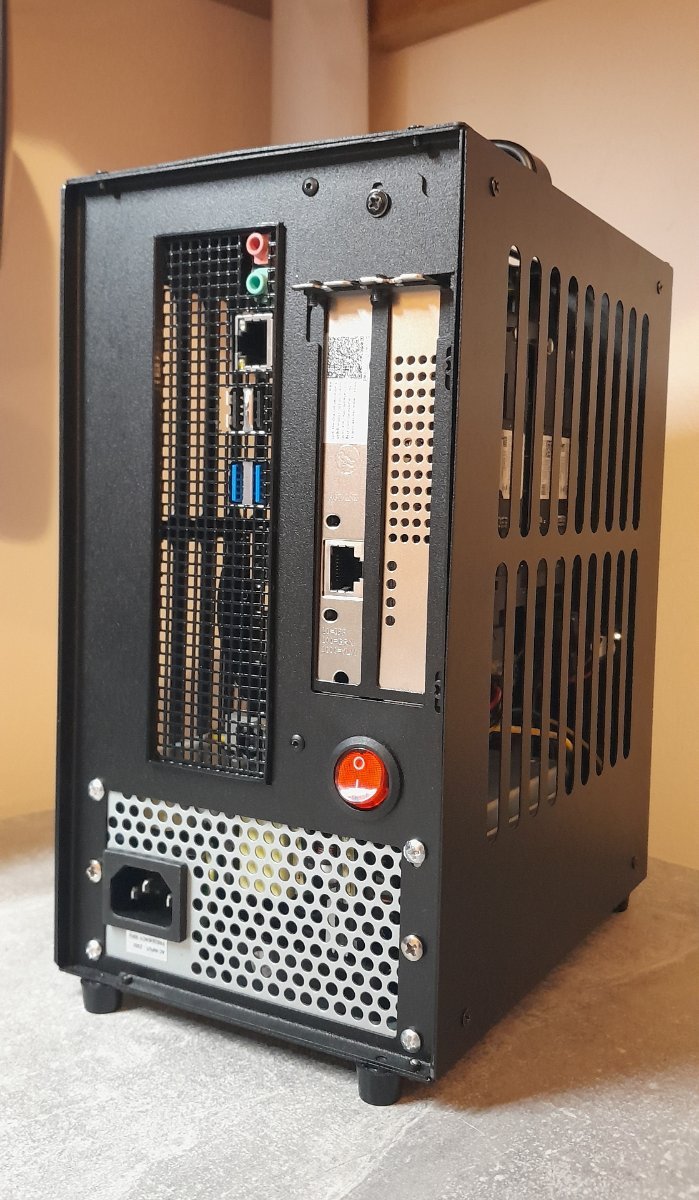
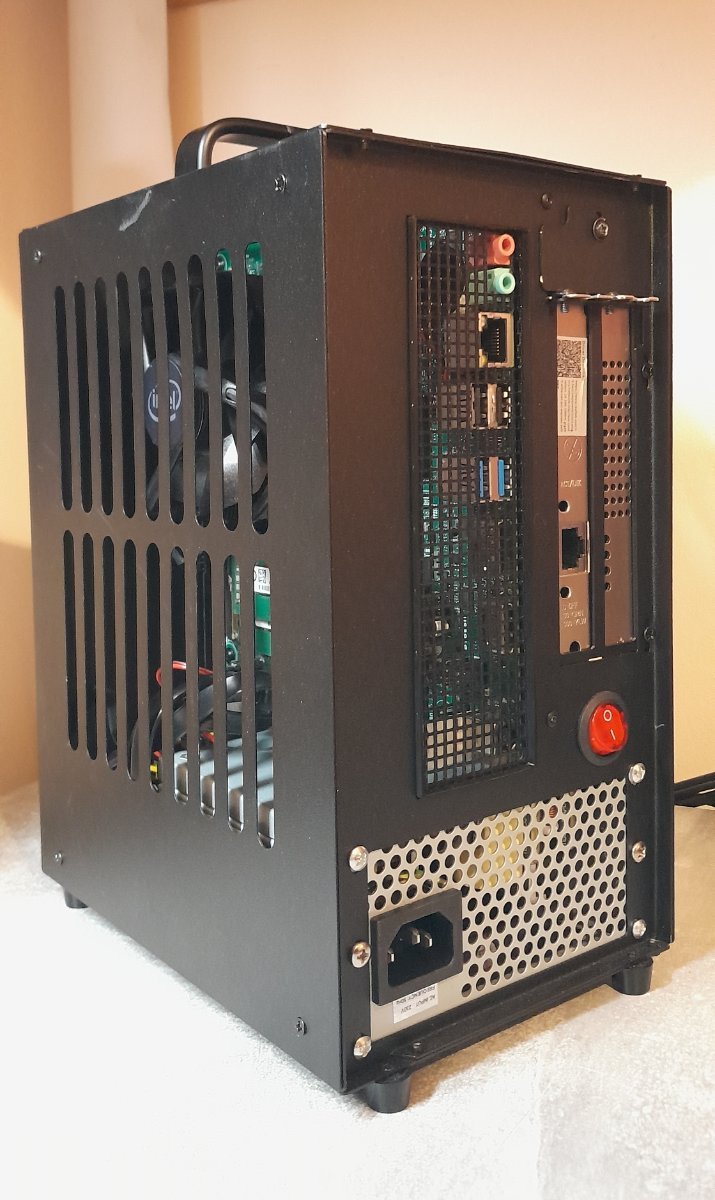
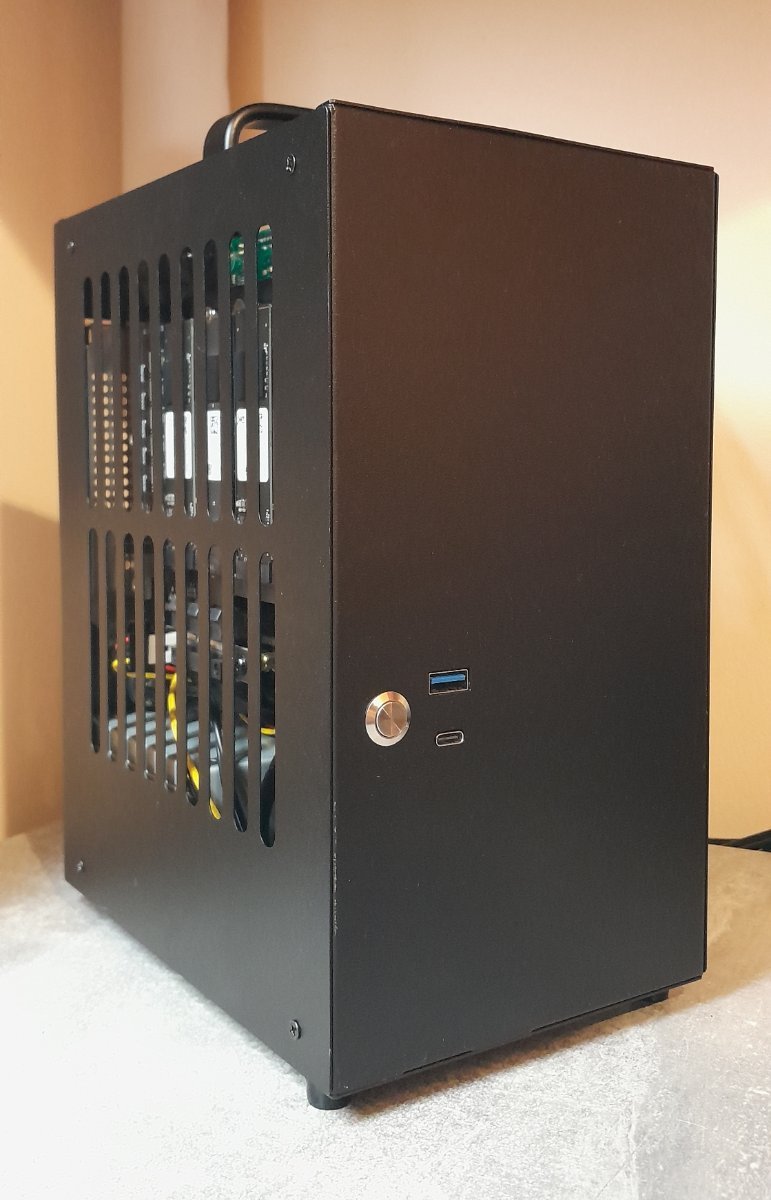
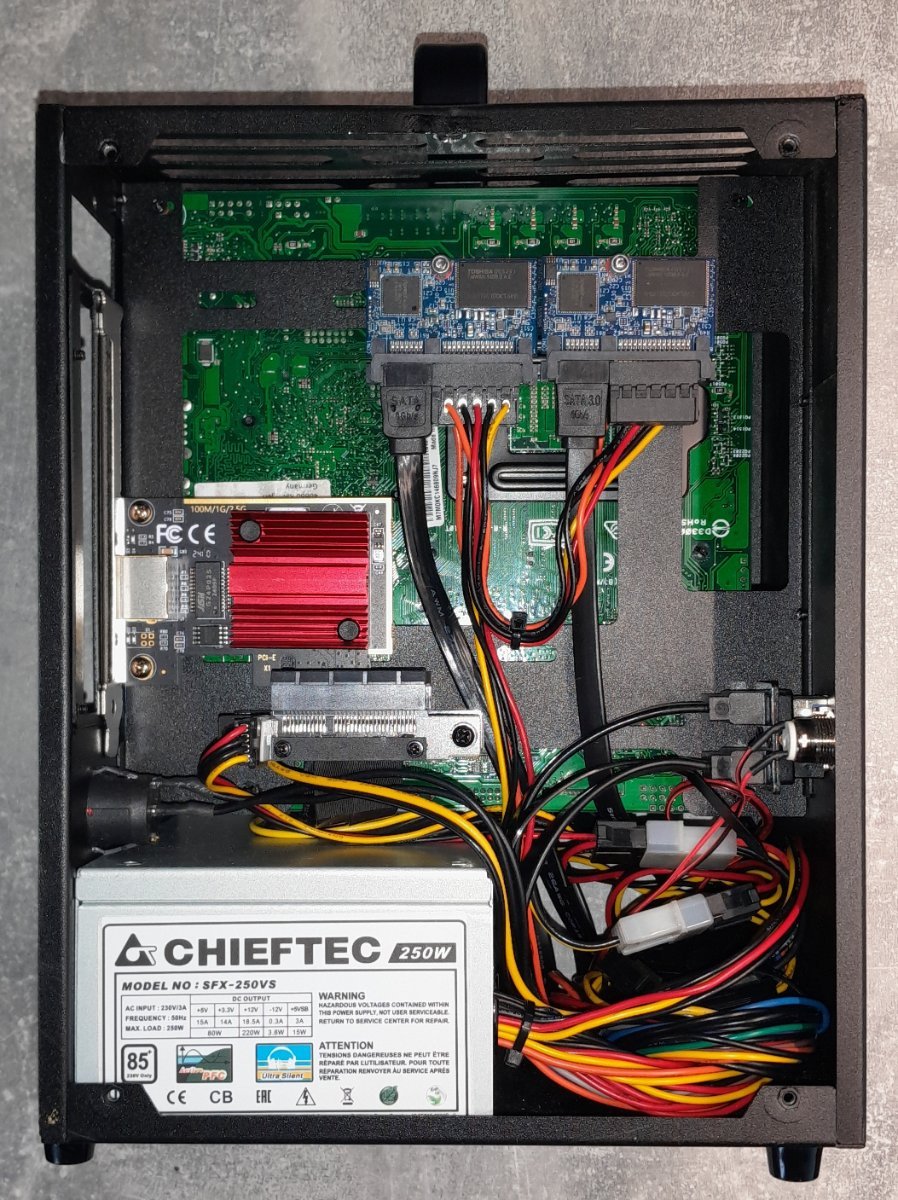
This had been one of my test/dev NAS for a while now (yes I have several and it's becoming a bit of a problem...) Just took some pics so I can get it on eBay, thought I'd share the build with you before it goes. Hardware: Asus Pro H410T Motherboard Intel i5-10400F (6-Core / 12-Thread) with new Intel cooler 32 GB (2x16GB) DDR4 2666 (Crucial CT2K16G4SFRA266) 2 x 32GB SATA SSDs (redundant boot drives) 4 x 256GB WD SN740 NVME SSDs PCIe to NVME card with ASM2806 Packet Switch m.2 to PCIEx4 Riser for NVME card 2.5 GbE PCIe Network card (RTL8125) A/E to PCIEx1 Riser cable for Network card Chieftec SFX-250VS power supply Dreamcase D19 Pro (V2.1) Mini ITX PC Case

-
Hey, You can only expand your Pool if your drive has the same or higher capacity then the lowest drive of your pool. So if you want to expand your current pool you need at least 4TB drives. Drives with more than 4TB capacity will not give you more storage then a 4TB drive because the lowest size drive will always be determining factor for the size of your pool. With your 2 500GB drives you will only be able to create a mirrored 500GB pool.
-
Hey, i have 3 x 4TB HDDs in a pool. I did this so i had the option of expanding it in the future, I have just went and added 2 x 500GB HDDs to my server and it wont show them when i try to extend the pool. It says "You need to have a suitable drive candidate available to expand your pool. Check out our article on selecting drives to better understand what is required." and tells me to "read here" and said page has no useful information regarding this. Where can i read up about all these annoying little things about what can be expanded and how. As if i knew this as the case i wouldnt have bothered with a third drive to be able to expand in the future if i cant expand it easily. - Thanks
-
I might be a bit too late to be of much help I personally would skip dedicated gpu unless you have specific tasks that would benefit from it. I would also pick intel 12th gen over 13th or 14th because of their possible issues. what you plan to use the server for can also help narrow down what hardware is best for you. Just a storage server? plex server? ai workload?
-
This request was already taken care of
-
IMO I say go with what you can afford / what your build requires. the new hardware is not a bad way to go
-
@mill3000
-
I got it to import as read only XXXXXXXXXXXXXXXX# zpool status HDDs pool: HDDs state: ONLINE status: One or more devices has experienced an error resulting in data corruption. Applications may be affected. action: Restore the file in question if possible. Otherwise restore the entire pool from backup. see: https://openzfs.github.io/openzfs-docs/msg/ZFS-8000-8A scan: scrub repaired 252K in 08:33:06 with 17 errors on Mon Jan 12 17:28:14 2026 expand: expanded raidz1-0 copied 4.65T in 12:39:26, on Fri Dec 13 05:59:05 2024 config: NAME STATE READ WRITE CKSUM HDDs ONLINE 0 0 0 raidz1-0 ONLINE 0 0 0 6a2f9722-779d-4ad9-a174-66d6856dff9b ONLINE 0 0 0 b610e5ec-7716-4689-9f8c-e4d25b40959b ONLINE 0 0 0 5c46ab8b-82b6-436d-bcc6-e85461f55589 ONLINE 0 0 0 0a46c882-dcb8-457e-8733-fd2a13e37e14 ONLINE 0 0 0 errors: 17 data errors, use '-v' for a list
-
Update: I exported the pool from true nas and i can get it to boot with all 4 drives connect. However it crashed immediately when trying to import. invalid or corrupt cache file contents: invalid or missing cache file cannot import 'HDDs': no such pool available XXXXXXXXXXXXXXXX[~]# zpool import pool: HDDs id: 14370529907006270995 state: ONLINE action: The pool can be imported using its name or numeric identifier. config: HDDs ONLINE raidz1-0 ONLINE 6a2f9722-779d-4ad9-a174-66d6856dff9b ONLINE b610e5ec-7716-4689-9f8c-e4d25b40959b ONLINE 5c46ab8b-82b6-436d-bcc6-e85461f55589 ONLINE 0a46c882-dcb8-457e-8733-fd2a13e37e14 ONLINE xxxxxxxxxxxxxxxxxxxx [~]# zpool import -f -c /dev/null HDDs invalid or corrupt cache file contents: invalid or missing cache file cannot import 'HDDs': no such pool available xxxxxxxxxxxxxxxxxx# zpool import -f -c /dev/null 14370529907006270995 invalid or corrupt cache file contents: invalid or missing cache file cannot import '14370529907006270995': no such pool available
-
 I hope this helps me as well... If not, at least now I have a NanoKVM PCIe in my server so i can check, enter bios and restart the server without crawling to it anymore. 😄
 -
Wrong place to post