All Activity
- Past hour
-
 Robert Smith joined the community
 -
 Fernando de Jesus joined the community
 - Today
-
Is this documented anywhere with pictures? I wonder if this may help solve my issue. Or at least prevent me from having other issues because I have two ethernet ports.
-
I am using a card very close to that one to try to solve the 100 GB/s transfer limit issue and while it works as a card it does not fix the issue. Now, I didn't do any of the stuff listed here so you may have better luck.. I believe my card has the same chip.
-
 Jasur Maksumov joined the community
 -
 Willian Velasquez joined the community
 -
 Leon Gerteis joined the community
 -
 LANCE PARKER joined the community
 -
Intel cards are well-supported by TrueNAS Scale. With that said I can't guarantee it but it should. Once you install it you'll have to update a few things if this isn't going to be a new install. On the server once fully booted you'll have to go through options 1 and 2 to make sure it knows to use the new network card. Once that is set you can log into the new ip address for the TrueNAS UI. Once in there you'll want to update the network settings to make sure the settings are correct for the new network card. Last step is edit the HexOS app in the app section of TrueNAS. You need to update the ip of what your TrueNAS was with the old network card to the ip of the new network card (Ip with TrueNAS WebUi). Just go down till you see a setting with the old ip and update to the new then scroll to the bottom to save it. Hope this helps. Thanks for supporting HexOS.
-
 James Blackwood joined the community
 -
 Götz von Werlhof joined the community
 -
 Keyar Cabico joined the community
 -
 Zu Yao Ng joined the community
 -

Error too many open files even after updates
SiDroid replied to Dirtscootdesigns5956's question in OS & Features
Thank you so much for this fix, it fixed it for me as well. I have been having the issue since the first Goldeye update, and this finally fixed it. I'm on 25.10.3 and still have the problem. - Yesterday
-
Does anyone know if this NIC will work with HexOS? I find it incredibly difficult to find any sort of documentation on what NIC's are supported.
-

"This server is not available" after update(attempt) - evenutaly aborded
Ksanto replied to Ksanto's question in OS & Features
The solution was probably to do the following in the TrueNAS shell: sudo python /usr/lib/python3/dist-packages/middlewared/scripts/vendor_service.py i will never know 100%, as I gave up long before mill3000 posted it here: but as the behavior was basically identical after reinstalling the new HexOS 1.0 release from ground up, I'm pretty sure that this was the problem all along. - Last week
-
 Did you fix this? I'm getting the 500 error as well.
 -
This happens to me at every update... Annoying! Thanks for the solution!
-
 Aiwo changed their profile photo
 -
 Jonny KnocksKiLL changed their profile photo
 -
Hi wvica, Do you have an update on if you managed to get this working. I would like to do the same thing myself and I am very much a noob when it comes to NAS and networking, so any information would be great.
-
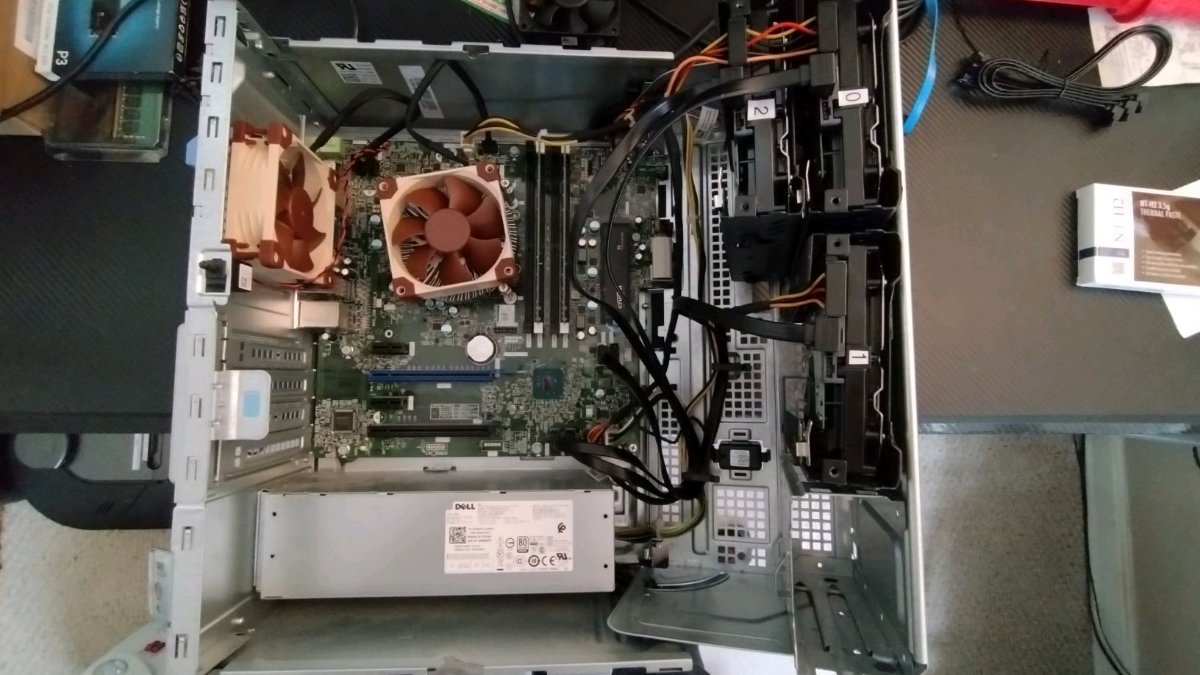
Hello friends, I have previously modded a Dell Optiplex 5050 MT for my first ever NAS. It has a Intel Core™ i5-7600 @ 3.50GHz and I had upgraded it to 16gb RAM instead of the 8 I had bought with it. I also upgraded to a replacement dell 460W power supply as when I purchased the 5050, I seemed to be noticing some power issues. I also threw in some new thermal compound and noctua fans as you can see from the photo. I believe the part number for the motherboard is Angelfish MT 16509-1 MF1G8$HA? I have been only running Immich, Plex, and tailscale for over a year now and I have not had any serious issues other than a drive failure at the begining, though I have not been doing much plex streaming. That being said I have been thinking about adding a GPU for better plex streaming to my TV with blu-rays/4k Video/ one day, (though I own no 4K now.). 1. My main question is this, Are there any issues just dropping an Intel A380 or Nvidia T400/600 into my system? (other than clearance issues) Or do you have to configure anything? Overall this is my first NAS and I am not super familiar with TrueNas (the whole reason I went with HexOS) 2. Secondly, does a GPU make much of a difference? Or when do people feel like their NAS needs a GPU? The AI overlords seem to be telling me if I ever turn on subtitles while streaming plex I might have issues with the CPU being hit too hard? Thanks in advance.

- Earlier
-
The most up-to-date troubleshooting steps for "cannot claim server" are in the HexOS docs here: https://docs.hexos.com/troubleshooting/#account-authentication-issues
-
There are now some troubleshooting steps for "cannot claim server" in the docs here https://docs.hexos.com/troubleshooting/#account-authentication-issues
-

Replicating Virtual Machines from one TrueNAS Server to Another
gingerling replied to ShinobiRen's topic in Show & Tell
Hi All, this guide is now in the HexOS docs https://docs.hexos.com/community/community-guides/ReplicatingVirtualMachines.html -
 Oliver Pepin changed their profile photo
 -
this is exactly what i would do for a tp link router.
-
Unless if @Mobius has another solution for your specific router (brand), you can also add 1.1.1.1 as the DNS server in your router, this way, you don't need to add a DNS server per device.
-
I just tried that and it seemed to work thank you! The truenas button is also not greyed out now so thats great. I am logged into a different computer on my network using a different browser but I will try it on my other computer as well
-
Thanks for the suggestion. We probably won't be able to look at doing this till after buddy backup are out. I'm not sure if they only show the connected ones or have an advanced toggle that would let you hide them indevidually. Thanks again for supporting HexOS!
-
Can you try setting 1.1.1.1 as your DNS on your PC (not server) and try from that PC again, if local is now working?
-
I don’t have anything like that setup, I'm still pretty new to this stuff, this is my first server that I’ve setup
-
I use a tplink X55 router that acts as my main router, I do have IP pass through setup from my AT&T modem/router
-
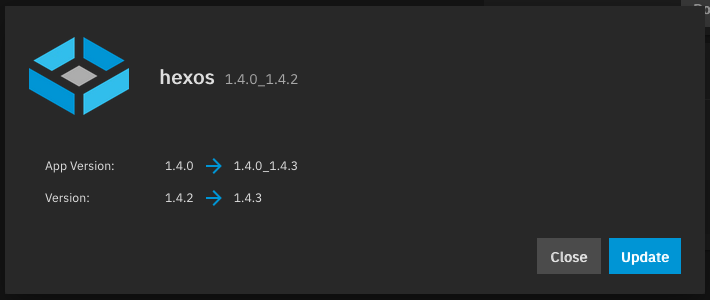
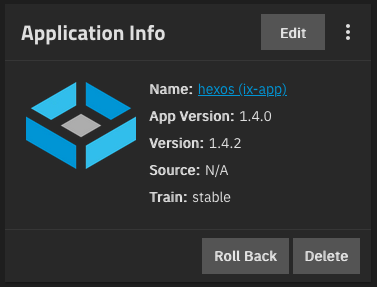
Since the rollout of HexOS local the "hexos (ix-app)" showed up in the TrueNAS app list. Makes sense for running HexOS local software on TrueNAS. The app is showing to have available updates in the TrueNAS app list. Of course, this app doesn't show up the HexOS Deck interface. So I cannot update it from there. My question is: - What should I do with this app? - Should I update it manually? - Will HexOS update it automatically? When? - Why does it show an update but didn't update automatically yet? I understand, that the intention for HexOS is to never have to touch TrueNAS. For my use cases I do very often and just wondered about this.
-
- 3
-

-
Another typical problem is if you use Pi-Hole together with Unbound or possibly Adguardhome.
-
There is a chance this is happening because of how your router handles dns rebinding. Disabling dns rebind protection should allow you to access local. If you can share with me the brand of router you have I can share instructions for how to disable dns rebind protection
-
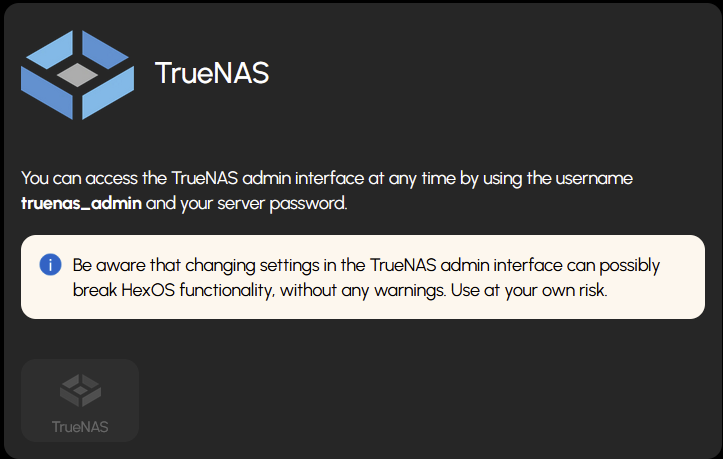
After updating to the 1.0 release, I went through the process saying I was selected and logged back into my account however I never got the option at the top dropdown menu to access the local UI, but I can access through the login just fine. I have also had this issue with the Truenas gui button being greyed out, im not sure if this is related but, I can access the truenas login through my IP address.
-

Hide *unused* network interfaces
SpyderChiken replied to joamla96's topic in Roadmap & Feature Requests
I agree I have the same thing going on the other things would be to allow us to make an agregate connection in hexos.