
FangerZero
-
Posts
104 -
Joined
-
Last visited
-
Days Won
1
1 Follower
.thumb.png.27f2dc16d23791762b03aeea5dc047f8.png)
FangerZero's Achievements






-
 I'll do that I just bumped the port up from 30027 to 30028 but if it has a default I'll go w/ that.
 -
Worked like a charm! Thanks @Mobius
-
Oh wow that is not how I expected to read these but I guess it makes sense. lol I'm so used to the "real error" is at the top. But hey it's a good thing for the HexOS Team to look into "if default port conflicts with something alert the User." 😎 Beta tester lol Right now it's at 60% we'll see what happens, hasn't failed yet.
-
... yup I was looking for the word "Logs" ID: 8067 Arguments [ { "values": "********", "catalog_app": "nextcloud", "app_name": "nextcloud", "train": "stable" } ] Log Path N/A Log Excerpt No logs are available Credentials Created by: [object Object] (API Key) Error [EFAULT] Failed to render compose templates: Traceback (most recent call last): File "/usr/bin/apps_render_app", line 33, in <module> sys.exit(load_entry_point('apps-validation==0.1', 'console_scripts', 'apps_render_app')()) ^^^^^^^^^^^^^^^^^^^^^^^^^^^^^^^^^^^^^^^^^^^^^^^^^^^^^^^^^^^^^^^^^^^^^^^^^^^^^^^^ File "/usr/lib/python3/dist-packages/catalog_templating/scripts/render_compose.py", line 48, in main render_templates_from_path(args.path, args.values) File "/usr/lib/python3/dist-packages/catalog_templating/scripts/render_compose.py", line 19, in render_templates_from_path rendered_data = render_templates( ^^^^^^^^^^^^^^^^^ File "/usr/lib/python3/dist-packages/catalog_templating/render.py", line 31, in render_templates rendered_templates[i.name] = env.get_template(i.name).render( ^^^^^^^^^^^^^^^^^^^^^^^^^^^^^^^^ File "/usr/lib/python3/dist-packages/jinja2/environment.py", line 1301, in render self.environment.handle_exception() File "/usr/lib/python3/dist-packages/jinja2/environment.py", line 936, in handle_exception raise rewrite_traceback_stack(source=source) File "/mnt/.ix-apps/app_configs/nextcloud/versions/2.1.20/templates/docker-compose.yaml", line 152, in top-level template code {% do nc_container.add_port(values.network.web_port, {"container_port": 80}) %} ^^^^^^^^^^^^^^^^^^^^^^^^^ File "/mnt/.ix-apps/app_configs/nextcloud/versions/2.1.20/templates/library/base_v2_1_65/container.py", line 290, in add_port self.ports._add_port( File "/mnt/.ix-apps/app_configs/nextcloud/versions/2.1.20/templates/library/base_v2_1_65/ports.py", line 119, in _add_port self._render_instance.client.validate_ip_port_combo(host_ip, host_port) File "/mnt/.ix-apps/app_configs/nextcloud/versions/2.1.20/templates/library/base_v2_1_65/client.py", line 68, in validate_ip_port_combo raise RenderError(err_str) from None base_v2_1_65.error.RenderError: [EINVAL] render.nextcloud.schema: The port is being used by following services: 1) "0.0.0.0:30027" used by Applications ('mealie' application)
-
Sorry I should've been clear, I have no clue how to find logs in trueNAS for such failed attempts.
-
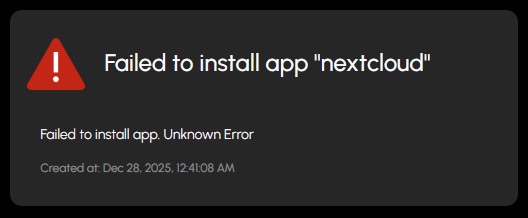
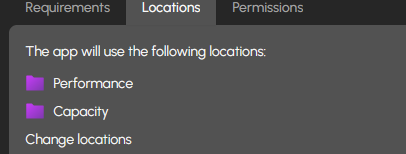
idk if anyone has tried to install NextCloud via HexOS but I get this error, I tried seeing if I could figure out where logs might be in TrueNAS to at least get some information but i have no clue. And according to the reqs I should be fine. I will be adding more RAM Friday. idk what might be helpful to figure this out. CPU: i7-2600k (4core, 8thread) Ram: 20gb 1333 DDR3 (will be 32 1600 DDR3 soon) Do I need to create these Folders or will the setup create them for me?

-
ok Thanks for the info. I think it over, but I might lean towards more RAM while it's available $2.20/GB isn't bad for an older system where ram really isn't being produced for it anymore.
-
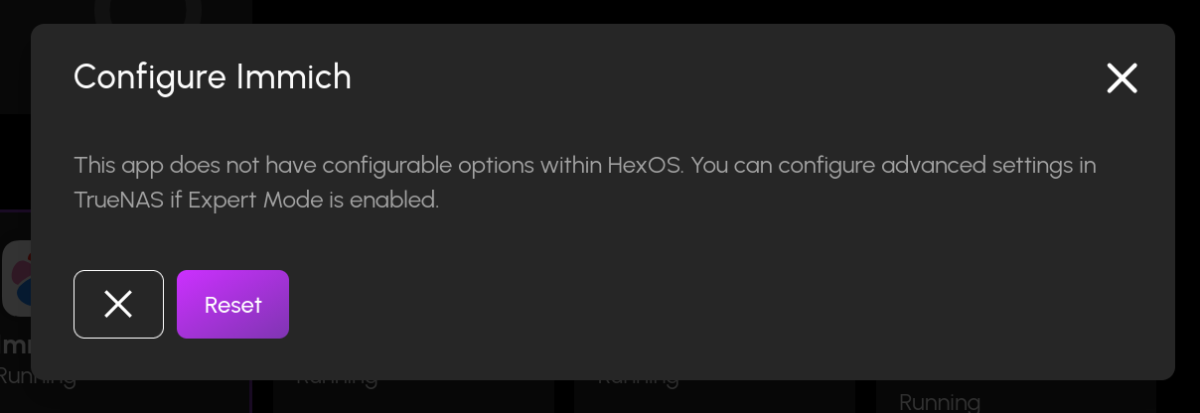
I went to check on Immich since it was another one that needed to update and First off I can't launch it there's nothing located at that IP:Port I get unable to connect. But also if I click on options I get this. THe wording and selections are weird, might want this checked out too. I'm not resetting anything... UPDATE By clicking reset it did say it was going to reset to HexOS defaults (should've already have been those?) And now I can access Immich
-
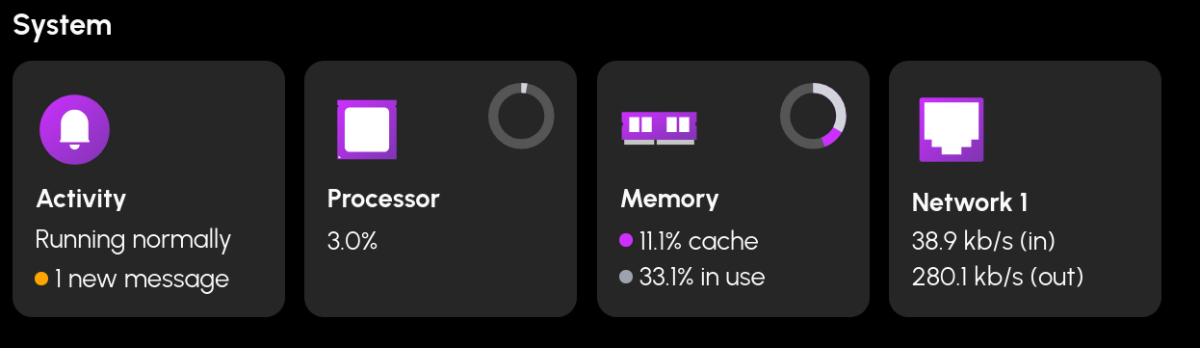
Update: So I had to shut down my Server to look at the ram I have 1333mhz sticks. If I upgrade I'd get 4x 8GB 1600mhz sticks, I imagine that'll be a pretty boost in performance to some degree. But I noticed that my Memory usage went WAY down? Should I restart my server regularly then? like once a month?
-
😎 All part of the Beta experience lol As long as I don't lose my ACTUAL data I'm cool. Ripping all those DVDs was a PITA.
-
Just a word of caution, I did the "update setup" thing with JellyFin and it reset the application so I have to reset it all up. So if you do that you'll have to reset your libraries and users up.
-
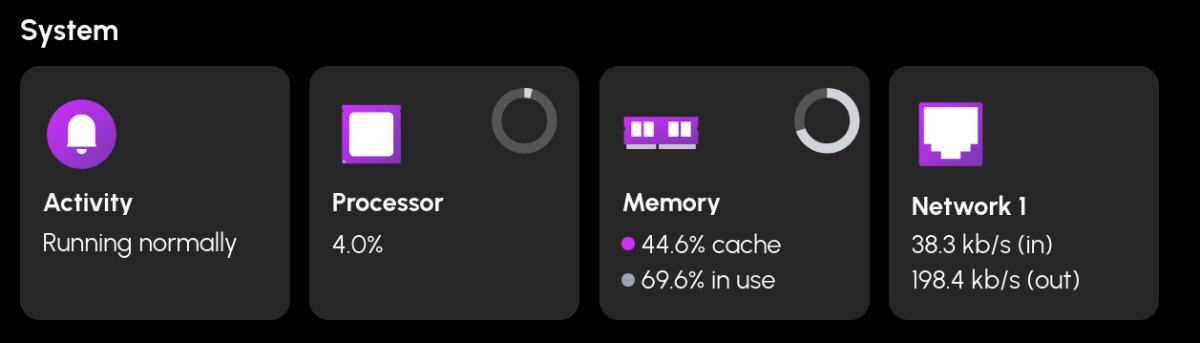
Should I look at upgrading my ram? There's currently 20GBs 2x 2GB ddr3 and 2x 8GB ddr3. Timings and everything are the same the capacity is the only thing that is different, I never had issues when gaming, this is my old gaming computer so it's an i2600k. But I'm looking at this and thinking I should maybe get another 2x 8GB ddr3 kit (if I can find one). I currently have Immich, Jellyfin, Steam Headless, and mealie running, I am looking at getting syncthing or nextcloud and a few other apps running once they become curated.
-
Thank you 2nd License bought 😈
-
Yeah that's confusing so is the holiday sale over? I was going to buy a second $99 package (since I already have a license)
-
First a short story I was wondering if there was a way HexOS could keep older versions of Apps so when someone inevitably breaks a build we can revert. This might (idk I'm not that smart) have helped with the immich upgrade too?