Leaderboard




Popular Content
Showing content with the highest reputation on 11/30/24 in Posts
-
UPDATE: As of 4/17/26, we have updated the ISO installer to run on version 25.10.3 of TrueNAS SCALE. Existing users should NOT reinstall to get this version. You can update from within the Activity card on the Dashboard (or the Notification). Hello and thank you for joining the HexOS beta program! You are an elite and vital part of this project and your participation is greatly appreciated. This post contains all the information you will need to get started with HexOS and how to communicate with our team during your beta experience. Disclaimer Beta Products, Software, and any related Services are still in development, and therefore, you are advised to safeguard important data, to use caution, and not to rely in any way on the correct functioning or performance of the products, software, or any related services. Beta Products and Services are provided to you “AS IS”, without any warranty whatsoever. Expectations During your participation in the beta, we expect you to do the obvious: use and test the software. But we also expect you to communicate with us when things don’t go right or if you’re having trouble. Please post feedback and let us know about your experiences, good and bad. That being said, please remember that this is beta software and early access. HexOS has a long and healthy roadmap ahead. Quickstart Guide For those that just want to get started, here’s the TLDR: NEW: We have released our own imaging tool for creating the OS installation media on a USB stick. You can find it here in our docs; https://docs.hexos.com/getting-started/installation/InstallGuide Alternatively, you can download the ISO here: https://downloads.hexos.com/TrueNAS-SCALE-25.10.7-HexOS.iso or https://hexos-downloads.sfo3.cdn.digitaloceanspaces.com/TrueNAS-SCALE-25.10.7-HexOS.iso (SHA256 Checksum: e551911445c95c1943e6638091896f34d2d423900cccd688ac09d811e78ed450) Use a tool such as Balena Etcher to image a USB flash device with the ISO. Boot your server from the flash device and install the OS to preferably an SSD. When given the option, opt to create the admin password in the installer (do not select the option to "Configure using WebUI"). Remove the flash device and reboot your server when the install is complete. From another device (mobile, tablet, desktop) that is on the same LAN as your server, login to https://deck.hexos.com using your HexOS credentials. Follow the instructions to complete your server configuration. NOTE: As of the 24.10.2.2 build of this ISO, configuring the admin password via the webUI option has been removed from the installer. However, if you select to create an admin password, but then attempt to "cancel" that process, the ISO will proceed with an installation with no admin password set. This is a known bug and the TrueNAS team will be addressing this in a future update to the ISO. Just don't cancel out of creating the admin password in the installer ;-). Hardware Requirements Booting HexOS is designed to support a wide variety of x86 hardware (Intel or AMD). The minimum requirements are a 2-core 64-bit CPU, 8GB of memory, and a 16GB or larger SSD boot device. However, depending on your needs for performance and applications, more resources may be required. Storage Pools Pools are made up of storage devices based on size and type (HDDs vs. SSDs). Storage devices in each pool need to be roughly the same size*. The OS boot device cannot be a part of a pool. Expandable pools require a minimum of 3 devices and can be grown one device at a time. Non-expandable pools can be created with 2 devices. Initial pool width should not exceed 8 devices. Maximum expanded pool width should not exceed 12 devices. At least one storage pool must be created to use HexOS. *In the event of slight variations (e.g. 240GB and 256GB), devices can be grouped, but total capacity for the pool will sacrifice the larger device’s excess storage. Build Recommendations HexOS has been designed so that a relatively modern PC can be easily transformed into a very viable home server. This means using standard HDDs/SSDs and using onboard controllers for storage/networking. However, since we’re based on TrueNAS, our hardware support is actually rather vast. For more detailed hardware recommendations for advanced builds, please refer to the TrueNAS SCALE Hardware Guide. Installing in a VM As HexOS is based on TrueNAS SCALE, it can be installed as a virtual machine as well. While the process should be fairly self-explanatory, please see the TrueNAS SCALE documentation for additional instructions on VM installation. Setup and Configuration Once the OS has been installed and rebooted, you will use a web browser on the same network as your server to register your system and complete the setup process. This can be a PC, tablet, or mobile device. Using a capable browser, login to https://deck.hexos.com. Beta 1 Features Our first release is focused on providing a streamlined user experience for setup and configuration and laying the framework for what’s to come. The main features of Beta 1 include: Setup and configuration wizard Configure your home server in minutes with ease. Analyze system health, with warnings for SMR HDDs. Auto-configure storage pools to safeguard against device failures. Securely manage your server remotely via Command Deck. Storage device management Detect error states and conditions and report through the dashboard Highlight individual storage devices and their respective faults Replace devices from storage pools due to failure or preventative maintenance Expand pools as little as one device at a time Folders and users Create and share folders over your local network. Easily manage permissions for secure access. Apps One-click deploy Immich as a personal photo library app. One-click deploy Plex as a home media server. Automatic folder creation for app storage. Dashboard / UI Access key statistics like CPU, memory, network, and storage usage at a glance. Monitor storage health and see alerts for errors or degraded pools. Manage multiple servers from a single, unified interface. Enjoy mobile-responsive design for effortless navigation on any device.8 points
-
GREAT QUESTIONS! Answers below: When future versions of TrueNAS are released, we will test them internally before we make them available via an update mechanism within our UI. Most updates should be able to be applied immediately, but in the event we find a reason to delay the update, notice will be provided to the community. As a more direct question, we think most OS updates will be doable within 1-2 weeks of their TrueNAS SCALE release. You can disconnect us from your server at any time and just use the TrueNAS UI if you want. However, the "install" is still a HexOS install at that point, pointing to our app repo. If you want, you can reinstall TrueNAS SCALE native on your boot device, reboot, import the storage pools we created under HexOS, and continue using TrueNAS natively from there. Yes. If you do things that are destructive, they will have destructive impact ;-). To be clear, there is no safety net when you're navigating in the TrueNAS UI. No bumper lanes there to stop you from shooting yourself in the foot, so the TrueNAS UI is "Swim at your own risk!". We are a replacement management interface for TrueNAS SCALE. The primary focus in the early beta is ease-of-use. Longer term, we will build a docker container that will side-load with the OS to add additional functionality not natively available or part of the out-of-the-box TrueNAS SCALE experience. Buddy backups is a great example of a feature that we are building that will leverage technology in TrueNAS (e.g. replication), but will wrap it in simplicity and marry it with a service that makes connecting to other users far more automated. The app repo that HexOS points to is a clone/fork of the app repo provided by TrueNAS themselves. This allows us to continue to build out our app library independent from them, but also allows us to incorporate anything they do with relative ease. There is no method to adding additional app repos within TrueNAS (nor HexOS), but we do intend to support loading something like Portainer (or another equivalent) for advanced users that want to add 3rd party containers. The command deck will be required for certain functionality. It will ALWAYS be required for initial system provisioning. The main reason is that the HexOS installer does not include our UI and it never will. Instead, the local UI will be loaded via a Docker container that we will install after initial system provisioning. Think of it similar to setting up an iPhone or Android device. You need the Internet + a Google/Apple account to get going, but then you can turn on airplane mode and do whatever you want. Same idea here. The latter (when you receive the early access invite). I updated the terms policy to reflect this as well as it wasn't clear.5 points
-
I’m hoping that Tailscale support is also in the works - 🤞yes?4 points
-
It is a must these days to have TailScale support, especially for secure remote access. It is far too easy to mess up a WireGaurd/OpenVPN Config, if the goal is security and simplicity, Tailscale VPN access should be a high priority.4 points
-
Not something I've seen mentioned other than the support for a VPN (WireGuard?) Being able to integrate into TailScale with their docker compatibility would be nice and something I currently use in my existing setup for security and remotely accessing resources, utilizing their ACL rules to limit access. Would be a nice consideration, I'm sure this won't be simple but a nice to have 🙂4 points
-
+1 on this! and maybe passkey support as well?4 points
-
The whole purpose of a NAS to keep data secure and resilient to data loss. Currently there is no way to backup and restore applications. Application Backups/Restore should be plug-and-play. Thoughts: First party implementation Simple Application independent Backup and restore applications Granular restore/backup individual applications Restore applications even on a new Hexos system from backup End-user should be able to browse application data through a file explore Breakaway from ZFS mindset like snapshots (abstracted away behind an advanced menu) and give users a simple traditional backup and restore option.3 points
-
Hello, I hope to see tailscale and setup guide for it on day 1, I believe this is one of the main apps Or Tailscale not here due to their partnership with Unraid?3 points
-
HexOS is a fully capable server OS on the back end, with all the difficult technical knowledge requirements that entails. The difference is that the front end is smoothed and curated for ease of use by those of us that aren't willing to devote weeks and months of our lives Its main focus is as a file storage server, but it can also host many interesting things such as local media servers (build your own netflix, spotify, etc), or game servers (minecraft, etc, etc), Voice communication servers like Teamspeak... the list goes on. Basically, its a platform to host and back up your files, AND host other apps if you want to.3 points
-
i currently have a truenas scale server, which does what i need it to do, but is a huge pain to work with as an amateur. i bought the beta because i love the idea of having a simpler gui on top of the rock solid truenas base. i don't have the time or the hardware to spin up a second server running hexos to participate in the beta right now, but i'd love to be able to switch over to hexos eventually. therefore, having some method to "upgrade" from truenas scale to hexos eventually would be much appreciated. a nice way to do it in truenas's gui would be best of course, but i'd settle for a good written guide. as long as i'm able to bring over my existing datasets, i'll be happy. i don't think this is a priority feature to develop during the beta, but i'd like to see it eventually.2 points
-
Hi, today i bought the LT license and asked myself if there may be extended features for hosting gameservers like Minecraft, Left4Dead, Ragnarok Online and many more older games. I`d like to bask in nostalgia and try my best to "relive" better times 😆 So my question is: Is or will there be any kind of support/features explicit to hosting game servers. Best regards Clixxi2 points
-
Please enable 2FA support for accounts.2 points
-
It would be great to have an integration into home assistant to monitor our NAS + have automation abilities based on the data. is this something already in the works in-house? Or will we need to wait for a community integration?2 points
-
Did not see anything about LXC support. I have been using that in Proxmox for multiple services. Even if it is in a VM that has GUI supported LXC options that would be a good workaround. Having the options to do DOCKER, LXC and VMs would be amazing to have out of the box.2 points
-
Hi there! This is something we’ve gotten a lot of questions about and we will explore the possibility of “adopting” an existing TrueNAS installation or pool at a later stage.2 points
-
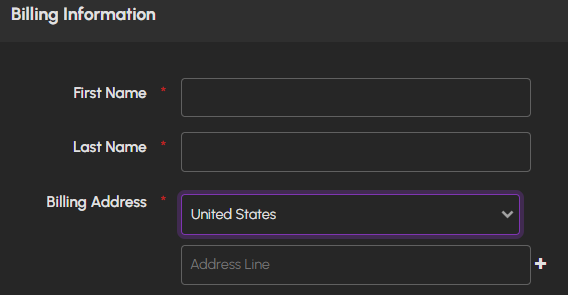
When creating a new account it gives the option to select other countries with the address information.
 2 points
 -
Yes this is exactly what I'd hope, since I just spent a few days moving all my data on there and I'd need to spend a good couple days repeating that :p2 points
-
Prob one of the best videos about it here2 points
-
Currently the only 2 supported apps are plex and immich every other apps needs to be setup and installed from truenas currently2 points
-
Its a Network Attached Storage with App such as Plex Media streaming that you can download. And other things in the future. they will eventually also have support for virtual machines and such. Network attached storage - Folders/files that can be accessed by any device on the same network Not sure if i answered your question or not2 points
-
The recommendation limits are currently hard enforced, but will be soft enforced in the future. ZFS will allow you to do whatever you want, but we're guiding users to a best practices setup. The issue is that the wider a given pool, the higher likelihood for multi-device failure before the pool is repaired, leading to complete data loss.2 points
-
This and/or integration for AMP by Cube Coders. I have been using this on Windows but having that integrated would be totally sweet.2 points
-
I not a big user I'll probably only use qbittorrent and jellyfin2 points
-
Yes, this is confirmed. Its why we went through such pains to make a responsive design for the UI/UX 😉2 points
-
NginxProxyManager and Tailscale are great but I'd personally love to see a built in setting for Cloudflare Tunnels. I recently did a setup for UpTimeKuma, which has it built in and it was gloriously easy. I can see how it might overlap with your paid business model but just throwing my coins in the wishing well.1 point
-
Hello, I'm contemplating buying a lifetime licence, but before that I have some questions Sorry if answers are already available elsewhere HexOS is currently based on TrueNAS Scale 24.10. When 25.04 and future versions are available, will we be able to update TrueNAS directly, or do we need to wait for HexOS to be updated first ? If so, how long do you expect before HexOS gets updated ? Can we just remove HexOS to revert to vanilla TrueNAS, or would that require a fresh install ? Can some settings be exported to that fresh install to not start from scratch ? You mention we can always use the TrueNAS UI instead of HexOS UI. Is there a risk that changing settings directly on TrueNAS breaks things in HexOS configuration, or vice versa ? At first, I thought HexOS would only be a new user friendly GUI on top of TrueNAS Scale, but it seems you also plan to add new features. I have no experience with TrueNAS Scale, so I find it hard to understand what exactly is new from HexOS. From your 1.0 roadmap for example, how much is new added features that were not possible on TrueNAS, and how much is improved UI/UX or ease of use ? You currently list two apps, Immich and Plex. Do we still have access to Official/Community Apps from TrueNAS ? Can there be a conflict between different sources for apps ? When available, will Local UI have feature parity with Command Deck to configure my local server, or will some settings still require to use the online version ? Any and all purchases are subject to a 30-day refund policy. Do the 30-day timer start at time of purchase, or when we receive our early access invite ? Thanks1 point
-
Had a bit of an issue with the itinial install but i think that was due to a ssd failure and not the OS. Switched to a different drive and installed it seamlessly. Super impressed so far.
1 point
-
I have tried several NAS Systems before, none of them had a official good functioning mobile app, where i could quickly check basic stuff on the fly. Stuff like Updating Apps, restarting containers / VMs, restarting the entire Server, only basic things like this would be awesome. With the Management being Cloud based right now, it should not even be that big of an issue i think.1 point
-
If TrueNAS works with it, it'll work with HexOS.1 point
-
On a side note it would be nice if we could name the licenses so if we have multiple it is easier to keep track of.1 point
-
Pi-hole, and a NVR solution (Looking at you, scrypted!)1 point
-
Haven't received a reply to the "Contact Us" message I sent, however, I do see my license now, and I did receive a "you can now log in" message. Great work, to whatever poor soul is spending their Saturday helping us poor internet strangers and our first world problems! 😄 lol1 point
-
I would like one drive sync.. like I do now with my Synology. 🤞1 point
-
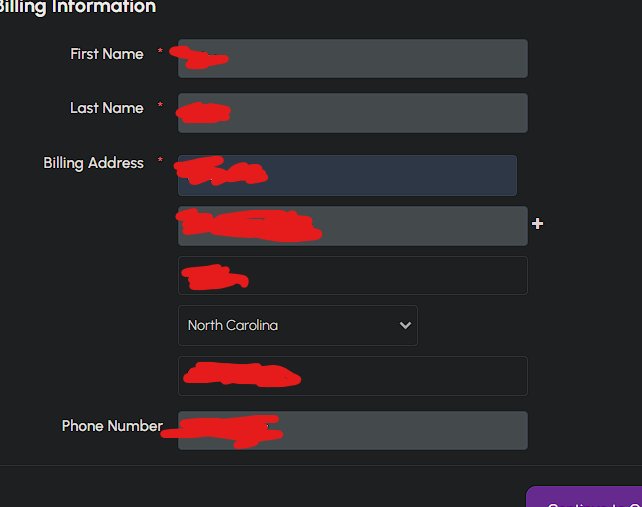
When providing the billing information, the menu asks you to select a state. These are all US states but I am purchasing from a European country. Does it matter what is selected here?
1 point
-
Ok, I went through the payment page again, and apparently the issue was that my browser pre-filled the country, and even if I re-select the correct country, then it would still not update the State / Region dropdown. I reloaded the page and manually entered my details, and now it works as intended. Thanks @budrun for showing that it actually updates when the country is selected.1 point
-
what happens if your hardware dies how would we remove the claimed server?1 point
-
With all this talk about it on LTT, i've seen media streaming, storage drive auto backup and easy set up but i'm genuinely confused about the whole server setup or talk. but these items above excite me. what can this software do. i read the web site but don't fully understand some terms. my tech skills are 35year old but i never went near servers. ps i did buy this software and will probably be able figured it out but i am waiting for my beta invite. edit: i bought it blindly because of the backup and streaming, with windows easy style install setup process.1 point
-
didn't see that as i was having trouble finding a search before posting the topic. That also has been resolved, but also was difficult to find.1 point
-
From @jonp said, lifetime license tied to account, not to device or machine so you are good to go, go grab yours now before the price increase at 3 Dec1 point
-
The 30 day countdown starts from when you get invited.1 point
-
Hmm... That particular NAS seems to be designed/intended to only work with Netgear's OS. I'm sure it's possible with some serious hackery and wizardry, but after looking at the unit and the manual I don't think it would be an easy process. I also found a post on IX systems TrueNAS forum where a user was asking about installing TrueNAS on a similar Netgear unit, and the consensus was that it was not a good/easy idea, due to the unit being designed for their proprietary OS all the way down to the BIOS (Basic Input/Output System. What a PC, or NAS, boots from) https://www.truenas.com/community/threads/questions-install-possible-on-readynas-rn31400.46612/1 point
-
If it is you should consider putting logs directory on different storage, depending on your utilization, heavy log writes will kill SD cards quick.1 point
-
Accessing the truenas ui to enable GPU passthrough. it does seem to work but your mileage may very.1 point
-
Just remember that if you want to move from a mirror of 2 drives to a raidz2 of four drives you would need to wipe and start over with the array, meaning having somewhere else to store the data temporarily.1 point
-
I'm more of a fan of dockge since it's a bit less fiddly than portainer, but I might be one of few with that opinion.1 point
-
So the Zima guys actually reached out to us about partnering and testing their gear. In the meantime, see the hardware requirements on our FAQ here: https://hexos.com/early-access-faq1 point
-
I just picked up THIS PUPPY for the same use-case but I do stream. For sub $400 it's quite capable. You can spend more and get a more powerful CPU and more RAM but I don't really need all of that. Good luck!1 point
-
Just a list of apps that jumped into my mind. Home Assistant Code Server Heimdall Tailscale Cloudflared Transmission qBittorrent SABnzbd NZBGet AdGuard Pi-hole Plex Jellyfin1 point
-
TrueNAS (Scale) in turn is based on Debian, which *does* support WiFi, so not removing the drivers shouldn't be impossible. The bigger issue I think is support, since there would be more potential sources of errors. Personally I'd like to have WiFi as a fallback option, since troubleshooting my headless server if ethernet ever stops working for some reason will be dreadful ^^;1 point
-
HexOS is built upon TrueNAS SCALE so ZFS is a given.1 point






















.thumb.jpg.5e2f0d0d7d8699ea61147630e318a3f0.jpg)