All Activity
- Past hour
-
 Derek S joined the community
 - Today
-
No problem. Sorry again for not seeing you post. Happy New Year!
-
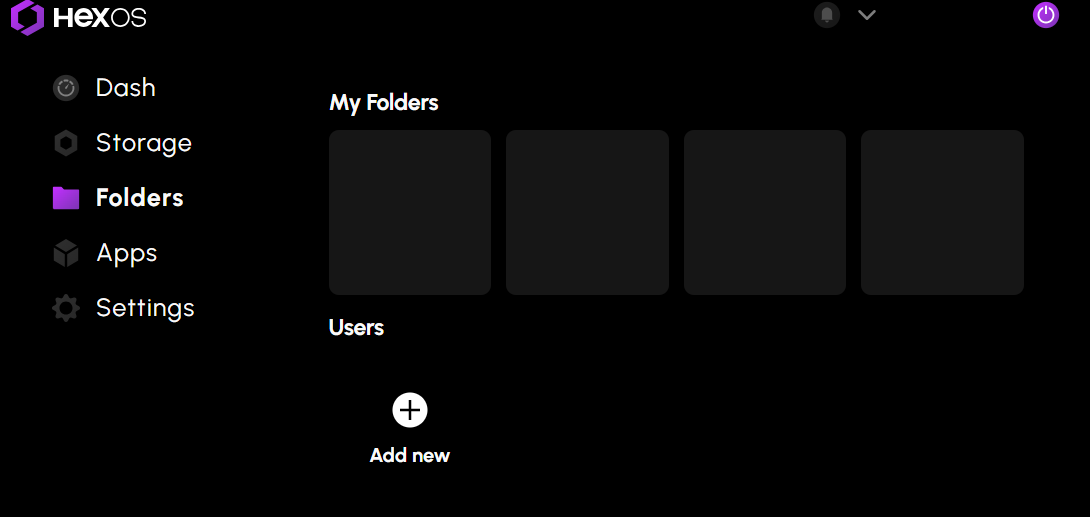
 I'm not seeing other topics to track issues, so I'll add a related item to this list. I have two servers running HexOS. One of them updated perfectly fine and is behaving as expected. The other can no longer install or update app configurations. I've noticed that no folder configurations show in Hex's interface anymore. All hardware populates, and Hex recognizes all installed apps. However, the folders tab never populates even after extended loading times. As such, Hex no longer has default folder locations and doesn't initiate any actions in TrueNAS when I request an app installation or configuration change. Eventually, Hex throws a failure notification for the app install, but again nothing shows in TrueNAS because I don't think it's even receiving commands. Thank you
-
 Joerg Roessler joined the community
 -
 Yeah, the update for a bunch of the *arr app configurations broke my setup and now having to go through and fix them. Should have looked this up before blindly pressing the buttons. Would definitely heed caution to folks at this time.
 -
 Thank you for confirming there is an issue with upgrading and clearly detailing the temporary fix for those that have upgraded too soon. I’m definitely hesitant to push any voluntary updates anymore until other community members post here confirming it’s safe. Can anyone else here confirm if they were able to update without issue? at a minimum, I’m enjoying the added curated apps. I had to resort to AI to get peaNUT up and running (could not find any documentation specifying what truenas uses as a port for the NUT server…) - if anyone here needs help with that, let me know!
 -
 wiltdavi joined the community
 -
 Yeah-Nah-Sure joined the community
 -
 I’m currently trying to migrate from Synology to HexOS/TrueNAS, and I’ve run into a major adoption hurdle. While TrueNAS is clearly powerful, the migration experience is not approachable for users who don’t fully understand every feature and configuration detail. Despite trying multiple approaches—including rsync/rsyncd and several YouTube tutorials—I wasn’t able to complete a successful migration from my Synology system to HexOS/TrueNAS. The tooling assumes a level of familiarity that many prospective users simply don’t have, especially those coming from more turnkey platforms like Synology. What’s critically missing is a guided migration wizard: something that can automatically discover or map existing Synology file shares to target shares on HexOS/TrueNAS and handle the data transfer with sensible defaults. This would dramatically reduce irritation, shorten time-to-value, and prevent users from abandoning the platform during their very first experience. In my view, a first-class migration experience should be a top-priority feature. Making it easy to move data from popular platforms like Synology would directly lower the barrier to entry, increase confidence for new users, and significantly accelerate adoption of HexOS/TrueNAS.
 -
I believe crystal disk info should show drive serial numbers. There should be a way to view it in windows as well via command line but i don't recall the commands anymore. Just be sure to check if all the drives show different serial numbers.
-
So my DAS passes through individual drives in JBOD mode, I had it hooked to my win system for a bit while getting to know it. How would you suggest I determine whether or not the individual serial numbers are passed through? Thank you for the prompt and thorough response, I enjoy learning about these kinds of things. I can use my search engine skills but enjoy the personal touch. Thank you for keeping me from a rabbit hole.
-
This is a bit more of a loaded question than you'd expect. We do support usb DAS* we do not recommend using usb external storage and there is higher risk of things going wrong. Also it very much depends on the DAS hardware as well. As a cost cutting measure instead of passing through the HDD/SSD serial number many just tell the connected computer the same generic serial number for all the drives. Those enclosures do not work properly with HexOS. HexOS needs the DAS or enclosure to pass through unique serial numbers for each drive. If the DAS does provide the unique serial number for each drive the enclosure will work.
-
Does or will Hex OS support USB DAS?
-
 Salus joined the community
 -
 OUTRHAVN joined the community
 -
 OtterSteel joined the community
 -
 RJH52 joined the community
 -
 ur7iy6f2 joined the community
 - Yesterday
-
I also lost Nvidia support but I thought it was due to me only having a GTX 1070 for the GPU acceleration in my system, and Goldeye drops the GTX 10 series support. Now it looks like it's probably more complicated than that, so I'm interested to seeing if you're able to fix this issue, I was thinking of just buying a RTX 5050 to replace it, but if you're having issues with the 5060 I may hold off. I've rolled back to Fangtooth for now.
-
 I rolled back to the previous version of Truenas and it solved the issue. The server also wasn't able to restart/shutdown gracefully anymore as well... To roll back: Log in to Truenas UI Go to System > Boot Click the Activate icon (looks like a check mark) on the right for the previous boot environment. Restart. Pushing major updates during the Christmas break, even ignoring the recent track record, is beyond me... The HexOS team will remember this, if nothing else, and hopefully learn from it! The Log4j vulnerability that had me working during Christmas 2021 is permanently etched in my memory. 🙄
 -
You guys are amazing ! The user experience is flawless and everything is so simple to use ! thank you once again for your reactivity, I can totally understand that my first message went under the radar especially during these busy times 😄
-
From the original "The Road to 1.0" blog post: I haven't read any news on this? From my point of view this is quite important, no? I'd like HexOS to run regular tests of health and notify me of any news. Ideally something like https://github.com/JoeSchmuck/Multi-Report would be great, as this also gives you a snapshot of the config file in case of boot drive corruption.
-
even without hexos local, apps like that will work when the internet is down, as long as your local network is still functioning.
-
Just bought my 2nd license. Thanks for the holiday deal! Based on the blog post it seems like there is no offline setup option for a new server. I imagine this is to prevent running unlicensed versions. Once HexOS local is installed will apps like jellyfin work over a local network if the internet is down?
-
 Be careful with the bump up because I have seen several apps that have the http at one port number and the https at the next number up. Not sure that matters in this case but it is quite confusing.
 -
WOOT!! Nice job! Congrats and make sure to pass this along when/where relevant.
- Last week
-
 I'll do that I just bumped the port up from 30027 to 30028 but if it has a default I'll go w/ that.
 -

Google Photos and Drive downloading (similar to Ugreen)
Mobius replied to IamGeneralZod's topic in Roadmap & Feature Requests
We don't have a feature like that at this time. You can try using something like immich-go to help with your migration- 1 reply
-
- 1
-

-
Yeah it was a bit unexpected for sure, the default mealie port i think is 30111 which shouldn't conflict with nextcloud normally. if you change it back to 30111 you should be able to run both mealie and nextcloud at the same time.
-
Worked like a charm! Thanks @Mobius
-
Oh wow that is not how I expected to read these but I guess it makes sense. lol I'm so used to the "real error" is at the top. But hey it's a good thing for the HexOS Team to look into "if default port conflicts with something alert the User." 😎 Beta tester lol Right now it's at 60% we'll see what happens, hasn't failed yet.
-
Yes plex can be setup for remote viewing, i believe this does require paying for plex pass or plex viewer pass. alternatively there are other more involved but free options for setting up free remote viewing as well. by default you will be confined to your local network only. you will have to use one of the more involved solutions mentioned above. there are cloudflare tunnels, tailscale and other options for getting this to work for you. We do not recommend using external drives however you can setup external drives to work that way. Most likely you will need to wipe the drives as HexOS.
-
seems like mealie is using the same port as the default truenas nextcloud port, 30027. can you try stopping mealie and then try installing nextcloud again as a troubleshooting step and we can go from there after we find out the result
-
 A feature that I have really appreciated was the option to sync the Ugreen nas to my google accounts and download everything to my local NAS. This is obviously in an effort to rid myself of being dependent on the google cloud services. Is it possible for a feature like this in HexOS?