All Activity
- Today
-
 I'll do that I just bumped the port up from 30027 to 30028 but if it has a default I'll go w/ that.
 -

Google Photos and Drive downloading (similar to Ugreen)
Mobius replied to IamGeneralZod's topic in Roadmap & Feature Requests
We don't have a feature like that at this time. You can try using something like immich-go to help with your migration -
 Doerfler04 joined the community
 -
Yeah it was a bit unexpected for sure, the default mealie port i think is 30111 which shouldn't conflict with nextcloud normally. if you change it back to 30111 you should be able to run both mealie and nextcloud at the same time.
-
 Klappstuhl joined the community
 -
Worked like a charm! Thanks @Mobius
-
 WiKiDCLown joined the community
 -
Oh wow that is not how I expected to read these but I guess it makes sense. lol I'm so used to the "real error" is at the top. But hey it's a good thing for the HexOS Team to look into "if default port conflicts with something alert the User." 😎 Beta tester lol Right now it's at 60% we'll see what happens, hasn't failed yet.
-
Yes plex can be setup for remote viewing, i believe this does require paying for plex pass or plex viewer pass. alternatively there are other more involved but free options for setting up free remote viewing as well. by default you will be confined to your local network only. you will have to use one of the more involved solutions mentioned above. there are cloudflare tunnels, tailscale and other options for getting this to work for you. We do not recommend using external drives however you can setup external drives to work that way. Most likely you will need to wipe the drives as HexOS.
-
seems like mealie is using the same port as the default truenas nextcloud port, 30027. can you try stopping mealie and then try installing nextcloud again as a troubleshooting step and we can go from there after we find out the result
-
 Ayrkoma joined the community
 -
 labra3 joined the community
 -
 schubs joined the community
 -
 peleg joined the community
 -
 Shaket joined the community
 -
 MonsterNas joined the community
 -
 A feature that I have really appreciated was the option to sync the Ugreen nas to my google accounts and download everything to my local NAS. This is obviously in an effort to rid myself of being dependent on the google cloud services. Is it possible for a feature like this in HexOS?
 -
I have a few questions, I'm thinking of buying this but I need to know a couple things. 1: Plex- if i set up plex on here can i still access all my movies on plex remotely anywhere? Or am I confined to my network only? For Example I give my family access to my plex for them to watch from their homes. Can they still do so? 2: Remote File add and delete - Can I access my files from anywhere and add files from anywhere remotely or do am I confined to my network only! If i'm confined to my network is there a app were i can get around this to make it accessible remotely? 3: External Hard Drives - I have external hard drives with files on them. Can i access these and set permissions for family in my network. I know You have the folder feature with permissions but what about hard drives with files already on them? And if i mount them will it wipe the drives and make me lose my files? I'm new to this and coming from Terra-Master were they ripped me off. I bought just under 2 years ago a F2-210 from them. Brand new and now it is no longer able to be updated on the OS, apps are starting to not work and the outside access of my NAS is supper slow and terrible. Contacted them and they refuse to help. They pretty much no longer support it. Apparently this is a common Practice of them. Thought of going to Synology but I am hearing terrible things about them too. So I saw this on Linus Tech and being a long time supporter i am considering giving you a try. I am planning to wipe an old computer and install this on it. which was another surprise that a old PC has way better hardware then a Terra-Master F2-210. So Sad.
-
 I keep learning something new. Thanks for this.
 -
... yup I was looking for the word "Logs" ID: 8067 Arguments [ { "values": "********", "catalog_app": "nextcloud", "app_name": "nextcloud", "train": "stable" } ] Log Path N/A Log Excerpt No logs are available Credentials Created by: [object Object] (API Key) Error [EFAULT] Failed to render compose templates: Traceback (most recent call last): File "/usr/bin/apps_render_app", line 33, in <module> sys.exit(load_entry_point('apps-validation==0.1', 'console_scripts', 'apps_render_app')()) ^^^^^^^^^^^^^^^^^^^^^^^^^^^^^^^^^^^^^^^^^^^^^^^^^^^^^^^^^^^^^^^^^^^^^^^^^^^^^^^^ File "/usr/lib/python3/dist-packages/catalog_templating/scripts/render_compose.py", line 48, in main render_templates_from_path(args.path, args.values) File "/usr/lib/python3/dist-packages/catalog_templating/scripts/render_compose.py", line 19, in render_templates_from_path rendered_data = render_templates( ^^^^^^^^^^^^^^^^^ File "/usr/lib/python3/dist-packages/catalog_templating/render.py", line 31, in render_templates rendered_templates[i.name] = env.get_template(i.name).render( ^^^^^^^^^^^^^^^^^^^^^^^^^^^^^^^^ File "/usr/lib/python3/dist-packages/jinja2/environment.py", line 1301, in render self.environment.handle_exception() File "/usr/lib/python3/dist-packages/jinja2/environment.py", line 936, in handle_exception raise rewrite_traceback_stack(source=source) File "/mnt/.ix-apps/app_configs/nextcloud/versions/2.1.20/templates/docker-compose.yaml", line 152, in top-level template code {% do nc_container.add_port(values.network.web_port, {"container_port": 80}) %} ^^^^^^^^^^^^^^^^^^^^^^^^^ File "/mnt/.ix-apps/app_configs/nextcloud/versions/2.1.20/templates/library/base_v2_1_65/container.py", line 290, in add_port self.ports._add_port( File "/mnt/.ix-apps/app_configs/nextcloud/versions/2.1.20/templates/library/base_v2_1_65/ports.py", line 119, in _add_port self._render_instance.client.validate_ip_port_combo(host_ip, host_port) File "/mnt/.ix-apps/app_configs/nextcloud/versions/2.1.20/templates/library/base_v2_1_65/client.py", line 68, in validate_ip_port_combo raise RenderError(err_str) from None base_v2_1_65.error.RenderError: [EINVAL] render.nextcloud.schema: The port is being used by following services: 1) "0.0.0.0:30027" used by Applications ('mealie' application)
-

Unable to install Plex (permissions issues?)
jamesrayth replied to jamesrayth's topic in Applications
@Dylan OMG OMG OMG I figured it out! I went into TrueNAS and found the Applications dataset, found the permissions and everything looked fine there, but I also noticed that under the Applications folder there was the Plex folder. Only the Plex folder. Because I had only installed Plex, nothing else. And since I uninstalled it, it shouldn't still be there. The fact it is still there, I reasoned, could be causing issues when it tries to install. I figured it must not have fully deleted the folder during the uninstall. So I deleted that folder and then tried to install Plex again through HexOS and IT WORKED! So happy! Thank you for pointing me in the right place! -
Unable to install Plex (permissions issues?)
jamesrayth replied to jamesrayth's topic in Applications
@Dylan I apologize if I have made anything confusing with my ramblings. To clarify, I installed HexOS following the standard install guide in February and it installed fine. I then used the HexOS Plex app install option, and it worked fine, but I never used it. Now just a couple days ago I try to use Plex and noticed it said there was an update available, but that update didn't work, so I uninstalled Plex through HexOS (which was successful) and tried reinstalling it through HexOS (which failed with the permissions error). I have never gone into TrueNAS for anything or modified any permissions. So I'm not sure how things got into this state, but I fully agree that this sounds like some kind of permissions issue. Since I have never done anything inside of TrueNAS, do you know if there is a guide somewhere regarding setting permissions? And what would I be looking for on the applications dataset/folder? You suggest making sure the application has write access, would that be HexOS having write permissions? Like, am I looking to give HexOS write permissions or am I looking to give Plex write permissions? Sorry, I just want to make sure I know what I'm looking for before I go into TrueNAS so I don't mess anything up, because the NAS itself has more space used than I have backup storage available. Thank you for your help so far, I really appreciate it! -
Hello, We just processed the refund for the 2 pack you purchased. Please give it 5 business days for the credit to show up. Apologies for the delay in your refund. We appreciate you supporting HexOS. Happy holidays.
-
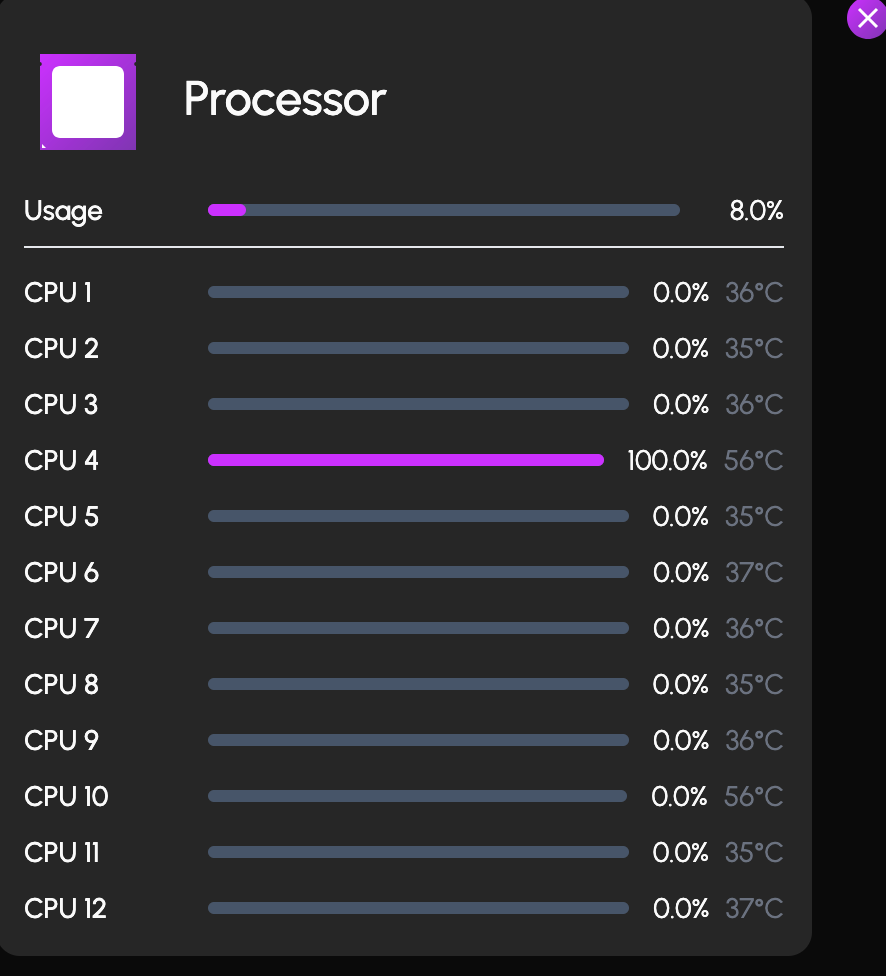
you won't usually see that kind of tdp at idle, both intel and amd cpus will be a fraction of their advertised tdps at idle i know that intel claims they fixed their 13th and 14th gen cpus but imo its not worth the risk.
-
i believe the community over on the truenas side have found a workaround to getting 10 series cards like your 1070 working again but im not sure of the process. you alternatively can also boot back into hexos 25.04 which should still have support for your 1070
-
once you log into truenas you can press the clipboard icon it'll show you the most recent tasks

-
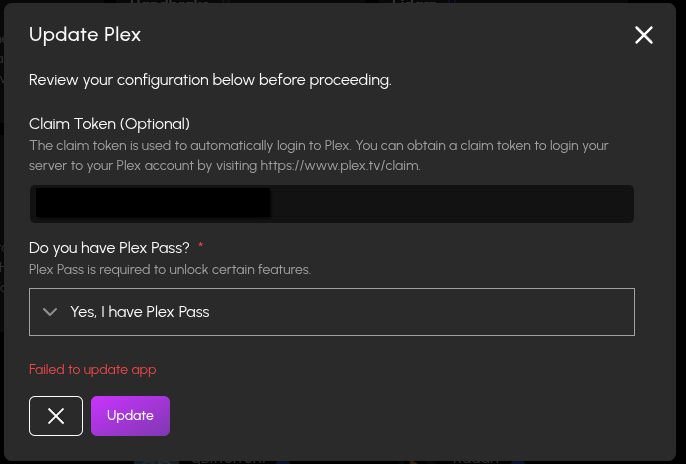
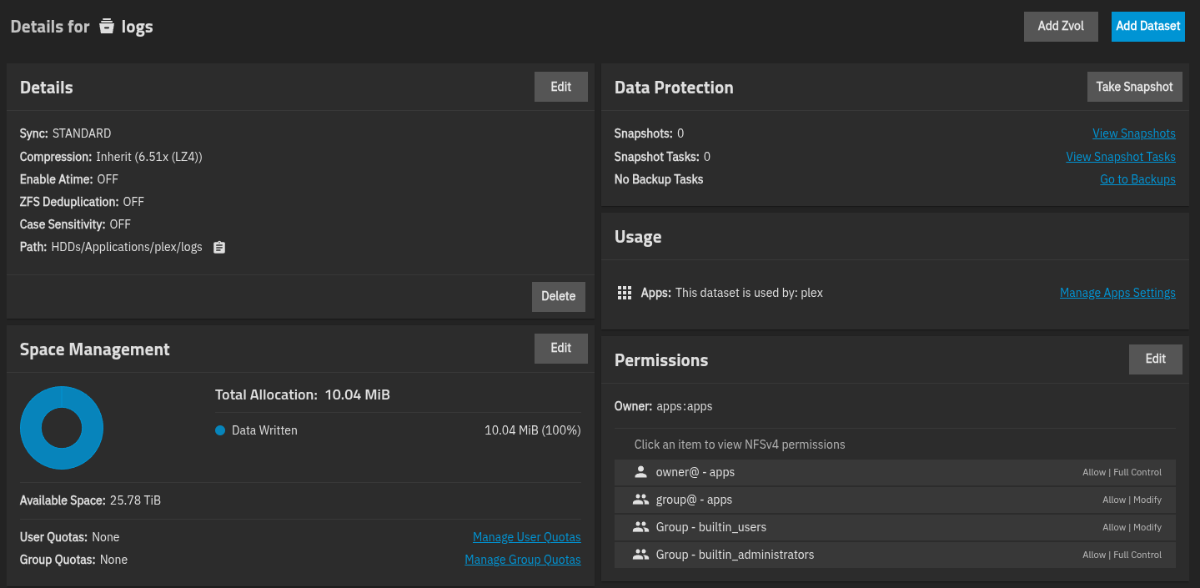
 I am having trouble with the updating from the prompt "An updated configuration is available for this app" for Plex. I get an error updating: Under TrueNAS Audit I see this failure: Event Data Success: False Method: filesystem.setacl Params: - Path: /mnt/HDDs/Applications/plex/logs Dacl: - Tag: owner@ Type: ALLOW Perms: Basic: FULL_CONTROL Flags: File Inherit: True Directory Inherit: True No Propagate Inherit: False Inherit Only: False Inherited: True ID: -1 - Tag: group@ Type: ALLOW Perms: Basic: MODIFY Flags: File Inherit: True Directory Inherit: True No Propagate Inherit: False Inherit Only: False Inherited: True ID: -1 - Tag: GROUP Type: ALLOW Perms: Basic: MODIFY Flags: File Inherit: True Directory Inherit: True No Propagate Inherit: False Inherit Only: False Inherited: True ID: 545 - Tag: GROUP Type: ALLOW Perms: Basic: FULL_CONTROL Flags: File Inherit: True Directory Inherit: True No Propagate Inherit: False Inherit Only: False Inherited: True ID: 544 - Tag: USER Type: ALLOW Perms: Basic: FULL_CONTROL Flags: Basic: INHERIT ID: 568 Options: Stripacl: False Recursive: True Traverse: False Validate Effective Acl: True Acltype: NFS4 Description: Filesystem set ACL /mnt/HDDs/Applications/plex/logs Authenticated: True Authorized: True Here are my permissions for /mnt/HDDs/Applications/plex/logs: Anyone understand what is going on here and how to get the Plex configuration update to work?
-
@jamesrayth Hmmm....this is a bit messy. I suspect that what you're encountering is both versioning mismatch AND, as a result, maybe permissions as well. I typically do not recommend attempting to configure Plex via TN particularly as Plex is a curated and a fully supported app. Doing that can easily create conflicts (this has happened to me) and can lead to exactly the kind of permissions drift I think is occurring. The error you’re getting suggests HexOS no longer has permission to write to its app storage location. Wit that said, maybe the safest approach would be to use TN UI to repair permissions on the Applications dataset/folder ,making sure the application has write access and then go back to HexOS to install Plex normally. Hopefully, once HexOS can write to the apps a Plex re-install should behave again. PLEASE make sure you're data is backed up and good luck!!
-
 José Encarnação changed their profile photo
 -
In 2026 I'm gonna try sort my backup situation once and for all; mine, my family and friends. At the moment, I only have the HDDs... and much to learn. On Reddit, reading about BitRot I noticed someone mentioning that if you get an AMD 5600XT, and ECC compatible Motherboard and RAM, you can make an ECC + BitRot protection system that will keep NAS files uncorrupted. Since hardware prices have gone crazy, and are due to become crazier really soon... I' researched that: €180 - Intel i5-12500 is the lowest team blue consumer CPU that's ECC compatible available €230 - Intel Core i5-14600K (with iGPU) is the lowest price team blue consumer CPU that's ECC compatible available €140 - AMD Ryzen 5 5600XT is the lowest team red consumer CPU that's ECC compatible available Since in an "always on" system the TDP matters, 65W vs 125W is quite a big difference. But if one considers using the GTX 1080 GS 180W I retired some months ago, the TDP switches teams. So, considering getting ECC DDR4 ('cause I came out late to the DDR5 party), and having learnt that some Network Cards are not FreeNAS compatible yet, I would like appreciate if anyone has validated any of the configurations base CPU's and please do tell which Motherboards have you chosen? My main goals for an HexOS server are mainly remote Backups and little Streaming. So I doubt a dedicated graphics card will lend important performance. Also, do have any suggestions on cheaper ECC hardware available to get atm? Perhaps 2nd hand, although in Portugal there aren't that many IT companies that have upgraded Workstations or Servers.
- Yesterday
-
Unable to install Plex (permissions issues?)
jamesrayth replied to jamesrayth's topic in Applications
Well connecting to TrueNAS just seemed to be my browser on my macbook not displaying it at all because it wasn't a secure connection. I tried on my PC and I was able to get into TrueNAS. @Dylan do you know if there is any guides on installing Plex through TrueNAS so that it doesn't mess up HexOS? If I can find a install video on youtube for installing Plex through TrueNAS, would that mess anything up through HexOS? -
usb Automatically backup "every" device
José Encarnação replied to José Encarnação's topic in Roadmap & Feature Requests
Please delete my last post about the hardware I found to be affordable and available. Gonna post that and more on the correct section. ty -
 Maybe it's just me being super confused, but why would you need it to use a public folder? For either Immich or Nextcloud, there are already software designed to (securely) host, provide and share data explicitly (and not share their guts to a public share over the LAN) Wouldn't it be counter-productive to have them use a public share? It makes way more sense for torrent clients, music libraries and the such, than for file hosting software that usually has to enforce user separation and priviledges in a way that the public SMB share won't reflect at all.
 -
 Yep, similar behavior for me.
-
UGreen 4800 Plus 10gig port shows up as 5gig in HexOS
OrionArkk replied to MSPaintRose's topic in Hardware
So because im seriously considering the uGreen 4800+, what happened with this? Im sorry to resurrect a read post. --Orion