All Activity
- Today
-
 Marcus Lo joined the community
 -
Yup. Unfortunately one of the packages that HexOS local depends on (bun) requires these CPU features (for now at least).
-
 alexis flores joined the community
 -
 ZIad Almuzaini joined the community
 -
 Narya Nenya joined the community
 -
 zuiko joined the community
 -
 Kevin Trinh joined the community
 -
 Mulabi changed their profile photo
 -
Mulabi joined the community
-

S.M.A.R.T tests removed in 25.10 (Goldeye)
MLS replied to Canadianhummus's topic in Coffee Talk (Off-Topic)
Contains the number of occurrences where the controller detected an unrecovered data integrity error. Errors such as uncorrectable ECC, CRC checksum failure, or LBA tag mismatch are included in this field. Type Value Worst/Thresh Failure % Scrutiny 1 -- -- Normalized 1 --/0 -- Maybe this is related to the pci bus re ordering channels on boot -
S.M.A.R.T tests removed in 25.10 (Goldeye)
MLS replied to Canadianhummus's topic in Coffee Talk (Off-Topic)
i think it marked my old intel drive (which is boot ) as bad, yes its old but pumping out writes constantly Unsure whether this is related to age or hours wear or that its the boot drive. Not very worried have system data on zfs and i feel its a false positive. -
 Bo Roberts joined the community
 -
 Thomas Mackenzie joined the community
 -

Hexos Applications in TrueNAS keeps crashing
duonguyen replied to duonguyen's question in OS & Features
I guess my AMD Phenom(tm) II X6 1055T Processor is too old and will need to update my motherboard cpu - Yesterday
-
 Nicolas W joined the community
 -
I dont mind tinkering but HexOS is here to simplify the homeserver life. I plan to use cady but I need time to set it up^^
-
 Nictadel changed their profile photo
 -
Question for any of you affected by this issue, are you running HexOS in a VM or on a really old CPU? HexOS Local, which is now a requirement of HexOS, requires the AVX and SSE4.2 instruction set on your processor to function. Pretty much all modern CPUs released since 2011 have these instruction sets (there may be a few outliers that I'm unaware of), so either you are all running on really really old hardware, or you're running in a VM that is not exposing those instruction sets with the CPU model. If a VM, you can change the CPU model to "host-passthrough" or simply something that supports these instruction sets.
-
I have the same issue, the app try's to start serveral times, but fails. Same Version and App Version.
- Last week
-
I just saw an update pushed to my HexOS Deck; it's showing custom apps now, so I'd expect others to get the update soon if they're rolling it out slowly to everyone.
-
The site https://hexoscalculator.com seems to work well. It is simple up front, but has some advanced features as well.
-
Seafile please
-

Error too many open files even after updates
MaLiXs replied to Dirtscootdesigns5956's question in OS & Features
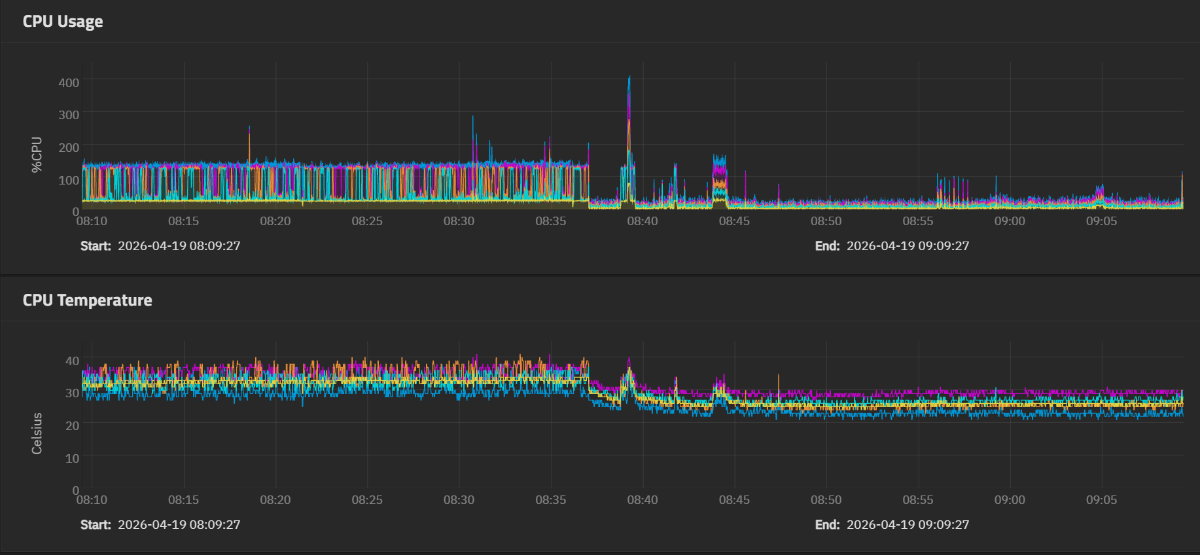
Thanks for the fix! Like other people notice it also reduce cpu usage quite a bit, this gonna help my old i5 4690k based system but like you noted the script does not seem to survive an update cuz I just updated to 25.10.3 from 25.10.2.1 and I had to redo your fix.
-
In case you haven't found the other thread: It's not completely on the HexOS interface, but the rollback workaround is close.
-
i just tested my 25.10.3 - Goldeye .with a 3050 6gb on oculink and was able to pass through the card on 25.10.3 , this is with an AMD igpu 780M , jellyfin was set to transcode with nvenc set and i set it to point to /dev/dri/renderD129 /renderd128 would have been the 780M for my configuration at least. im using a hdmi emulatator dummy plug on the 3050 I have a 5060 ti 16gb i could replace it with i could retest with jellyfin if this might help
-
Having the same issue Same issue, completely fresh install.
-
Truenas Scale switched to the open source nvidia driver which only support never cards.
-

Hexos Applications in TrueNAS keeps crashing
compaqred replied to duonguyen's question in OS & Features
I am getting the same issue and I just had to do a full reinstall. -
why did they remove support?
-
 Jamespigeon changed their profile photo
 -
Hexos Applications in TrueNAS keeps crashing
duonguyen replied to duonguyen's question in OS & Features
Still broken for me. -
 JaminHere changed their profile photo
 - Earlier
-

Set new Limit for One or more of your storage pools is at or near capacity.
cyber_lu replied to cyber_lu's question in OS & Features
Thanks for your Answer, i was unaware of the ZFS 80% 90%, 94% Rules. -
I'm having this issue too. Looks like there is a fix on GitHub posted below, but I can't figure out how to access the app configuration files for a curated app..... really hoping I don't need to nuke my install and back up all of my photos again...... If I do I think I'll give up on the curated apps and start installing this in a docker container now that I've managed to teach myself that process. Before I do though - did anyone find a way to fix this on HexOS? https://github.com/truenas/apps/issues/4628#issuecomment-4098018533
-
 Mr_Stig changed their profile photo
 -
I made a post about the same issue, they are looking into it:
-

Stupid Question: How do I go to Local Interface?
OrionArkk replied to OrionArkk's question in OS & Features
It literally JUST showed up. Thanks. -- Orion -
 hexoopo changed their profile photo
 -

Stupid Question: How do I go to Local Interface?
Todd Miller replied to OrionArkk's question in OS & Features
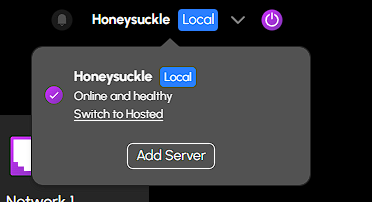
When I had local UI installed I had to log in just like the very first time I setup HexOS. It took a little while. Just long enough to make me think I was doing something wrong but the dashboard came up When I logged in I saw picture. I clicked on the word local and saw this. I am guessing it's not exactly the word that is the trigger. That just happens to be where the mouse pointer was when I clicked. I clicked on Switch to Hosted and went to the online dashboard so I started on local. Now to switch back I click the Return to Local button on the top banner. If you don't start that way I am guessing the down arrow next to your server name will allow you to go back and forth.
-
Im confident Ive been updated. But I see no way to change over to a local interface. -- Orion
-
AnyRaid is not released yet. When it gets released by the ZFS people it has to be adopted first into TrueNas. So just a guess is that it probably won't be here till next year. There won't be a way to convert to it. You have to start from scratch so you'd have to copy off all the data from your existing system to something and then format the drives as AnyRaid. Then copy the data back over. Thanks
- 1 reply
-
- 2
-