All Activity
- Past hour
-

Hexos issue with installing apps, viewing folders, and locations.
YardenSZ replied to bheberling's question in OS & Features
Can I get a DM as well? 🙏 - Today
-
I'll be setting up a second vdev. I just purchased 2 of the toshiba n300 pro's and will wait until I buy 3 more before setting the second vdev up.
-
 Wight_norf joined the community
 -
Just keep in mind things like cache-size, RPM, etc. The speed of the "raid"-set can be impacted (negatively) if it's not equal or higher than the current ones. So keep that in mind while trying to look for something. Unless you *really* need to expand it with 1 disk, maybe wait out until prices are going back down?
-
 Happy to see that it's working now for you. 🙂 I still don't understand why this makes a difference which software you are using to create the USB drive, but hey at least it's running now. =D
 -
 RaVadis joined the community
 -
Hi everyone. I updated HexOS on 3rd march 2026 and now I can´t log into it. "Server not availabe" is the message. The server runs fine and I have access to all my files, but I don´t want it running all the time. I use it only as data storage. What can I do? Cheers Axel
-
 lkjelsberg joined the community
 -
 I... I was... I would have.... FUUUUUUUU-- Ordinarily, I would absolutely have tried another USB, and I actually was trying a bit ago, but that drive was being funky and wouldn't connect to Windows well and I gave up. I completely overlooked trying Balena Etcher (Rufus has always been rock solid for me so I never bother thinking aoub it) but NOW THAT YOU'VE SAID IT I feel like I remember needing to use it for CORE back in the day TOO! I am an IDIOT! Anyway, I grabbed a third USB, Etcher, and a new copy of the .iso, and set it all up again, and wouldn't you know it, the damn thing worked. Installed HexOS to the SSD, plugged in the HDDs and went to boot, and the box picked up the data drives to boot to. I thought I wasn't out of the weeds yet, but on a whim I tried re-enabling the B120i and going in and deleting the RAID array on the drives but keeping the single "array" on the SSD, which allows me to set the logical array as bootable in the B120i. Rebooted and... LOOK! HexOS!! I am as much at fault as any part of the technology in this thread, but in the end, through all that crap, and with your help, we got there, so... THANK YOU very much!!
-

Certificate 'truenas_default' is expiring within 6 days.
TheBongoMan replied to ColHomer's question in OS & Features
I have also just received this alert! What happened with your system after six days? Did you need to do anything? -
I was looking at the Ironwolf pro as an alternative, but yeah that's gone up in price as well. Think I've landed on the Toshiba n300 pro. Their prices seem to be stable (for the time being)
-
A quick update on this, after a few months of running, and now it's been running smoothly. After exchanging the Verbatim with some samsung drives, everything's working really well at the moment. Only one thing I have changed with the configuration, and that is exchanging the fans from Jonsbo that are in there by default, to some Noctua Fans (dual NF-A9 for the bottom part, and added a single NF-A8 for the top part). This actually had a temperature difference from around 20 degrees Celsius, so if you are considering this, and don't have active airconditioning in the room which will cool down the area really well, I definitely recommend to have the fans replaced with something that's better.
-
Hey, you can basically look at any NAS or Server/Entreprise HDD WD Red Pro Seagate Ironwolf (Pro) Seagate Exos Etc... However they have all exploded in costs unfortunately. Looking at refurbished entrepris drives might also be a good alternative.
-
 jonathansusantonas joined the community
 -
In that case, did you try another USB drive or just 1 single drive? Also try using Etcher instead of Rufus.
-
 Aaronstar joined the community
 -
 Archangelx joined the community
 -
 VoroMan joined the community
 -
Hello, So I have a pool of 5 hdd's. They're all 12 TB WD Red Plus drives. The problem is... is that WD is all out of drives for the year. All sold out. So the drives that are currently available have all gone up in price. So I'm looking for as comparative as possible drives as I can get my hands on. Any suggestions? Thank you
-
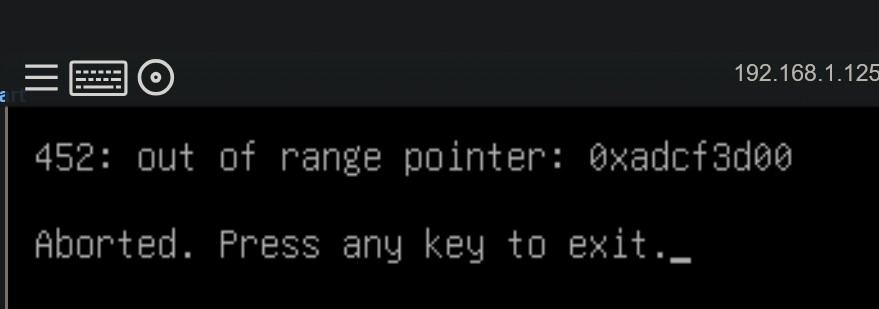
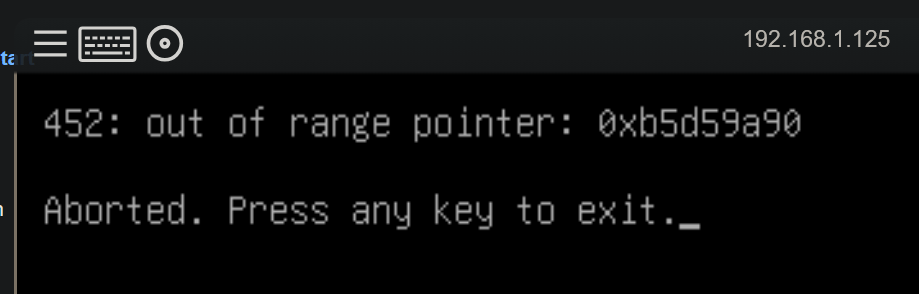
Nope, this is on loading HexOS's installer - the system hands off to USB boot, GRUB loads, I select "install HexOS" (out of the list of 2 options) and then I get that message. I don't get into any part of the HexOS installation itself.
- Yesterday
-
 Affront5007 joined the community
 -
 OleMagnusTj joined the community
 -
 Xsellenze joined the community
 -
The above messages are coming after selecting the boot drive where Hexos should be installed or beforehand?
-
 Sh4dow_Hunt3r changed their profile photo
 -
This is with the B120i disabled and all 4 drives removed (just the boot drive) in Bay 5: This is with the B120i enabled and all 4 drives removed (just the boot drive) in Bay 5: After cleaning the disk (just by pulling it out, dropping it into Windows and doing dispart clean to wipe the parts) I don't think I can disable the B120i because I think it needs to be there to mark Disk 5 as bootable... Unless I'm crazy. (I'm probably crazy.) Whatever I do, I can't get anything to boot anymore! Losing my shit, haha! Thanks for your help so far @PsychoWards!!
-
ahh i totally misread yeah you should be good then
-

HexOS update installed but Applications not running
Zisconnected replied to Zisconnected's question in OS & Features
Okay, last update I guess. Everything now seems to work fine. Still have no idea what happened. - Last week
-
Hey, please keep us posted about the progress. Concerning why you shouldn't use a HW Raid in combination with Truenas, the official ZFS documentation has a great section about this you find it here: https://openzfs.github.io/openzfs-docs/Performance and Tuning/Hardware.html#hardware-raid-controllers
-
Hey @PsychoWards, thanks for your help. Good point - I HAD wiped the drive prior to installing HexOS the first time, BUT not during the most recent round of struggling through the LSI and B120i cards. I sort of assumed HexOS would still boot, and then when it didn't, figured I would just re-run the installer - I don't think I wiped the disk. I'll do that tonight and let you know how I go, thank you! Screenshot 2 is currently what happens without drives connected - suspect the above might help though. I thought to recreate the HexOS image on the USB drive, but not to wipe the destination drive! Got it, thanks on the RAID info. I had assumed that, if I let a dedicated RAID system handle all that, and just point TrueNAS towards the partitions, I'd be getting the benefits of both, but I can see why that would be the opposite of what I'm getting. If you'd like to, I'd love to learn more about why it's better to go with one or the other, especially when it comes to ZFS - my understanding of ZFS is basically "it's a file system and disk manager" (yes, I know that's like saying Windows is a file system... But that's what I know right now!!) Thanks heaps. Will report back tonight.
-
Are there any plans on the roadmap to allow installation and initial setup fully locally, with the option to connect to the Deck afterward? I really appreciate that you added a local interface. However, I’m looking for is a completely local-first setup experience. The requirement to connect to a cloud server just to get past the TrueNAS interface is still the main thing holding me back from switching from my current setup, though I may be in the minority. I understand that internet access to be required later for licensing and app updates, but needing cloud connectivity to complete the initial setup is a deal breaker for me.
-
Hey, 1. The drive you are installing on, does it already contain an OS/was it used before or is it a new drive? If it was used in the past, can you please try wiping? This helped some people in here already which were also not able to install Hexos on an used drive. 2. Try installing Hexos without any data drives connected and then login into the UI and use following guide to migrate from Core to Hexos, you should follow the path for migrating to 24.10 or later https://www.truenas.com/docs/scale/24.10/gettingstarted/migrate/migratingfromcore/ 3. Never use HW raid in combination with Hexos/Truenas, let the OS handle everything in SW raid. HW Raid + SW Raid gives you the disadvantages of both but none of the advantages 🙂
-
Thanks @Manders! I HAD HexOS running at the start but couldn't get any drives to work - now I can't get it to install anymore (see above screenshots.) Yep, though I don't mind if the data is wiped (would prefer not to but I know it may be necessary) Current pool is a bit of a mystery but it was handled by CORE. ZFS it would be I believe as I have the warning to upgrade my ZFS flags in the CORE install. No hardware raid in the old system, but I COULD run hardware raid in the new NAS box. Thank you! Hope that helps!
-
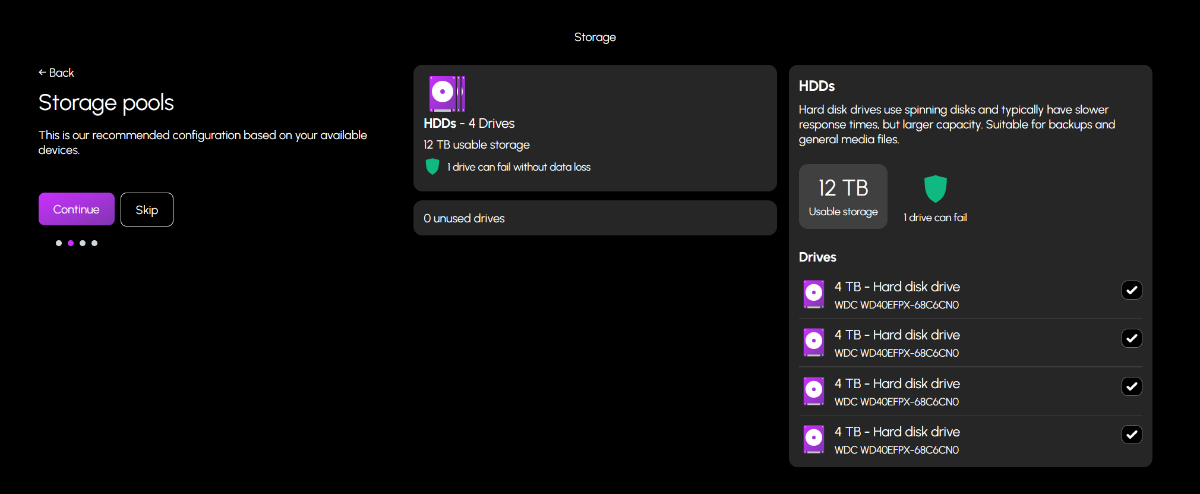
 Hey there! Can you clarify something, because that text was a lot 😄 Have you got HexOS and TrueNAS Scale up and running now, albeit without any HDD pool? Are you trying to use your existing 4x4tb HDD in HexOS You mention RAID a whole lot, but hardware and software RAID. But HexOS and TrueNAS only support OpenZFS as far as I am aware, so is your existing pool in the OpenZFS format, or actually RAID?
 -
HexOS update installed but Applications not running
Zisconnected replied to Zisconnected's question in OS & Features
** Update ** After about 3 hours, all services started running eventually. I'm running Ollama and OpenWebUI which was running extremely slowly. Last time they were running slowly after an update I noticed that the option to utilize my GPU had been unchecked in TrueNAS, after reenabling it, everything was fine. This time however, the box was still checked. I initiated a restart hoping that would solve the problem and it is taking FOREVER to have the applications up and running. At this point, I've restarted 7 minutes ago and no applications are showing as running. According to HexOS and TrueNAS, there are no applications installed. Is there a way to roll back a HexOS update? I don't know what to do. -
OH, by the way - yes, I did re-create the HexOS bootable drive, in case something on read screwed up GRUB or the HexOS Image. I used Rufus 4.6 and the lates HexOS .iso.