All Activity
- Past hour
-
 Maybe it's just me being super confused, but why would you need it to use a public folder? For either Immich or Nextcloud, there are already software designed to (securely) host, provide and share data explicitly (and not share their guts to a public share over the LAN) Wouldn't it be counter-productive to have them use a public share? It makes way more sense for torrent clients, music libraries and the such, than for file hosting software that usually has to enforce user separation and priviledges in a way that the public SMB share won't reflect at all.
 -
 Yep, similar behavior for me.
- Today
-

UGreen 4800 Plus 10gig port shows up as 5gig in HexOS
OrionArkk replied to MSPaintRose's topic in Hardware
So because im seriously considering the uGreen 4800+, what happened with this? Im sorry to resurrect a read post. --Orion -
 Silvermack joined the community
 -
I have this same question. I am using a gtx 1070. If you are saying 10 series is no longer supported that means that my GPU is no longer being utilized? Does that mean my only option is to buy a supported GPU?
-
 Updated via the Truenas UI seems to worked out. Reinstalled the Nextcloud, it also worked out. But Nextcloud does not uses the public folders. Anyone could help to solve it?
 -
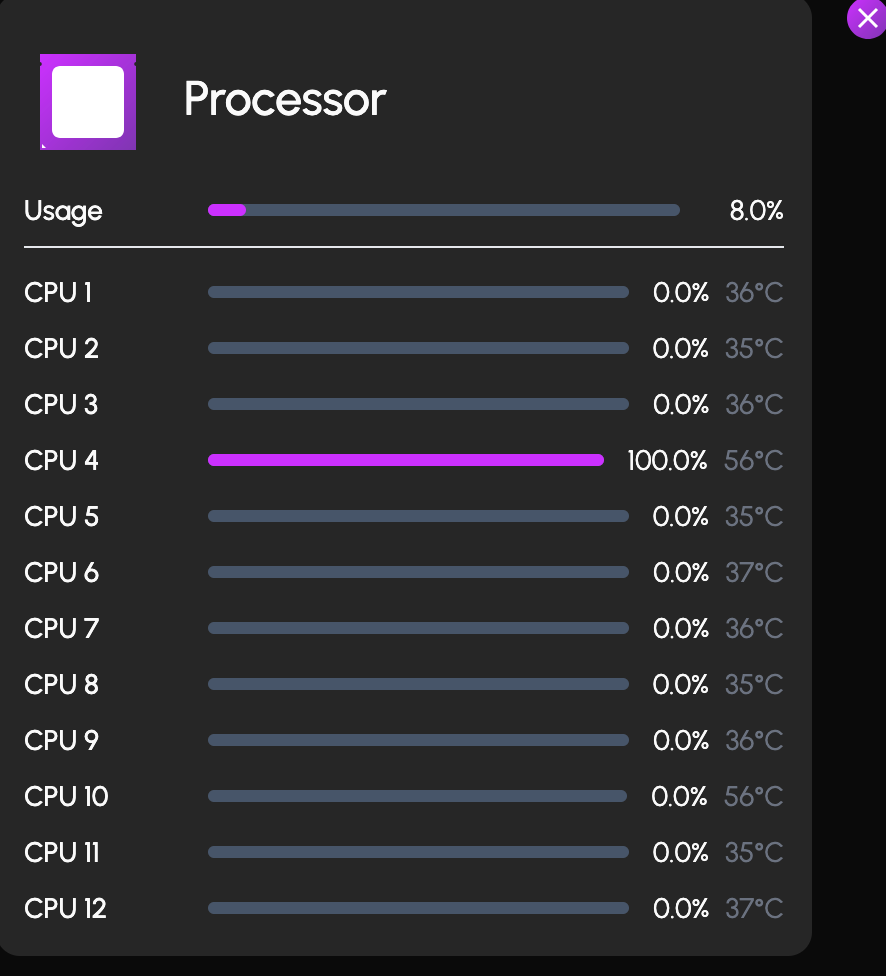
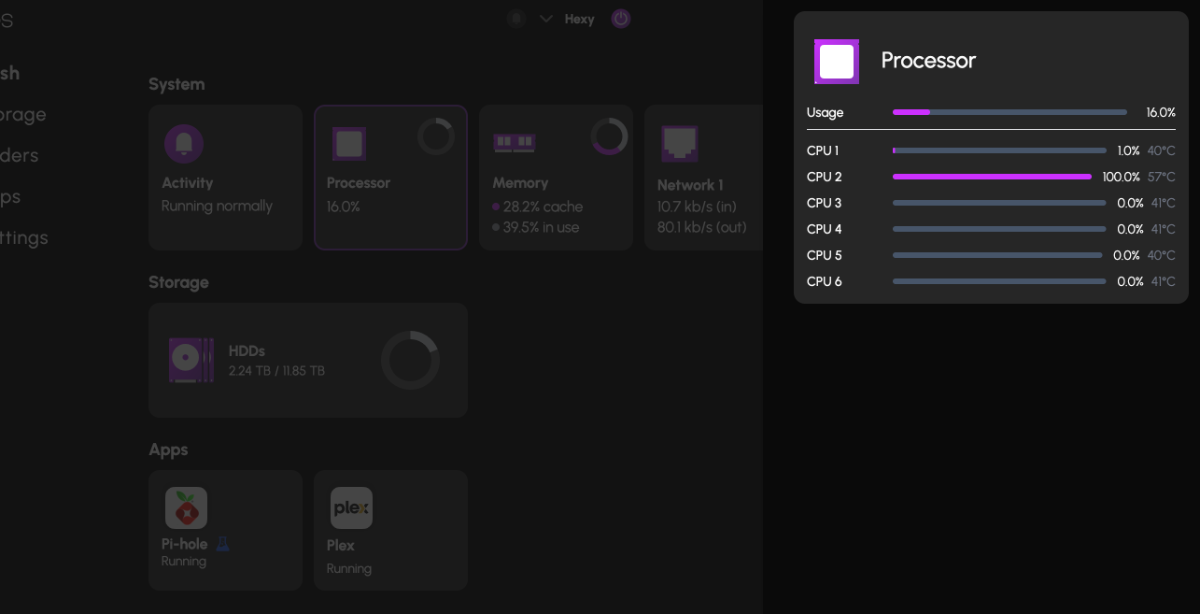
 I got on the TrueNAS side of things and rolled back PLEX and Pi-Hole, which got the apps running, then I updated them again, and they are both working. I am seeing a strange behavior with CPU usage. I initally blammed it on the crached app situration, thinking they were loop-launching or something, but everything should be ok, but Im seeing 100% CPU spikes constantly alway from 1 of the 6 cores. It usually jumps around between core 1-6, but sometimes lingers on one for a while. Is anyone else seeing something like this?
-
Hello again I’m saddened to see that my post hasn’t gotten any interest from the team for a whole month and I’m still trying to make this work. I have got the licences I needed because I wanted to tinker around but my original problem remains, I still have 2 extras that I won’t be using and would like a refund on those 😕 in hope of hearing from any of you soon to sort things out 🙂
-
 FireRabbit69 joined the community
 -
Hello. New weird behavior for me since the new update. As I stated before, I cannot upgrade the truenas to goldeye, keeps failing. But I also installed Nextcloud, and I cannot connect to the app, help needed. I ay try to update the truenas via the Truenas dashboard.
-
 ademiguel changed their profile photo
 -

usb Automatically backup "every" device
José Encarnação replied to José Encarnação's topic in Roadmap & Feature Requests
Actually on Reddit, about BitRot I noticed that if you get an AMD 5600XT you can get an ECC compatible Motherboard and RAM and probably make an ECC + bitrot protection system that will keep NAS files uncorrupted. Any suggestions on cheaper hardware available atm? -

Jellyfin - "ghost" episodes after update
HarmlesssPotato replied to HarmlesssPotato's topic in Applications
Update: It resolved itself. After a few scans it eventually cleared out the duplicate episodes.
-
deletee.. found it..
-
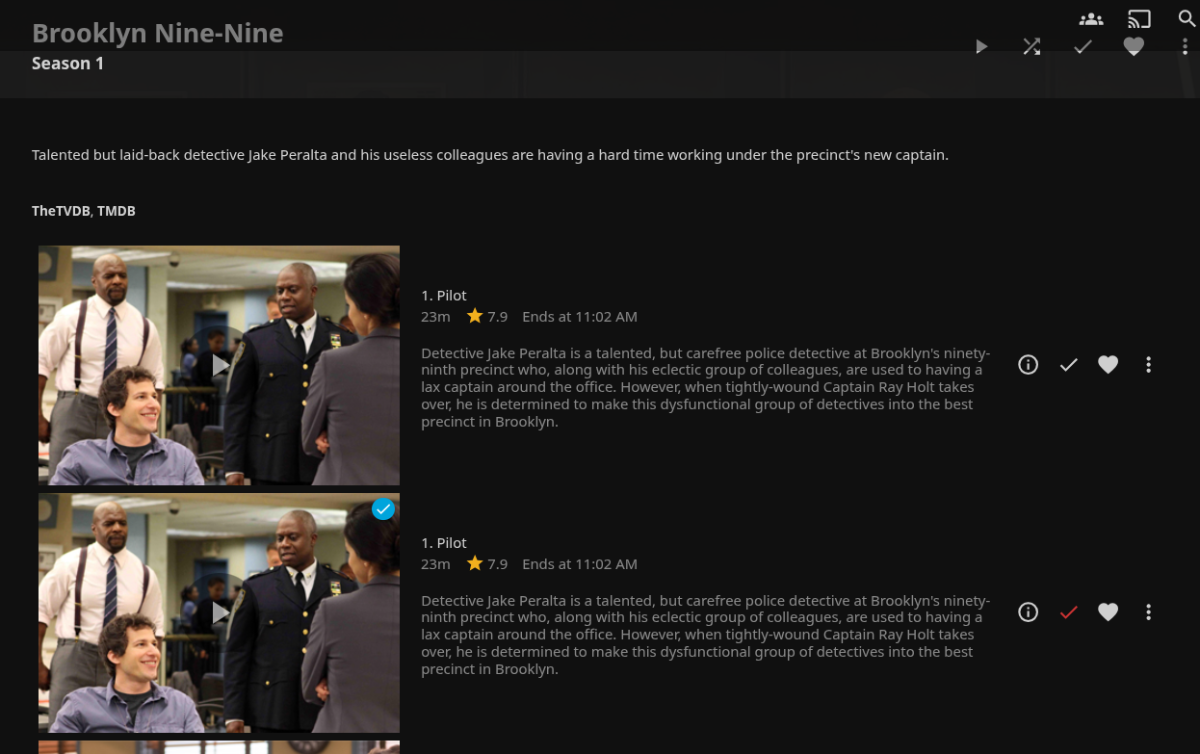
After updating the Jellyfin application through the HexOS interface to v10.11.5, the drive access permissions were reset to default and my custom directories were removed. I re-added the pools back into the apps permissions through TrueNAS, but it did not match exactly to what I used initially (Drive/Media/Shows vs. Drive/Shows). This created duplicate entries for all of my episodes, one version pointing to the newly added directory that plays fine, and another pointing to the old directory that is no longer available to Jellyfin and the files throw an error when you try to watch them. The log has an FFMPEG error saying the directory doesn't exist. I tried a number of troubleshooting steps including refreshing the metadata with direction to replace all existing metadata and I tried deleting the library completely and rebuilding it with the corrected directories then refreshed metadata again. Neither step fixed the issue. Then I went back into TrueNAS and reset the directory access to match my original setup, deleted the existing library in Jellyfin and rebuilt it, and refreshed the metadata. The original episode entries in Jellyfin are working again, but now I have duplicate episodes for the updated directory that no longer exists. Now I just need to delete those new "ghost" episodes. I tried deleting a "ghost" episode with the ellipsis next to the episode and through the metadata manager, but Jellyfin throws an error saying it doesn't have access to that file location. I am out of ideas and am not finding any help elsewhere online. Does anyone have any ideas for how I can clean this up?
-
 Sorry I should've been clear, I have no clue how to find logs in trueNAS for such failed attempts.
 -
 NoobUser joined the community
 -

Discontinous usage, Backing up the NAS and beginner question
JoeJoe replied to JoeJoe's question in OS & Features
Thank you for your answer. You helped out a lot with a different perspective. I know im in the wrong thread since i already bought a license over a year ago. Would be nice if you could see the whole forum without loging in... I would like to continue this disscussion in a more suited thread. -
I am battling ACL type mismatch issues for the "Applications" system share after the Immich config upgrade changed the postgres data path and I had to manually move data there. Not sure if I caused this situation by moving files or if the "config upgrade" will do that by default, but it's quite probably people going through the same issues and manual solutions as me would end up in the same situation Current status is: No SMB share config change is allowed on the "Applications" system SMB share; no chaning its access permissions nor even disabling the share altogether. Which is problematic as it now stores a database for a privacy-sensitive service, which now landed on a "public-by-default" datastore shared through the LAN. I highly advise people with limited free time during this holiday season to not perform any such new "config upgrade" until either things are sorted our, or you have enough spare time to fix breakages. There is no immediate issue with not doing it now, and no huge immediate benefit either, so just wait it out for now while the adventurous like me try to survive the unforseen consequences 🙂
-

Unable to install Plex (permissions issues?)
jamesrayth replied to jamesrayth's topic in Applications
Yeah I just clicked the easy install button 10 months ago and it created all its folders successfully and installed successfully, but I never used it or connected any of the smart tv's to it. I haven't touched any of the HexOS stuff since the initial install, just have been using it as a NAS so there's plenty of files on my NAS. Today when I decided to actually use Plex I saw there was an update for Plex and tried to run that update, but that updated wanted the claim ID and when I put it in, the update would fail without creating any message in the notification. That's why I decided to uninstall Plex, which did create a notification that it was successful, and then tried to reinstall Plex, which is now giving those error messages. I had thought to try and poke around TrueNAS to see if I could figure out how to give the group "Apps" permissions, but when I click TrueNAS and it goes to the IP of the server, that also comes up as can not connect in my browser... so that's another issue I'm trying to figure out. HexOS works fine though, and I'm able to access the NAS, just cant for some reason access TrueNAS either. -
 Skyde joined the community
 -
Same. Haven’t been able to look on the truenas side of things yet, but plex and pi-hole both just say “CRASHED”. Rebooting won’t fix.
-
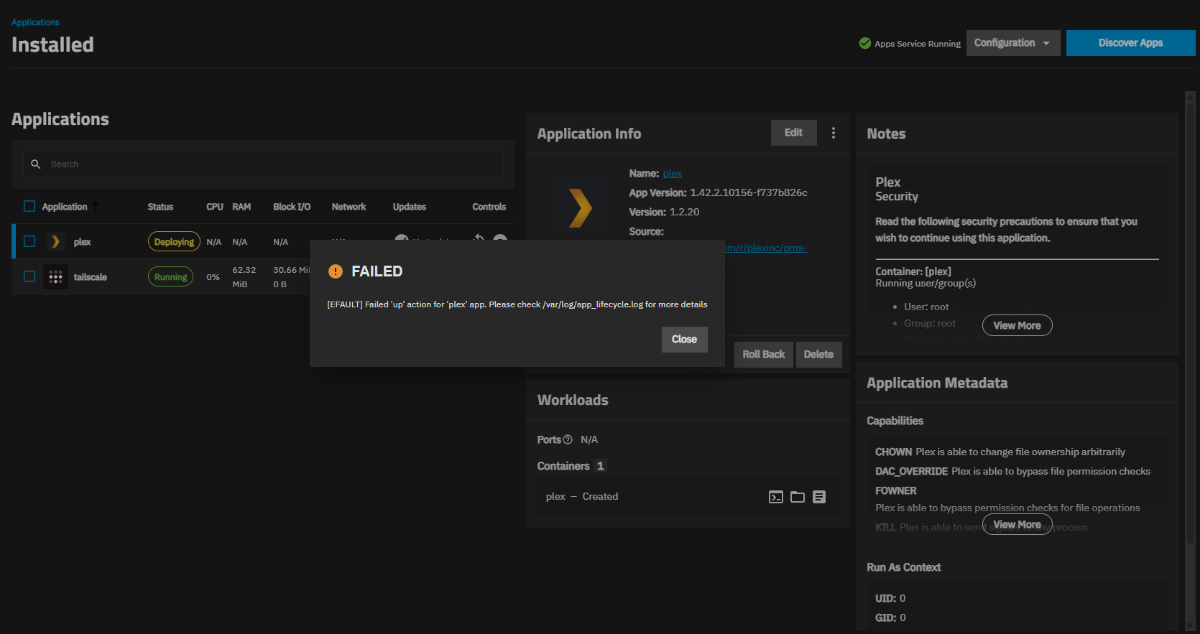
 When I installed the update, the update said successful but both of my apps said crashed. In truNAS I restated tailscale and the app deployed no problem. However, with plex I got this error and plex is stuck perpetually deploying. Does anyone have any idea why after the update I would be receiving this error?
-
arc a310 should be supported, with its support being added in 25.04. the igpu from those generations is likely good enough for multiple 4k streams however that generation of intel igpu does not support av1 transcoding. Most power efficient option would be getting yourself an intel core ultra cpu as those igpus support av1.
-
Hi @jamesrayth Def sounds like a permissions issue. When you installed Plex 10 months ago, have you not uses/updated it since? That [EPERM] error typically means that filesystem permissions on that path won’t allow the installation to create read/write there and I'm wondering if there could be a versioning issue OR somehow the permissions might have been changed when you reinstalled.
-
TLDR: does Jellyfin support ARC A310 for hardware acceleration in Jellyfin or does Intel 12/13/14th gen iGPU support AV1/strong enough for multiple 4k transcoded streams I've been running a Jellyfin server for myself and friends and I use my own Blu-ray rips so they can be pretty intense on bandwidth, especially my 4k rips. some of my friends have bad internet so they'd need to transcode it to a lower quality but my current setup is mini itx (to fit in my small apartment until I move and have a larger area to set it up) and currently only has an i7 6700 so the igpu doesn't support 4k qsync and 4k transcode is WAY too intense for it. So I was wandering which GPUs are supported in HexOS so that when I move and upgrade my system I have a compatible GPU, I'm also open to recommendations, I currently have a GTX 1650 lying around but If an arc a310 is supported I'd love the AV1 support. But again if there's other options that have lower power draw/cost I'm more than open to suggestion! I have a B660 board in it's box so if intel 12/13/14 iGPUs support AV1 AND can handle multiple 4k transcoded streams that would be great to know, thank you very much for taking the time to read
-
jamesrayth joined the community
-
I initially installed HexOS in February, the install went smoothly. I then installed Plex just to see how installing a supported app would go, and it installed fine and created the media folders fine. Just today, however, I have been adding backed up TV shows to my media folders and was trying to get Plex to work, and it wasn't working. It said there was a configuration update available for the Plex app, which asked for a claim ID and whether I have Plex Pass. I entered the claim ID and selected I have Plex Pass, but the update failed. After trying this a few times and getting the same results, I decided to uninstall Plex and try reinstalling it. Now when I try to install it I am getting this message: Failed to install app. Job 453 failed: [EPERM] Filesystem permissions on path /mnt/HDDs/Applications prevent access for group "apps" to the path /mnt/HDDs/Applications/plex/logs. This may be fixed by granting the aforementioned group execute permissions on the path: /mnt/HDDs/Applications. I don't even know where to begin to fix this. Can anyone give some guidance?
-
 this is my question, i dont want my custom settings to be removed
 -
 To be clear, these apps weren't installed via your curated versions. They were installed in TrueNAS. Is it still safe to click Update now?
 -
A fine attempt to clarify some of the conflicting nomenclature of how storage verbiage is used. I hope this helps!! (clear as mud, right??)
-
- 1
-