All Activity
- Past hour
-
 Pushing a live hotfix right now that should address the majority of issues. For those experiencing problems, this should resolve them. If you are still stuck with specific apps, click options, reset, and try again. Still stuck? Email support@hexos.com so we can investigate further.
 -
I did multiple ways First I put the drive straight out the package unformatted and no detection. Then I formatted them MBR NTFS, Then MBR exFAT, then GPT exFAT, then GPT NTFS...All with the same result. RAID controller in the system says its PERC H730P Mini While writing this I was troubleshooting and realized I needed GPT initialized - unallocated drives then needed to go thru the onboard system to setup the raid system. As soon as i did that and reinstalled the OS everything worked. Hopefully I can just add drives in the future without all the hassle. Thatnks for the replies 😊
-
 radonman joined the community
 -
Fixes are inbound! We've been working on this since the first reports came in and believe we have identified the issues and are staging another hotfix deployment for later today.
-
 wwoutt joined the community
 -

Discontinous usage, Backing up the NAS and beginner question
Todd Miller replied to JoeJoe's question in OS & Features
Wow, there is a lot to unpack here. I am a long time IT person but not a NAS or networking expert so let me hit the easier stuff and someone related to HexOS can hit the harder stuff. 1) The HexOS can be thought of as a large but active hard disc drive. The raid choice you make will spread data among all the drives to give data recovery but don't think of the NAS as a backup unless you specifically and only set it up that way. You can have a nice (finances permitting) desktop machine that you run all your apps and do all your work. Once a week an app can write your data out to the NAS. If that's what you want, get two external hard drives instead. Those drives would be cheaper. HexOS (built on TrueNAS) is so much more. 2) Yes you can but you will find out quickly there is a LOT of ways to do that. I'm not sure HexOS has a baked in option but it may. If it doesn't there are lots of app within TrueNAS. And if you really want to go down a rabbit hole there are apps like Docker/Dockage that open up another whole world of thousands of apps. 3) If you talking adding or managing datasets/folders in HexOS you will be working in TrueNAS to do that. That may have recently changed but I am at least one HexOS/TrueNAS update behind. 4) if you have created a HexOS NAS you can create SMB folders to import data. That is just one basic options because there are apps that can help load your new NAS. I'm not sure if I have answered your questions. If I missed your points let me know. There are a lot of folks here with different levels of expertise before you get to the development staff itself. If your a first timer people are happy to help but really focused on the overall development and support of the core product. What makes things more complicated is that a lot of work is still done in TrueNAS, not HexOS. So a product developed to make interaction within TrueNAS less often is still pretty TrueNAS heavy. This is probably also not the product you want if you really don't to use TrueNAS or develop a basic understanding of it. Many solutions for adding an app will come from youtube and that is risky because they are running specifically on TrueNAS and there are new versions of the product every few months. We have seen here that a "small" TrueNAS change can cause a lot of confusion and work for the HexOS devs. Don't expect to be taught TrueNAS here but you will have to learn parts of it. If you are considering HexOS it looks like it has a lot of potential for folks who want to set something up without worry that they need to get an IT degree though you should do more research and get more opinions than just mine. The only reason you need to look quickly is the cost of the lifetime license is currently $199 but is expected to go up to $299 when the application goes live. There are discussions of a monthly subscription but right now most of the effort is focused on getting to the go live state. There will be lots of news yet to come. -
 wsantino joined the community
 - Today
-
 ghostman joined the community
 -
 OTWester joined the community
 -
 bryan.hunwardsen joined the community
 -

What Apps Would we want to see Supported?
Tristan-2025 replied to Sam of Ham's topic in Applications
1++++++++++++++++ -
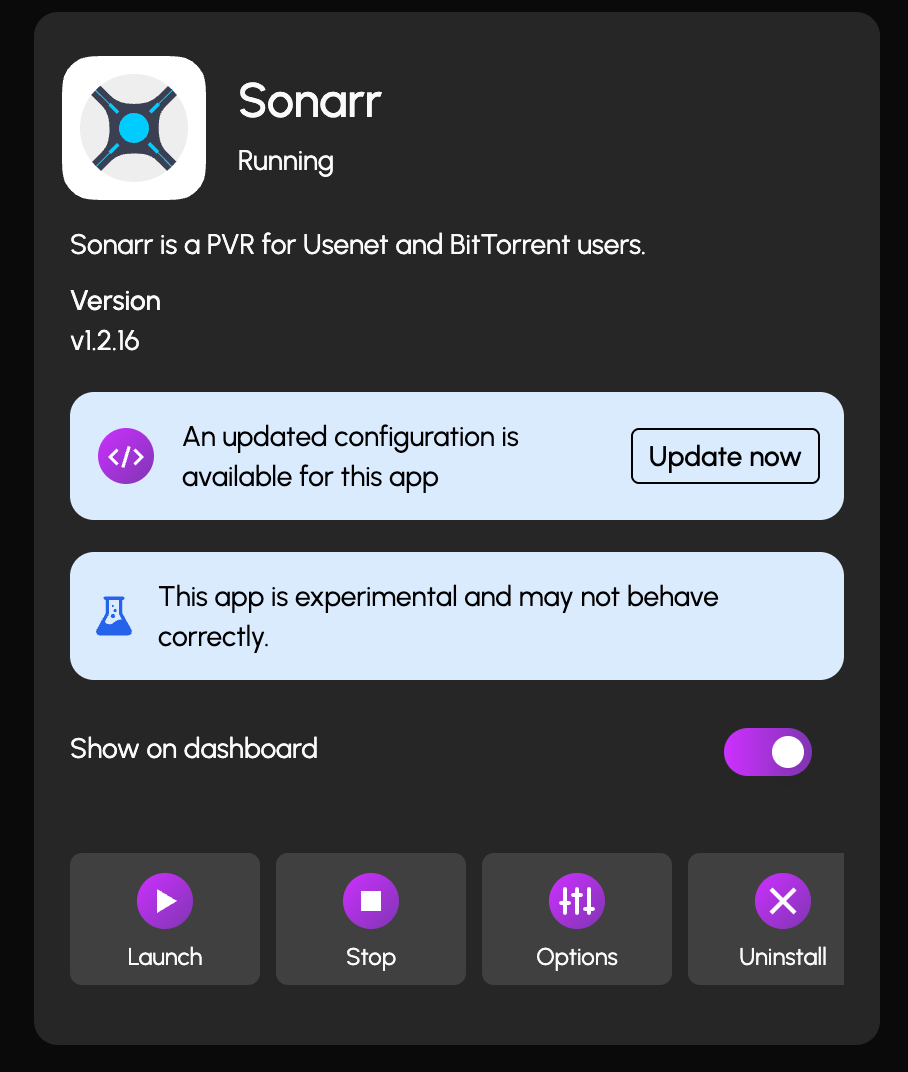
 there's an actual app update but it only shows this update.
-
i don't have a good answer for cloud backup but one thing you want to keep in mind is egress price (aka price it'll cost to redownload your data) some services have large fees for that.
-
what gpu are you using? gpus of the gtx 10 series and older are no longer officially supported by truenas.
-
 Dylan Garland joined the community
 -
We did deploy some hotfixes already but they were minor. The bigger issues are still being looked at by the team. We are on the trail of breadcrumbs now and should have most of this resolved soon. Thanks for everyone's patience and understanding.
-
 Papa Drama joined the community
 -
 mvk15 joined the community
 -
 ed1 changed their profile photo
 -
 Nestormcdade joined the community
 -
I'm a slowly "test the waters guy" kinda guy so I'll be having a smaller NAS of 16tb. I have an external disk for 16tb will do a backup once a month. Easy, simple. I find that works best. I've heard backblaze has a backup for NAS, but it's not inexpensive.
-

Error after update to Goldeneye - ZDHB7NWP
OrionArkk replied to kolinenglish's question in OS & Features
Love you NAS name, btw. No, this ain't a helpful comment. Just commending. -- Orion -
Hi, i just can't figure out what's not working, the nvidia driver and gpu jus doesn't work since the last update: nvidia-smi in shell return me nothing (cf below), the nvidia driver is activated in the app config, i tried desactivating and reactivating it but nothing works, my gpu isn't proposed in the apps config, bnut is showed in the setting sections 'gpu isolation', any ideas? truenas_admin@OkGarmin[~]$ nvidia-smi NVIDIA-SMI has failed because it couldn't communicate with the NVIDIA driver. Make sure that the latest NVIDIA driver is installed and running.
-
I also would love to see paperless ngx curated!
-
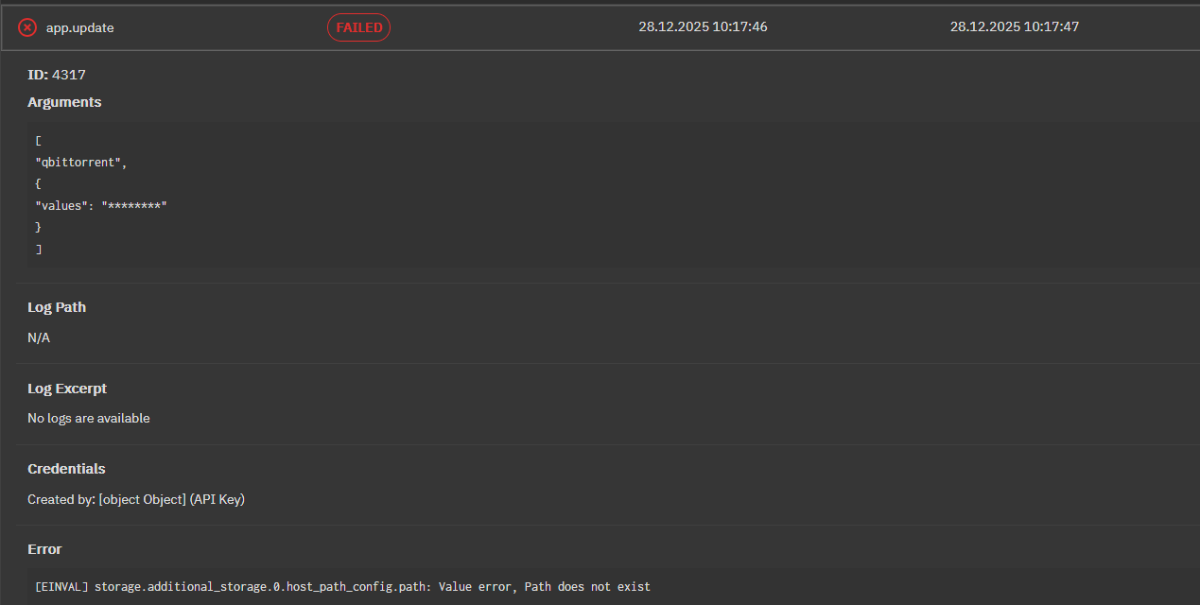
 since i get the same error on qBittorrent i looked and this is what shows for me
-

Discontinous usage, Backing up the NAS and beginner question
JoeJoe posted a question in OS & Features
Hi there, im not a IT-person. I wanted to have a NAS for a long time, and wanted to build it on my own since i hated propitary systems. I already lost a lot of data and its time get prepared. I set up a testmachine. I'm wondering if Hex OS is the right solution for me. Maybe u can answer my questions directly or give me hint where to look for answers. 1. Does the system has to run 24/7 or can i make a routine for automatically sync data during a certain period, e.g. 2 every Sunday? With no manual interaction? 2. Can i automatically backup the data from the nas system to an external drive? Think its called cold backup. 3. May be im dumb but how to add the storage or folders on a normal machine. I tried to find its via IP etc. but i can't find anything to connect to, besides the deck. Is it too simple or am im missing background. Im very confused, since the "usual" methods of adding network storage doesnt work for me, im sure it is me. 4. Since its a testmachine, how to migrate to a new system with new hard drives? -
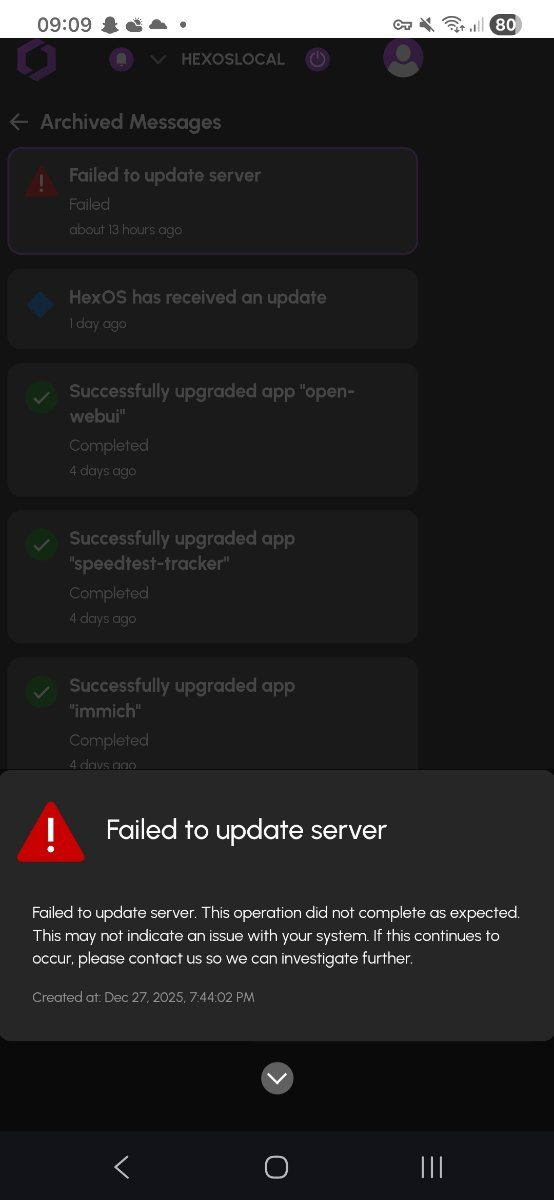
 Update interface at hex os end seems to be back up this morning with a failed to update message however the update appears to have actually worked despite this message
-
No apps visible in Hex Dashboard but they are in the Truenas dash and working fine
ed1 replied to ed1's topic in Applications
No stress. I really appreciate the help. I just didn't want to have to reinstall and have to do a backup of all my data given the cost of storage at the moment and my lack of proper 3-2-1 data storage as a result. It would be really cool if I could download a config file for an app as a backup and if HexOS had a single and easy data protection setup wizard using any of the data protection methods available (TrueCloud Backup, Cloud Sync, Periodic Snapshot, Rsync), with instructions that advanced users should use the truenas data protection dashboard for further options. -
Damn, launching a major update on the 26th of December is a bold move. I would have launched it in the first week of Jan as people using HexOS and celebrating Christmas would have been travelling (such as myself) and may have unknowingly reset their app settings after the update. I do have a remote connection via Tailscale so it wouldn't be a huge issue but it could have been a ton of work for me and anyone else to re-setup apps, like Immich to enable offsite backups, especially if those people didn't have a laptop or desktop to make the process easier and faster. I'm going to hold off on upgrading the apps until I get back and I'm going to backup all my data and settings before doing so as I don't want to lose access to my existing data and have to reinitialise the sync process. Still, I appreciate the drive to get HexOS features deployed within the calendar year and HexOS continues to improve significantly and return value for money, especially for early adopters.
-
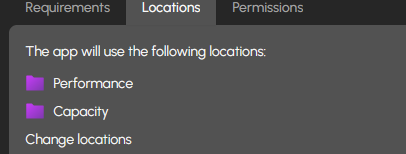
 are you able to check in truenas if you get a more descriptive error? as for the folders, you should not have to create anything. The performance and capacity folders just refer to a ssd pool (performance) and hdd pool (capacity) if you only have one pool it will be both your performance and capacity pool. we will also be doing some more testing to see if we can figure out why it is not installing for you.
 -
Thats great, we are working on making the experience smoother.
-
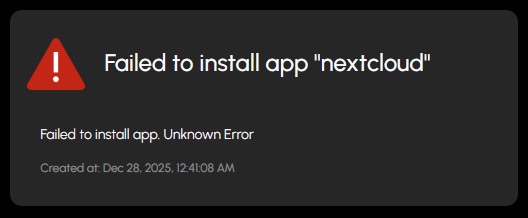
 idk if anyone has tried to install NextCloud via HexOS but I get this error, I tried seeing if I could figure out where logs might be in TrueNAS to at least get some information but i have no clue. And according to the reqs I should be fine. I will be adding more RAM Friday. idk what might be helpful to figure this out. CPU: i7-2600k (4core, 8thread) Ram: 20gb 1333 DDR3 (will be 32 1600 DDR3 soon) Do I need to create these Folders or will the setup create them for me?
-
That is awesome...thank you!!
-
No apps visible in Hex Dashboard but they are in the Truenas dash and working fine
ed1 replied to ed1's topic in Applications
Hi. Thanks for the reply. I opened the apps tab in the HexOS dashboard and left it open for a while and the apps populated. Thanks for the help. -
Just bought the double license and I have a question about....
OrionArkk replied to OrionArkk's question in OS & Features
That's kewl. Thanks. I'll have to give it a look. -
If the OS doesn't detect the drives, how did you format and partition the drives?