All Activity
- Past hour
-

Hexos Applications in TrueNAS keeps crashing
Maximus replied to duonguyen's question in OS & Features
I have the issue since the latest truenas update (25.10.3) on an i5-7500. I have not tried to unclaim/claim, but rolling back back TN to 25.10.2.1 did not work. My machine is an HP ProDesk 600 G3 SFF i5-7500. -
Hmm... @mill3000 can you connect with him on this issue?
-
 Richard Kolla joined the community
 - Today
-
Maybe by default it's public, but afterwards you can adjust the folder within HexOS to be private and be selective on which users have access. It's not as in-depth as the TrueNAS access options, but for someone like me who isn't well-versed in ACL access, it's a lot easier to understand and navigate.
-
Your not the first to ask and this post is not the first to bring it up. So far there has been no response.
-
 Felix Buchanan joined the community
 -
 Robert Brown joined the community
 -
I am not expert, but after a bunch of trial and error with Gemini i was able to get my 1070 functioning. I am going to paste the steps that Gemini gave me. USE AT YOUR OWN RISK! I was doing this on a fresh install so there was no data for me to lose. If someone who knows what they are doing posts a better comment I will remove this. Again this is AI generated, but it did work for me. If you are running an older NVIDIA card (like a GTX 1070, 1080, etc.) and nvidia-smi is failing with a "communication error" after the latest update, it's because the new default Open Kernel drivers do not support your architecture. Follow these steps to manually inject the proprietary legacy driver. Step 1: Download the Legacy Driver First, we need to grab the driver extension file. (Note: Ensure the version in the URL matches your current TrueNAS SCALE base version). Bash wget -O /tmp/nvidia.raw https://truenas-drivers.zhouyou.info/25.10.2.1/nvidia.raw Step 2: Prepare the System We need to "unstack" the current (broken) driver extensions and temporarily unlock the read-only system directory to place the new file. Bash sudo systemd-sysext unmerge sudo zfs set readonly=off "$(zfs list -H -o name /usr)" Step 3: Install the Extension Move the driver file into the official system extension folder so it persists and becomes part of the system hierarchy. Bash sudo cp /tmp/nvidia.raw /usr/share/truenas/sysext-extensions/nvidia.raw Step 4: Lock and Merge Set the system back to read-only for security and merge the new driver extension. Bash sudo zfs set readonly=on "$(zfs list -H -o name /usr)" sudo systemd-sysext merge Step 5: Initialize the Device Nodes Sometimes the system needs a manual nudge to create the necessary communication nodes for the driver. Bash sudo mknod -m 666 /dev/nvidia-modeset c 195 254 Step 6: Verify Run the following command. If you see the ASCII table showing your GPU and driver version, you are successful! Bash nvidia-smi Note: You may need to restart your Apps (like Jellyfin or Plex) to ensure they pick up the "new" hardware hook. In the App configuration, ensure you have allocated 1 NVIDIA GPU.
-
 dbkimb joined the community
 -
 Maiwand Hakimzadah joined the community
 -
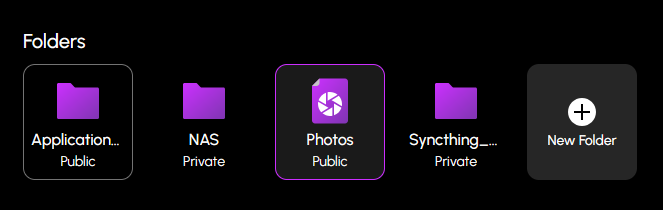
I recently started testing Apps within HexOS and installed a couple of curated apps where I noticed the process creates several public accessible storage shares as part of the install process. During my testing I switch to installing one of the apps through the TrueNAS interface instead and didn't see this behavior. Am I being overly cautious thinking that this is a pretty big security risk for when I move HexOS to being my production NAS? Should I be installing all apps through the TrueNAS interface if this continues to be a big concern for me? Thanks!

-
 Dylan Hoard joined the community
 -

Hexos Applications in TrueNAS keeps crashing
da.ren replied to duonguyen's question in OS & Features
@jonpim having the same problem but on an AMD Ryzen 5 3600, no vm for some reason deck.hexos keeps saying "failed shutdown" & "no storage pools found" -
Yup, this was addressed a while back. We do allow 1 drive pool creations now with a warning about no protection from data loss.
-
 E2E Bot joined the community
 -
 Andrew Joslyn joined the community
 -
 Jerod Test2 Fritz joined the community
 -
Has this been addressed or at least had the dashboard ui issue fixed if set up through truenas? I have 1x 26th sata HDD (media) + 1x 128gb sata SSD (boot) 1x 2tb nvme SSD(apps/vms) and 1x 4tb Sata HDD (frigate). Without a simple workaround it completely kills any possible use of Hex Os for me when threads like this have been here for over 2 years. I understand Anyraid will be coming but that doesn't help much either if your still required to use more than one drive together for a pool.
-
 Space Jackal joined the community
 -
There has been no mention of this in the current roadmap. Your current options are either to place it somewhere where it can be connected via cable or get yourself 2 D-Lan adapters.
- Yesterday
-
Hey! I know this thread is a bit old, but since it’s one of the most viewed feature requests here, felt like it’s worth bringing it back post 1.0 release (and kudos to the team for the release 👏). Any updates on this?
-
Yup. Unfortunately one of the packages that HexOS local depends on (bun) requires these CPU features (for now at least).
-
 Mulabi changed their profile photo
 -

S.M.A.R.T tests removed in 25.10 (Goldeye)
MLS replied to Canadianhummus's topic in Coffee Talk (Off-Topic)
Contains the number of occurrences where the controller detected an unrecovered data integrity error. Errors such as uncorrectable ECC, CRC checksum failure, or LBA tag mismatch are included in this field. Type Value Worst/Thresh Failure % Scrutiny 1 -- -- Normalized 1 --/0 -- Maybe this is related to the pci bus re ordering channels on boot -
S.M.A.R.T tests removed in 25.10 (Goldeye)
MLS replied to Canadianhummus's topic in Coffee Talk (Off-Topic)
i think it marked my old intel drive (which is boot ) as bad, yes its old but pumping out writes constantly Unsure whether this is related to age or hours wear or that its the boot drive. Not very worried have system data on zfs and i feel its a false positive. -

Hexos Applications in TrueNAS keeps crashing
duonguyen replied to duonguyen's question in OS & Features
I guess my AMD Phenom(tm) II X6 1055T Processor is too old and will need to update my motherboard cpu - Last week
-
I dont mind tinkering but HexOS is here to simplify the homeserver life. I plan to use cady but I need time to set it up^^
-
 da.ren started following Hexos Applications in TrueNAS keeps crashing
 -
Question for any of you affected by this issue, are you running HexOS in a VM or on a really old CPU? HexOS Local, which is now a requirement of HexOS, requires the AVX and SSE4.2 instruction set on your processor to function. Pretty much all modern CPUs released since 2011 have these instruction sets (there may be a few outliers that I'm unaware of), so either you are all running on really really old hardware, or you're running in a VM that is not exposing those instruction sets with the CPU model. If a VM, you can change the CPU model to "host-passthrough" or simply something that supports these instruction sets.
-
I have the same issue, the app try's to start serveral times, but fails. Same Version and App Version.
-
I just saw an update pushed to my HexOS Deck; it's showing custom apps now, so I'd expect others to get the update soon if they're rolling it out slowly to everyone.
-
The site https://hexoscalculator.com seems to work well. It is simple up front, but has some advanced features as well.
-
Seafile please
-

Error too many open files even after updates
MaLiXs replied to Dirtscootdesigns5956's question in OS & Features
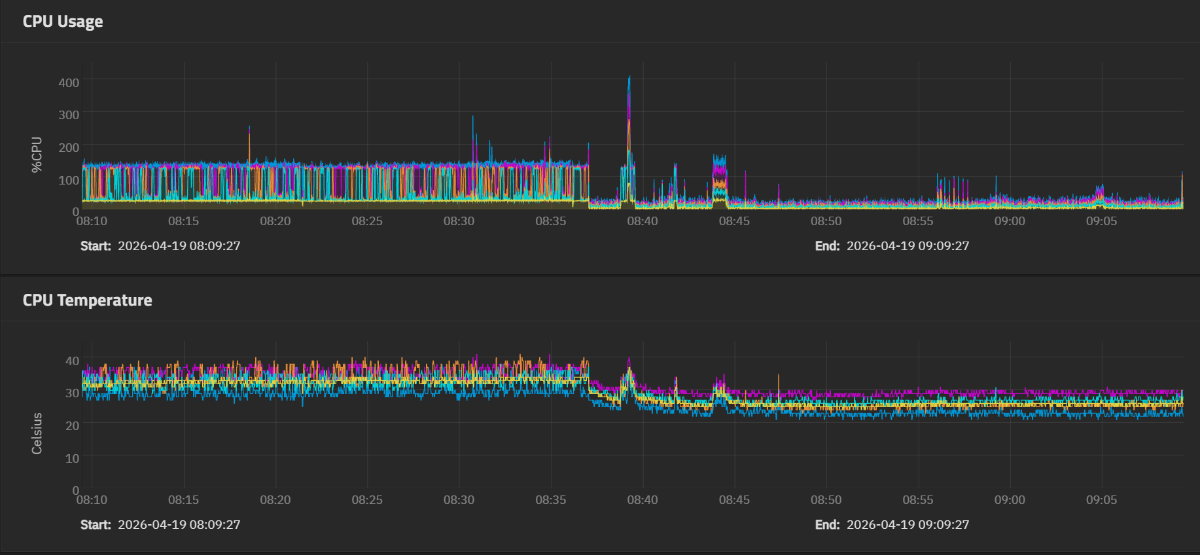
Thanks for the fix! Like other people notice it also reduce cpu usage quite a bit, this gonna help my old i5 4690k based system but like you noted the script does not seem to survive an update cuz I just updated to 25.10.3 from 25.10.2.1 and I had to redo your fix.
-
In case you haven't found the other thread: It's not completely on the HexOS interface, but the rollback workaround is close.
-
i just tested my 25.10.3 - Goldeye .with a 3050 6gb on oculink and was able to pass through the card on 25.10.3 , this is with an AMD igpu 780M , jellyfin was set to transcode with nvenc set and i set it to point to /dev/dri/renderD129 /renderd128 would have been the 780M for my configuration at least. im using a hdmi emulatator dummy plug on the 3050 I have a 5060 ti 16gb i could replace it with i could retest with jellyfin if this might help
-
Having the same issue Same issue, completely fresh install.