All Activity
- Past hour
-
did you check this thread? It is regarding that issue.
- Today
-
my issue is that hex lost its connection with a local IP address change, i was able to get the server working as a truenass, but hex will not reconnect, or even find it
-
Damn, well thanks for the info! I did now also Google that HexOS "may" support the mixed capacity drives sometime in early 2026? Being that my drives also arent all of the same size is there a benefit to holding off the switch over until that support? I can look to purchase another 2 drives that match my 2 new ones to parity with 2 backups (goal is 2/8 being used as parity) and 2 storage drives, until this feature is added for me to slowly add in the other drives to expand the pool 1 drive at a time?
-
 Gowns3399 joined the community
 -
 Arctic-Croc joined the community
 -
The difference is pretty big, while they do the same thing, they do it very differently. Immich just stores all the images in plain on the file system, all the processing is done on server side, you can connect an external library and if your Immich DB or installation becomes corrupted or breaks and there is no more support for Immich you just take the photos folder and move on. But the admin and everyone who's access to the folder can see all the photos of everyone, so privacy is not that great, but administration is easier and recovery in case of an issue is easy. Ente (FunFact: Ente is German for Duck) is all about privacy. The photos are all encrypted on the server and only the client side can decrypt/see the photos. This also means that the client side needs to do all the processing, but therefore the server can be very low spec (although this doesn't matter in our case, because Hexos needs to run in the first place, so HW specs is not really a concern in any way) and it needs S3 storage and requires more setup an administration. However if your Ente DB becomes corrupted or the Ente app breaks or the Ente dev stops and your app becomes unusable, you lose all your photos, because you cannot access it any other way. But until that happens only your client side device can access the photos and no-one else can.
-
Pretty disappointed with this limitation. I understand the reason to avoid unscrupulous reselling, but I do think there are better ways of avoiding that without these issues. There are probably a lot of people in a similar situation as me; wanting to get a license for a relative as the family tech guy, but not wanting to have to be the sys admin for everyone. I bought a license at release because I support the mission, with no intention of using it until the features got more flushed out (still on plain TrueNAS). I am in the process of building a NAS for my father, which I intended to set up with a HexOS license so he could use buddy backup and some apps as a relatively nontechnical user. The HexOS interface is simple enough I think he can grasp it. But if I have to be an admin for his NAS anyway I might as well just set up Tailscale and rsync on TrueNAS. I understand it's a sale price and I'll probably end up getting him his own but it just feels like a slap for people that bought in to support and I hate feeling like I'm throwing money away. I'm no business major but it seems like expanding the user base would be prioritized given the possibility of genuinely useful subscription features coming down the pipe. Anyways. Just my $0.02. Still love what you guys are building.
-
 adypete joined the community
 -
Whats the difference?
-
 z2development joined the community
 -
 Jeddak joined the community
 -
 Moflstomp joined the community
 - Yesterday
-
Would be great if we could get ente photos support just like immich. I tried to set it up myself but couldn't. Here's the link: https://ente.io/help/self-hosting/
-
 gonzalezpt joined the community
 -
 RebelliousMofo joined the community
 -
 zac5555 joined the community
 - Last week
-
Hey, no this will not work as you've described it. With 2 drives Hexos will automatically create a mirrored pool, meaning your data will be stored on both drives at the same time and you will only have the capacity of 1 drive but you can lose 1 drive without losing data. You cannot create a Pool without parity with more then 1 drive. A RaidZ Pool type cannot be changed after it was created, so you will be stuck with your mirrored pool and you cannot expand it. If you then throw in your 4 drives from the old NAS, Hexos will create a new RaidZ1 pool, which has the capacity of the numbers of drives -1 (capacity of 3 drives in your case). You can then copy the data from your mirrored pool to your RaidZ1 pool. If however, your mirrored pool does not have enough capacity, get yourself a 3. drive to create a RaidZ1 from the beginning, copy your data over and afterwards add your drives from your NAS to the pool or create a new pool. (expanding a pool can only be done with 1 drive at a time and takes some time). Also make sure all your drives have the same capacity or else Hexos will not group them together.
-
 okBryan joined the community
 -
Hello! About to build my next NAS, wanted to confirm a question here prior to setting up. Confirming I can create a pool with 2 drives with no parity to transfer data from old NAS over. Then take the 4 drives out of the old setup over to the new HexOS build, and setup the parity onto the pool at that time without compromising the backup data on the 2 drives i setup originally? Just want to ensure adding the extra drives and parity to the pool will not compromise the data? Thank you!
-
Absolute lifesaver. Thank you!
-
Hi all! I've managed to get my HEXOS instance up and running using some old parts that I've sourced locally. Currently, I'm rocking a i7-9700, with 32 gbs of ddr 4 ram, with a SSD and HDD pool. I have a GTX 1650 lying around. Would there be any use in plugging in the 1650, for hardware acceleration? Realistically, I'll only be running at most 2 streams on plex at any moment. Or would the extra power consumed be for nothing?
-
@ThoDC If you haven't already, email support@hexos.com and they will schedule a time to work with you on this. See
-
 bkotrla changed their profile photo
 -
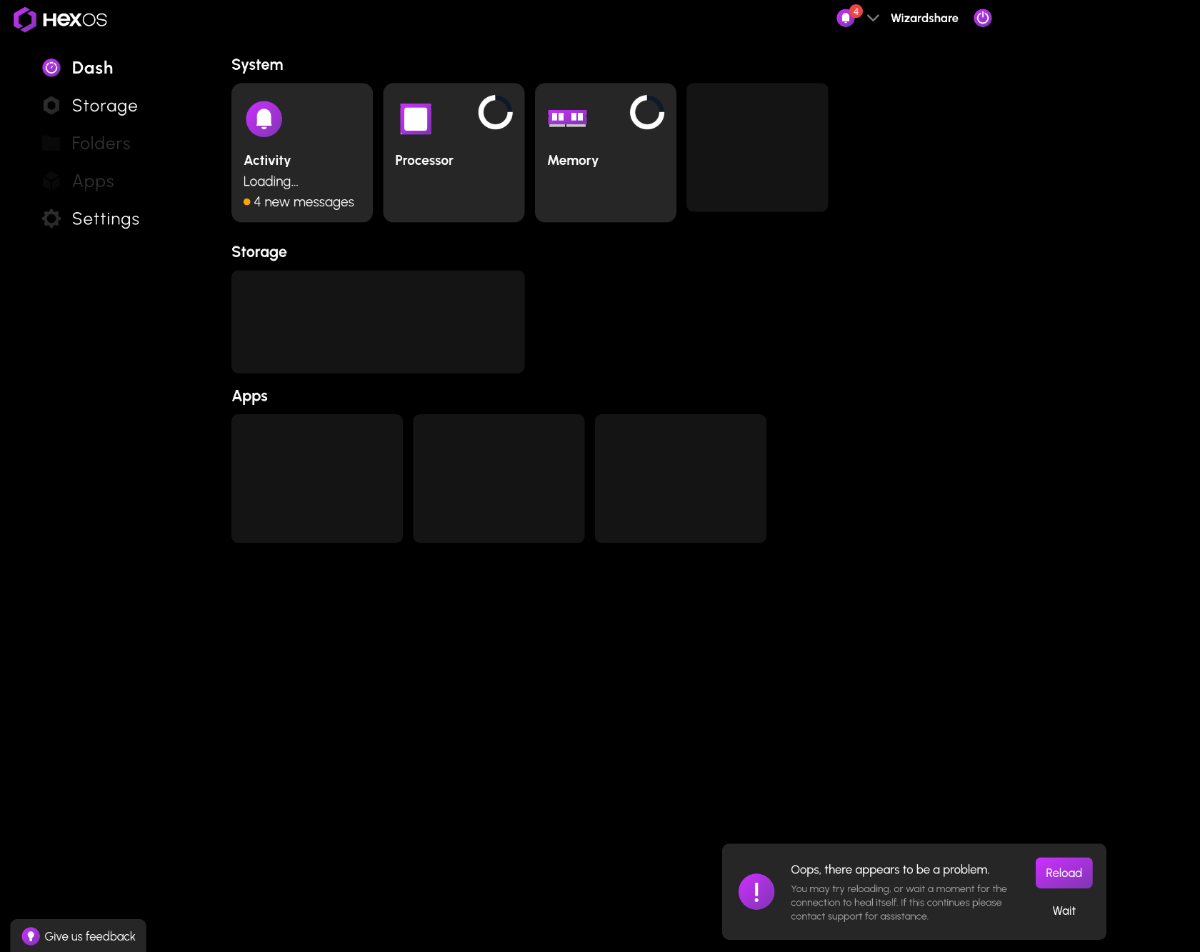
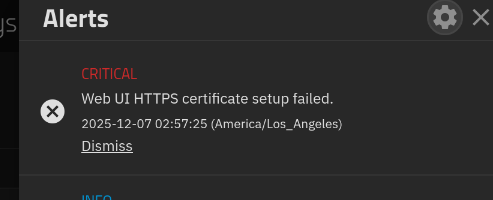
I I did the same thing. A power surge messed up my bootloader and I reinstalled HexOS. I then unclaimed the old session of my server to claim the current one. Everything worked fine and after I found my day old config backup, I restored everything to how it was. All apps working, No data loss. But I think the restore process messed something up between truenas and HexOS. HexOS can tell that it is connected to me server, but cant provide any data. On the truenas side, everything is running, All users were restored, I can access my files and apps. The only thing out of place is this warning: The problem persists even after a restart. My best guess is that when I claimed the new version of my server, the restore must have reverted an authentication id or something to the old version which is now not linked to my account. I am currently on TrueNAS-SCALE-24.10.2.2 and HexOS v0.8.251106 if anyone has a fix or any information.

-
I did about 8 or 9 times now. And while I have done a lot of volume testing I have everything backed up and continue to treat this experience as a beta test. I'm not sure we are far enough down the path to treat it as anything else. People are still yelling the Immich is broken and how can Eshtek have such a crap product. And when they find out it was actually a TrueNAS change you start to see complaints about how this product can't accommodate this type of change. Then the complaints asking for a conversion process from old to new but that was manual so it didn't work for everyone. So now people have partial changes from several tries and a broken product. Then guys like me who left the safety of the TrueNAS catalog and followed Docker install videos. so I am not making things any easier. I made a joke a while back that go-live would be everyone formatting their systems and all starting from the same point. I said it a second time not to long ago because of this Immich specifically because I wasn't joking anymore. Now I can't see any way around it. How do you explain to the support team everything that got you to the situation your in? They know that firestorm is coming. So I do apologise to responding with this doom and gloom post to your very simple and straightforward request. I sincerely hope that they have a way to help you because I had to reload 1.25 TB of images and almost 10TB of movies (with a few family vacation videos sprinkled in. Honestly, I thought that was why rsync was going to be the answer but I guess nothing is ever that easy. Best of luck, really.
-
Thanks so mush for the guide! just been though this after by boot drive completely died. It seems something has changed and you can now reconnect the folders just by adding the folders in HexOS dashboard. No need to name it with a 1 then change it in TrueNAS. accidentally forgot to add the 1 and it just worked.
-
when you claim a server it will ask you to create storage pools as part of the setup, you can skip that part and use your existing pools
-
Just got off a call with a few of the Eshtek guys, they set me straight very quickly. Before I called them, I dove into what others here have done. Here is what fixed the router swap for me: Sign into the TrueNas Scale Web UI. Go to Network: Go to Global Config settings: Change Nameserver1 and IPv4 Default Gateway to the IP address on/of your router. My issue was that I kept changing the NAS IP address to the IP of the NAS, not the router. Essentially, I was signed into my router interface, looked up what the NAS IP address was, and kept changing the Nameserver1 and Default gateway to that IP, when I should have been setting it to the IP of the router. Once that is done, my NAS found the internet again, the HexOS deck found a server and I was set! I had to skip the initial setup in order to prevent wiping the drives, but I was saved. Thanks to Nick and Eric!
-
i have the same issue. What do you mean by skip setup
-
there aren't any risks to unclaiming a server. whenever you reclaim it just be sure to use the skip setup button. seems like you have the bug discussed in this post Hopefully the solution there solves your problem
-
Same problem here and has persisted since installation. Can access TrueNAS via GUI etc. and apps are working as well, but the HexOS deck won't find it. Have you found a solution?
-
Thank you 2nd License bought 😈
-
Thanks for confirming and apologies to anyone that was confused. If anyone bought another license at $199 on accident today, send an email to support@hexos.com and we'll get the difference refunded.
-
This is now showing correctly for me. Thank you!
-
@wvienna @FangerZero can you guys check again and let me know if the discount shows up correctly for you now?
-
No its not over. We are investigating why the correct pricing isn't showing up for users. Stand by.