All Activity
- Past hour
-
 Comelio joined the community
 -
 OH, by the way - yes, I did re-create the HexOS bootable drive, in case something on read screwed up GRUB or the HexOS Image. I used Rufus 4.6 and the lates HexOS .iso.
 -
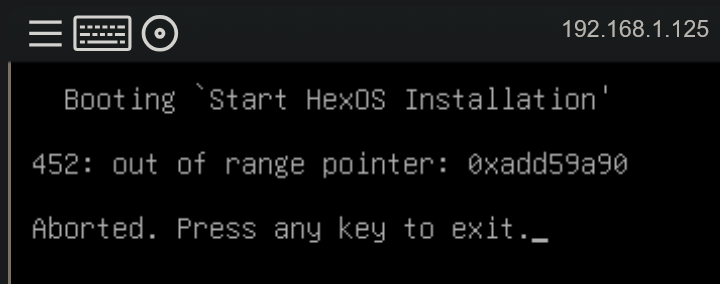
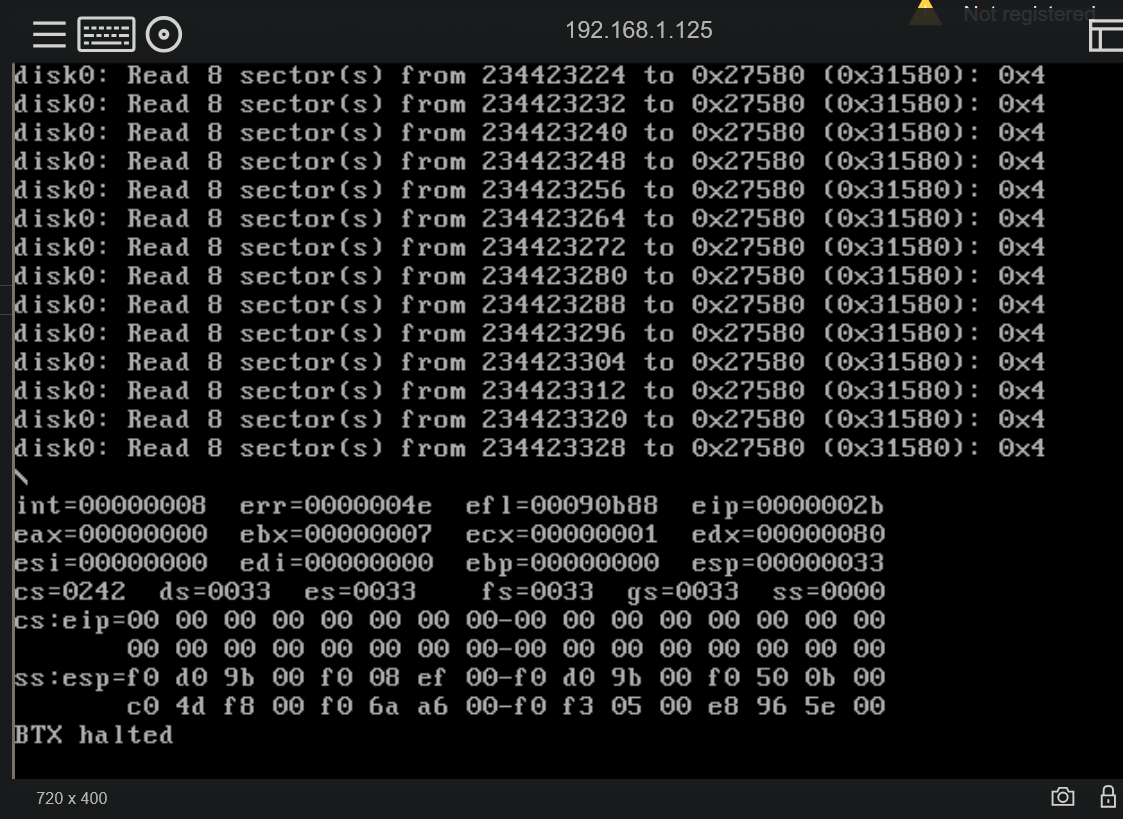
Hi all, I'm truly sorry to be bringing you all a barely-HexOS related problem, but I come begging for help from the people who likely know best--NAS owners, Self-Host Enthusiasts, and the HexOS team themselves--with my proverbial heart in my hands. I'm at the point where I am truly frustrated and I just need to ask in case anyone has the magic solution for me (and I will owe you big time if you do!) Mods, I more than understand if this isn't relevant and you're welcome to remove this, and I apologise for wasting anyone's time. Here's the story. I'm upgrading from a HP Microserver (circa 2010) with no special upgrades; mainboard, SATA bays, TrueNAS CORE. Over time, the TrueNAS system locks up, and, while it works, I can't access or log into it at all - the login page just gives me "incorrect username/password" and I have to force power-cycle the thing. That's fine; I've wanted to upgrade for a while and found a good deal on a fully-kitted HPE Microserver G8 (with iLO - perfect!) from an enthusiast. HBA card, integrated RAID controller, 4-bay SATA, iLO, Xeon CPU, all the mods to make Disk 5 work for bootable media. I have had nothing but problems in migrating. Wanting to get off of old CORE (iX are discontinuing it, plus, doing moronic things like removing native SMART data...) to HexOS and SCALE, and since I have an EA backer license wasting away, I figured, no worries, I'll install HexOS and migrate the disks. I plugged in an SSD, installed HexOS, claimed the server, happy as. I backed up all the data a second time just in case and moved the disks across (4x4TB WD Reds, FWIW.) No disks in HexOS/SCALE interface. Alright... Probably RAID - it used to be software RAID handled by CORE, this thing has the B120i. That's fine. Go into HP SSA - no disks, only bay 5. WTF? Skip a lot of time and headaching and I realise the backplane is connected to the PCIe RAID controller (LSI 9261-8i) not the board (should have realised that, I know. I'm new to HBA RAID beyond just SW raid on Windows and CORE.) I... can't work out how to use the RAID card, it doesn't use a GUI, so it's all magic unknown CLI nonsense (to me, at least). Also, with some painstaking searching - it looks like LSI RAID cards need to be put into HBA mode for SCALE to control the RAID, but, SCALE doesn't support the card in HBA mode. Okay - fine. F*ck the RAID card - I disable it in BIOS and go back to the B120i. At this point I'm content with the RAID controller potentially losing me my data during RAID config. I screw around with boot modes about 18 times and finally get the drives to show up in HP SSA. Hoo-freaking-ray. Set up RAID, off we go to boot HexOS and install and get my goddamn NAS back up and running. And now we're up to NOW. With the drives in, I get the below: And with the drives OUT, I get this! So I can't use the RAID controller, I maybe can't use the B120i, and it almost feels like I can't use HexOS either. Argh! I am lost! I feel like I'm destined not to have a nas with any form of modern features! No iLO, no RAID controller, no damn apps, just my buggy old CORE interface on a nearing-20 year old box. So, for at least just the sake of your understanding of my current mindset, I plead for any help anyone might have for me. I wrote this a little tongue-in-cheek-humoured, but honestly, I'm so damn angry at this whole process (not HexOS, as I said, but the whole thing; HP, SSA, the B120i, the LSI card, the iLO, the NAS, CORE, SCALE, HexOS, you name it, I'm just soured on the whole lot, meanwhile my NAS is down and my hopes of a simple home freaking media server are shrivelling up.) Thank you for your time and for any help you could possibly offer me.

-
The original was 3 drives which was then expanded to 5 later on. Might just go with that route then for the time being
- Today
-
Yeah I have a few apps installed. Thats the main thing I was trying to avoid having to setup again but might just have to. Ive got enough slots to connect the drives to. Bought an NVME to sata adapter which is running just one of the drives at the moment. If I move the drives to different SATA slots it should all still get picked up properly wont it?
-
I successfully installed the latest HexOS update but now no applications will start and Give Us Feedback won't do anything either. I can access TrueNAS without issue and Command Deck also shows that the server is running but no applications are currently installed / running
-
 DaCrazyDutchman joined the community
 -
 BracketStuff joined the community
 -
 akawhite joined the community
 -
 axlgundam joined the community
 - Yesterday
-
 Cornstarch joined the community
 -
 Kuzuri88 joined the community
 -
 CallMeKenneth joined the community
 -
as someone mostly uneducated on why one would pick one or the other, what is it that makes NFS troublesome to implement? Also, for my usecase, is CIFS really the right choice? I'm running hexos through proxmox, and I have other servers on my proxmox. I want to mount a network share from hexos in my my other servers. I figured NFS was more native for that?
-
 KylemFroese joined the community
 -
 wes34 joined the community
 - Last week
-
 Nauzh changed their profile photo
 -

HexOS no longer allows me to access TrueNAS
BruteNas replied to BruteNas's question in OS & Features
@PsychoWards You were completely right. I am new to this and so I forgot that during my setup of Nginx proxy manager i changed the ports. I was able to stop Nginx and reset my port settings and that resolved the issue. Thank you for your time. -
I have a couple enterprise drives that I was thinking about setting up for metadata on my storage pool. Has anyone done this? Is it worth it? Are there any drawbacks?
-
I would figure out a way to use rails so things can slide in, and out stacking is an issue for maintenance, repair, and upgrades. Just my two cents though. I got closet to play granted it's my closet so it's not like she could say no.
-
If the update notification is gone, it is safe to say that you are on the latest TrueNAS. To check the exact version you can go into TrueNAS itself.
-

HexOS no longer allows me to access TrueNAS
PsychoWards replied to BruteNas's question in OS & Features
Hey, You changed the Truenas GUI ports, that's the problem. The Hexos button is pointing to the port 443 (https) or 80 (http) but nothing on the server is listening at that port thus the rejection. You currently cannot change the destination ports of the truenas gui button in Hexos. To keep its functionality, you need to revert back to the ports 80/443. If you want to keep your custom ports, bookmark the page in your browser 🙂 -
I am a relatively early adopter, and had my version of Immich is stuck below v1.132.0. I know Immich has had a lot of breaking changes, so I was planning on copying all of the data to a new dataset, deleting Immich and re-installing it again, but I'm having so many problems with HexOS that I think I might need to re-install HexOS instead. #1 - Deck doesn't see server To begin with, I did the update to TrueNAS 25.10.1. Now I cannot see my server in deck.hexos.com, I can still access the TrueNAS UI, and all of the shares are accessible from windows. I ran the python script referenced here and then after a while I can see it. But if I restart my server, I have to run this command again which is very annoying. #2 Can't change user's password I created a new dataset for storing my backup data, and wanted to browse it via an SMB share. I created a user in deck (I thought I had done this previously, but there weren't any there). I then tried to change the user;s password by clicking on the user in the deck, and clicking edit. It brought up a dialog that let me enter a new password, but it also wanted a username. If I entered the name of the user, it would complain that that user already exists. If I left it blank, it said it needed a username. So it seems like user management is broken. #3 Folder permissions aren't applying. I was able to make an already existing public folder private. But when I tried to access it via windows, it didn't like the username and password I entered. (so I tried to change it as above, leading to that issue). I then tried to make the folder public again. This didn't seem to work and I still couldn't access the folder. I'm not sure how many of these issue are due to the update, but my install seems really broken. Is there anything to do aside from a full wipe?
-
HexOS no longer allows me to access TrueNAS
BruteNas replied to BruteNas's question in OS & Features
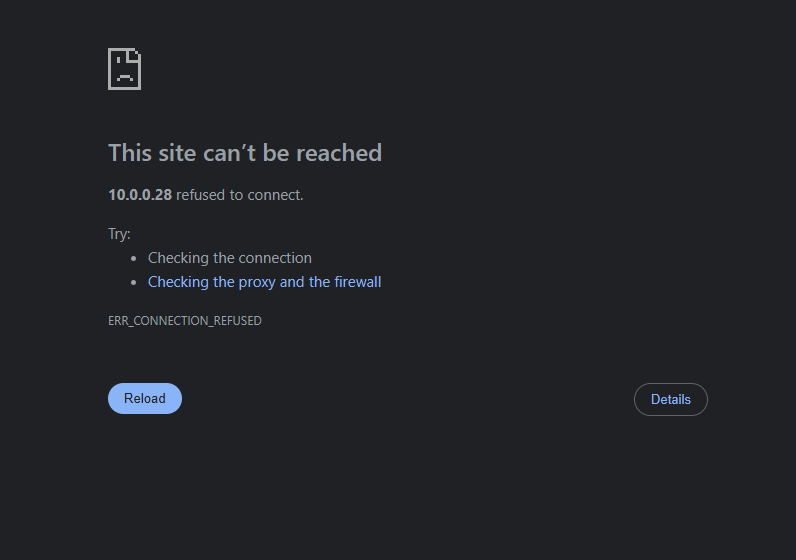
@PsychoWards on my server display it says "the web user interface is at: http://10.0.0.28:8080 https://10.0.0.28:4443" When I type either of those in the browser, I get the TrueNAS log in page and I can login successfully. So then I went back to HexOS and tried the "TrueNAS" button again and I get this error: Do you have any idea why the "TrueNAS" button is misconfigured? or how I can fix it so it correctly points to one of the two listed "Web User Interface" IP addresses? Thank you for your help, even if the button doesn't work, at least I know I can still access TrueNAS.
-
yes with hex os itself. Last night it said there was an update i dont remeber the version number, but it was something like X.4.2 >>> X.10.1 (X= number i dont remember). I clicked download and let it go all night long (8 hours). I woke up couldnt connect to my nas. had to walk into the room and push and hold the power button to turn the pc off, then turn it back on, and got that error. now i dont see the update notification, and I can't check the version number bc idk where the version number is.
-
HexOS no longer allows me to access TrueNAS
PsychoWards replied to BruteNas's question in OS & Features
Hey, The quickest check which you can do; when you connect a display to your server, what IP address is shown? 10.0.0.28 or a different one? -
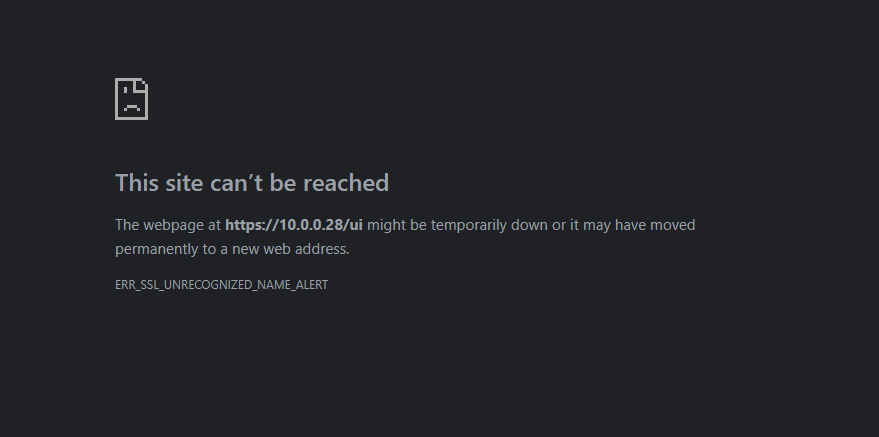
Hello, Recently I noticed that when I click on "TrueNAS" from the HexOS setting menu, I get the below error. I used to get the login screen for TrueNAS but now I cannot get there. All my apps are still working and I can still access HexOS and my apps remotely and at home. However, this is the one issue I am having. Can anyone provide some assistance as to how I can resolve this issue? Thank you! I am really enjoying HexOS so far.
-

Nextcloud as App/Integration into HexOS
sonictimm replied to qlkgwgjxoi's topic in Roadmap & Feature Requests
Awesome, Thanks for the quick reply! Bought. If anyone else finds this thread, see https://docs.hexos.com/features/apps/ and https://docs.hexos.com/features/apps/install-scripts/curated/ Supposed to be a one-click install. I'll try it soon. 🙂 -
Would love Vaultwarden support!
-

Nextcloud as App/Integration into HexOS
Mobius replied to qlkgwgjxoi's topic in Roadmap & Feature Requests
Next cloud has already been curated by HexOS -
Nextcloud as App/Integration into HexOS
sonictimm replied to qlkgwgjxoi's topic in Roadmap & Feature Requests
+100 on this! I'm a small business owner who needs to get a Nextcloud server up and running within the next few months. Just found out about HexOS today. Instant purchase if they so much as announce Nextcloud integration. -
Hmm. Now there is an interesting idea. There is another post that asks about the long-term viability of HexOS with several outside the box thoughts. This would fit well under that thread. This might be a good fix if the specifics can be worked out..
-
HexOS itself? From what version to what version?
-
I tried to update my server, and it didn't work. Does anyone have any idea why?
-
Wondering if HexOS will partner with an OEM to make an official prebuilt piece of hardware for those who would like something off-the-shelf?
-
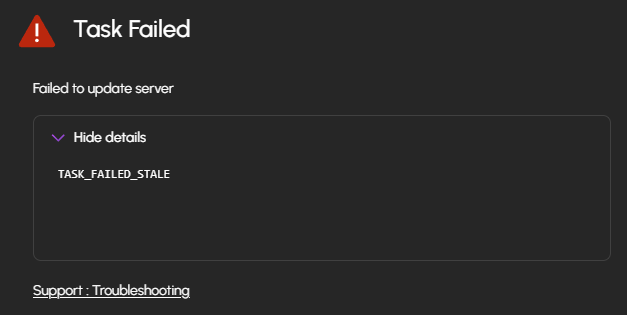
I got an HBA but its got data sata but not enough power My data is fine, it doesn't matter if I lose it. So I unplugged a drives, added the 3 larger ones to start moving some data around. I can see the drives working and displaying their full capacity as unused drives. But when I try to add the pool I get an error : TASK_FAILED_STALE and this link https://docs.hexos.com/troubleshooting/. Then 2/3 unused drives are gone from the HexOS deck. The drives are brand new Seagate Ironwolf, do you know what it could be ?